
Screenshots


About this app
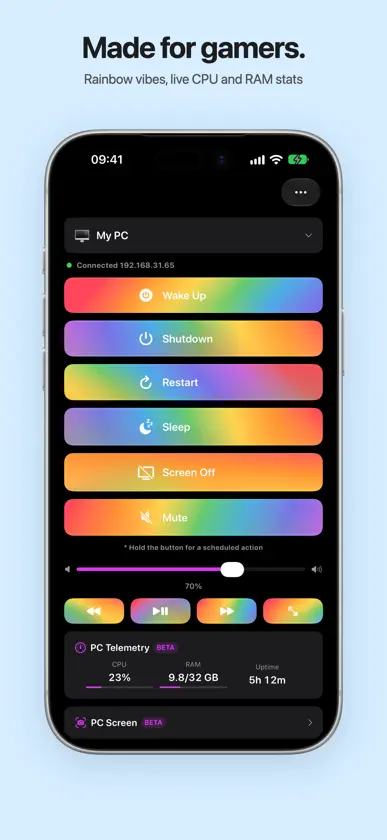
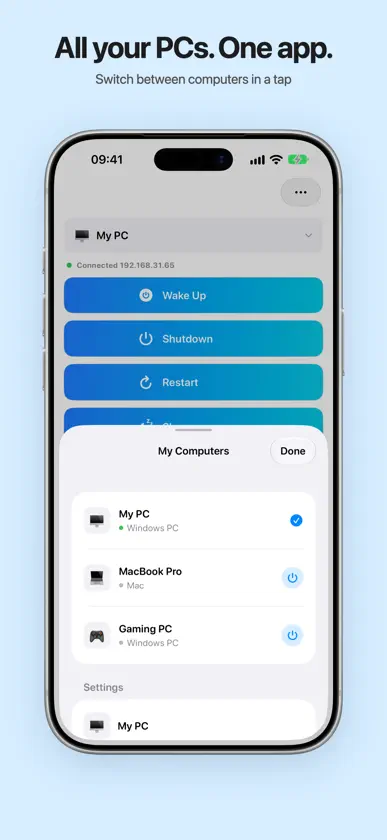
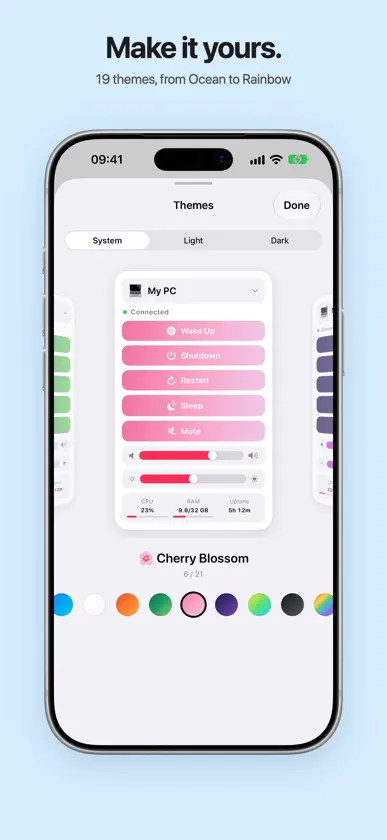
Turn on your PC from iPhone — at home or from anywhere. No accounts. It just works. Wake PC turns your iPhone into a remote for your Windows PC or Mac: power on, shut down, sleep, volume, media, apps — in one tap. Power, one tap away — Wake Up your computer with Wake-on-LAN — even from the other side of the world, through a second computer at home — Shut down, restart, sleep, hibernate or lock — with optional Face ID to prevent accidental taps — Shutdown, restart or sleep on a timer, with a countdown on the Lock Screen — Wake when I arrive home: your PC starts as you pull up to the house — Notifications when your computer turns on or off, even when you're away Your couch remote — Volume slider and mute, synced with your computer in real time — Media keys: play/pause, next and previous track — Screen Off / Screen On: the monitor goes dark while the PC keeps running (Windows) — Send to PC: a link opens in the browser on your computer, text lands in its clipboard — Custom commands: "Launch Steam", "Open OBS" or any script, with real app icons, a "running" dot and long-press to close See your PC live — Online status for every computer right in the list — CPU, memory and uptime (BETA) — A snapshot of your PC screen with zoom (BETA) From anywhere, securely Control your powered-on computer over the internet — no VPN, no port forwarding, no setup. Every command is end-to-end encrypted on your iPhone and can be opened only by your computer; our relay just forwards sealed envelopes and stores nothing. Everywhere on your iPhone — Home Screen and Lock Screen widgets — Control Center: Wake Up, Sleep and Mute — Live Activity: "Waking up…", then "Online" — Apple Watch app — Siri and Shortcuts: "Hey Siri, turn on my computer", or shut down every night at 11 PM — Two-column layout on iPhone Duo and iPad Setup in seconds Install the free Wake PC Agent for Windows or Mac from wakepc.app, then scan its QR code or let the app find your PC on the network. Wake-on-LAN also works with no agent at all. The agent updates itself. Make it yours 19 themes with rich gradients, including animated Rainbow, Aurora and Galaxy. Light or dark, independent of your system. Free and Premium Free forever: turning on your computer. Premium — a one-time purchase, yours forever: shutdown, restart, sleep, lock, screen off, timer, volume, media keys, Send to PC, custom commands, unlimited computers, all themes and the exclusive Cyberpunk theme. Requirements — iPhone with iOS 16.6 or later — Windows PC or Mac with the free Wake PC Agent (or manual Wake-on-LAN) — First setup on your home network; after that, control works from anywhere Available in 19 languages. Questions? support@wakepc.app Terms of Use: https://wakepc.app/terms.html Privacy Policy: https://wakepc.app/privacy.html
What's new
Version 26.4 · Nov 9, 2026
• New “Fullscreen” button next to the media controls — presses F on your PC, so YouTube, Netflix, Twitch and most players go fullscreen. • Next / Previous now also switch YouTube videos in the browser. • Your PC commands in the Shortcuts app: run an app, a website or a script on a schedule with Automation — for example, open a site every day at 7:00. • Shortcuts and Siri, widgets, Control Center buttons and Apple Watch now work away from home too — over the internet, just like the app. Before, they could fail with "Request timed out" on cellular. • Your PC's status right in the widget: Online, Off or Starting… — no need to open the app. • Apple Watch: long button labels are no longer cut off. • Minor fixes and improvements. To use the new buttons, update the Wake PC Agent on your computer (Mac 26.6, Windows 26.8 or newer). Thanks to Beck for the widget status idea and to Nikolai for reporting the Shortcuts issue!
In-app purchases
The most popular purchases on the App Store.
- Premium ForeverConsumableUSD 2.99
More from Ivan Perk

You might also like
 Off - WoL & Wolow for WindowsBRIDGETECH SOLUTIONS LIMITED
 Turn Off PCMarcos Antonio Salas Abello
 Racing Wheel文逢 徐
 Awake — Wake On LanVladislav Lisianskii
 NetcrazeNetcraze LLC
 Yandex InternetometerDirect Cursus Computer Systems Trading
 KeeneticKeenetic Limited
 Kugoo RidingShenzhen Jilong Technology Co.,Ltd.
 Wake Me Up - Wake-on-LANThomas Di Meco
 Duplicazione Schermo - CastMikhail Tarasov