
Digital Simulator bitGateLab
RUBEN ESTRADA MARMOLEJO
No ratings yetEducationAges 4+
Screenshots

About this app
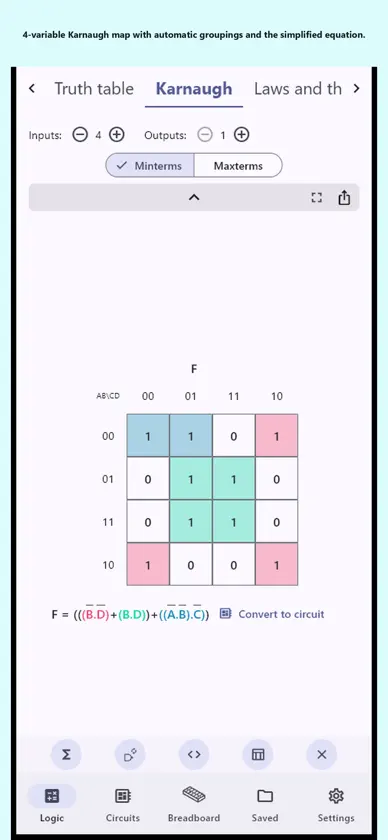
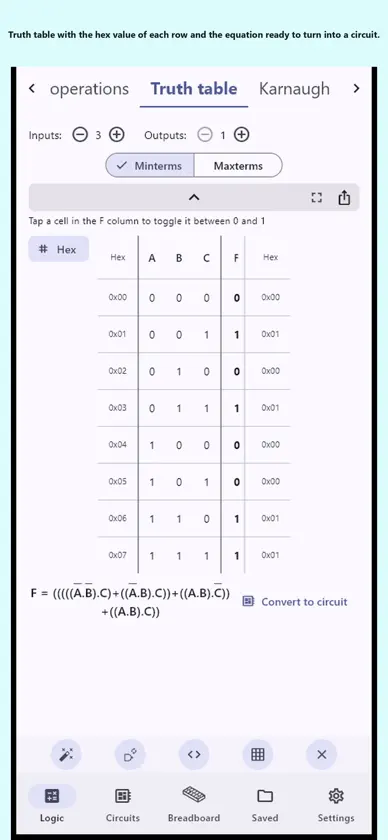
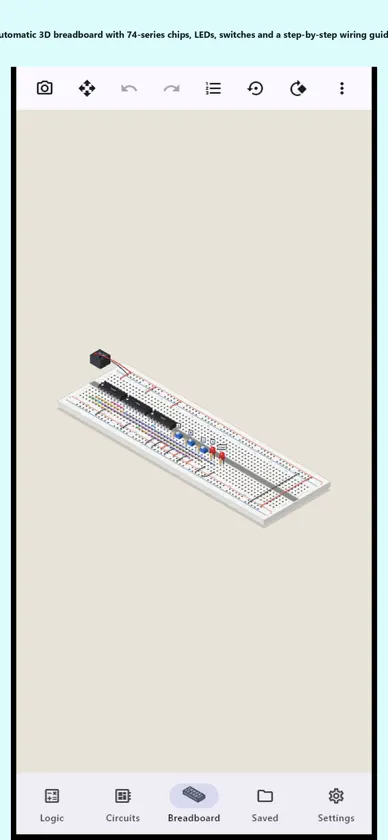
bitGateLab Digital is a digital electronics lab on your PC, phone or tablet: design a circuit with logic gates, watch it run live, get its truth table and Karnaugh map, check the timing diagram and build it on a 3D breadboard with step-by-step wiring. No account needed. The free version needs internet for ads; with Premium it works offline. DESIGN AND SIMULATE • AND, OR, NOT, NAND, NOR, XOR, XNOR and buffer gates; inputs, switches, push buttons, DIP banks, LEDs, LED strips and bar graphs, 7- and 16-segment displays, buzzer. • Sequential logic: D, T, JK and SR flip-flops, clock, crystal, counters, 555 timer, word generator, serial monitor. • Components: multiplexers, buses, ROM and RAM, H-bridge, motor, optocoupler, registers. • Group any part of the circuit into a reusable block with its own pins. • Undo and redo, copy and paste, named and colored wires, grid and automatic fit. TRUTH TABLE AND KARNAUGH • Type a boolean equation or fill in the truth table and turn it into a circuit with one tap. • Karnaugh maps from 2 to 8 variables, with groupings, canonical form, minterms or maxterms. • Step-by-step simplification naming each law applied, NAND form and Verilog export. • From the circuit back to the truth table or the Karnaugh map. TIMING DIAGRAM • Every input combination as a binary counter, with the hex value of each cycle. • A and B probes to measure intervals, X and Z levels, slopes and propagation delay per logic family (TTL, CMOS...). • Export to PDF. 3D BREADBOARD • Your circuit becomes a real build on its own: 74-series chips, resistors, LEDs, switches and wires on one or more breadboards. • Step-by-step guide hole by hole (for example 44i → 12i), bill of materials and net list. • Move chips, LEDs and switches where you like, recolor wires, isolate a net or a single wire, undo and redo. • Labels on every input and LED, free rotation, zoom and image capture. MICROCONTROLLERS AND PROGRAMMABLE LOGIC • MCU51 (8051-compatible) and MCU14 (14-bit): program in C or assembly, assemble and single-step with registers, ports, timers, interrupts and UART. • 16V8, 20V8 and 22V10 PLDs: equations, fuse map and JEDEC file. • Ready-made examples: counters, blinkers, traffic lights, serial communication and more. SHARE AND SAVE • Save your circuits with version history; share them as a file, a link or a QR code. • Export images as SVG, PNG, JPEG, WebP or PDF, and code as Verilog. • Number systems calculator, two's complement and binary operations with flags. FOR LEARNING AND TEACHING • Reference of boolean algebra laws and theorems. • State table and state diagram of your sequential circuits. • Large-button interface, comfortable on PCs, phones and tablets; light and dark themes. • 45 languages: Spanish, English, Chinese, Arabic, Hindi, Portuguese, Japanese, Korean, French, German, Russian and many more. PRIVACY No account and no cloud: your circuits are stored only on your device. Something not working? Settings → Report a problem sends your message with the app version, device model and a technical log, with no personal data. The free version shows ads; Premium removes them. Terms of Use (EULA): https://www.apple.com/legal/internet-services/itunes/dev/stdeula/ Privacy Policy: https://juchabit.com/privacy-policy/
What's new
Version 1.0.15 · Nov 2, 2026
The first time you open the app, you are asked to accept the Terms of use and the Privacy notice. Breadboard bill of materials: safety reminder for building physical circuits.
In-app purchases
The most popular purchases on the App Store.
- bitGateLab Digital LifetimeConsumable34,99 €
- bitGateLab Digital MonthlySubscription1,99 € / month
- bitGateLab Digital AnnualSubscription17,99 € / year
More from RUBEN ESTRADA MARMOLEJO


You might also like
 Cirquanta: Circuit SimulatorMewey
 KmapRichard Michalka
 LogicalArt: Digital Logic SimCrazyLazy OU
 LogicGate: Circuit SimulatorMohammed Alsaleh
 Perfboard LabPascal Schroeer
 DLD: Logic Design & CircuitsMuhammad Rafhan
 Wonder Circuits: Digital Logic亚娟 秦
 Tenio: Electronics Toolkit LabSamuel Rodas Aroche
 Singular: Circuit SimulatorAli Mert TUFEKCI
 TinyOhmsAdhish Technologies