
iWorkUntil: ADHD Visual Timer
David Klausz
No ratings yetProductivityAges 4+
Screenshots

About this app
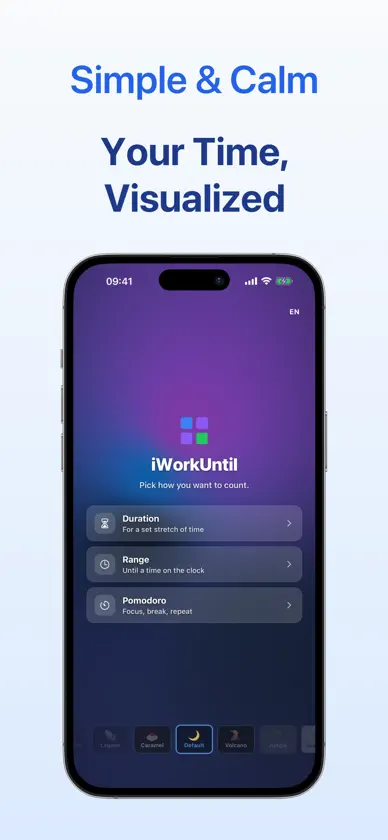
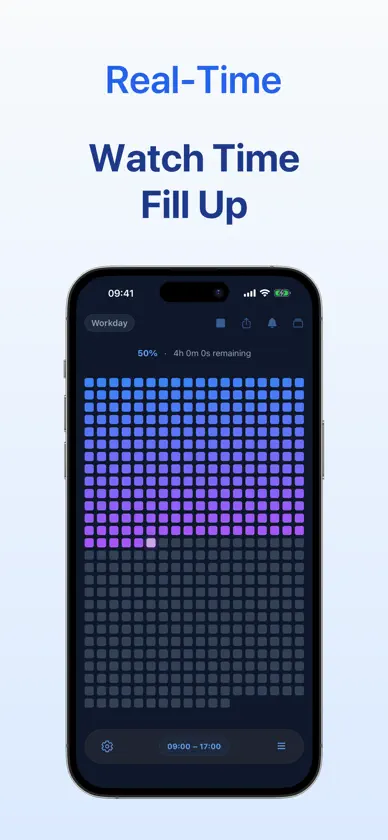
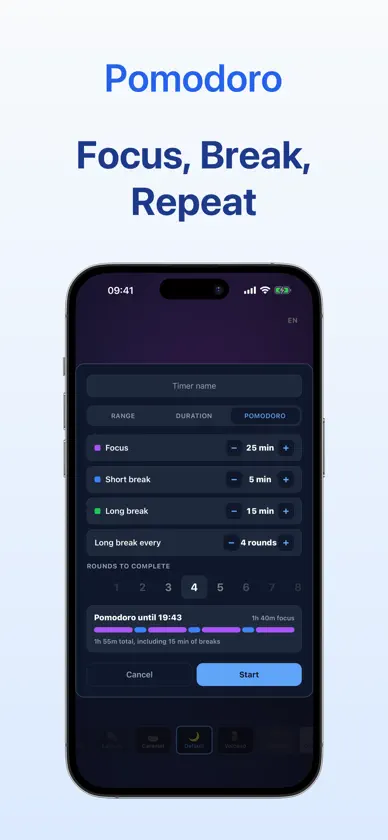
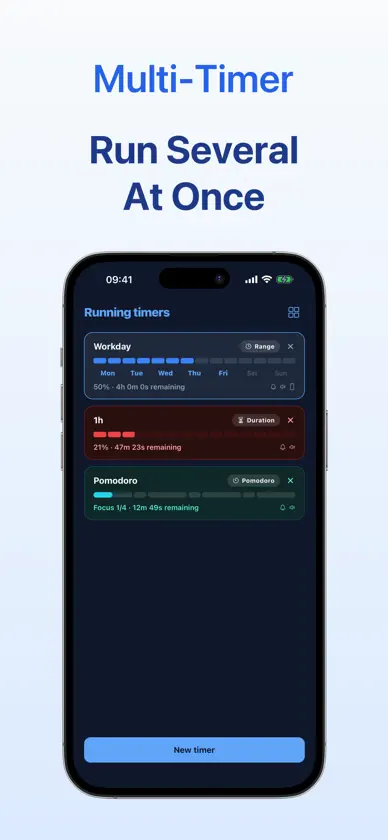
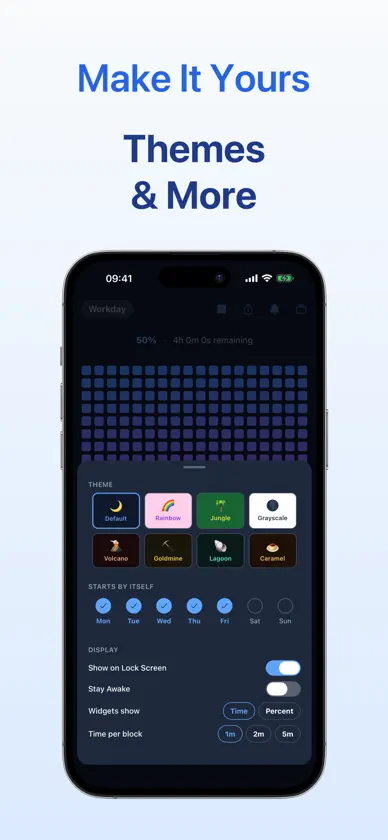
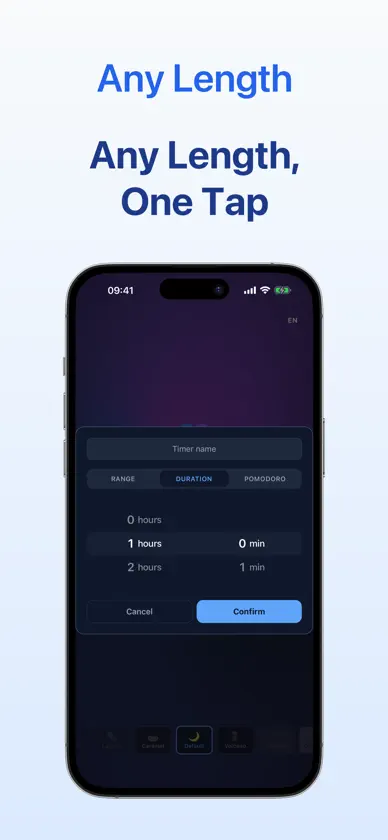
iWorkUntil turns the time you have left into something you can actually see — every minute is a visible block, the grid fills as time passes, and one glance tells you where you stand in the day, the session, or the workday. Built for anyone who'd rather see time than read it. Especially good for ADHD focus sessions, deep-work blocks, study time, and any moment where "how long left?" is the question that matters. No accounts. No ads. No notifications. No streaks to break. No AI nagging. Just time, made visible. WHAT IT DOES • Visual countdown — your time as a grid of blocks that fills as it passes • Pick a duration (e.g. 25 minutes) or a range (e.g. 9 to 5) • Each block represents a slice of your time — at a glance, you know where you are • Choose a theme that fits your screen • Lives in the corner — never in the way WHO IT'S FOR • Anyone who loses track of time when they're focused • Visual thinkers who do better with shapes than with numbers • Pomodoro and deep-work sessions that need a clear stop signal • Workdays, homework, study breaks, screen-time wind-down • Cooking, exercise, meetings, presentations — anything time-boxed WHAT IT DOESN'T DO • No notifications. No dings. No dopamine traps. • No accounts, no logins, no data collection. • No ads, no subscriptions, no upsells. • No AI, no streaks, no guilt. A visual countdown that shows you time, instead of telling you about it. Available in 11 languages: English, German, French, Spanish, Dutch, Polish, Hungarian, Russian, Danish, Swedish, Slovenian.
What's new
Version 1.3.7 · Nov 6, 2026
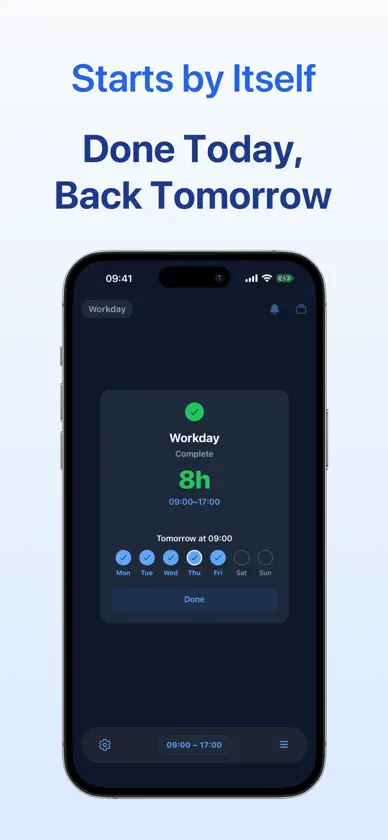
A finished timer can now repeat: one tap turns it into a daily timer over the same hours. Pick the days a daily timer starts by itself. With none picked, it runs only when you start it. Running timers shows each daily timer's days, and you can change them in Settings. A finished timer's Done now leaves the Lock Screen and Apple Watch after 5 minutes. On the Lock Screen, a daily timer now shows its week, and once it ends, when it starts again. The block grid has a new look: your time fills in one smooth gradient, and the newest block glows. iPhone Duo support Bugfixes and performance improvements
More from David Klausz

You might also like
 TimeSee: Visual Timer for ADHDHIDEKAZU YAMAOKA
 Tempo: Visual Countdown TimerFoundry24 LLC
 ADHD Timer: End Time BlindnessMaciej Planeta
 Damobo ADHD Time Block PlannerChristopher Mayberry
 SPARK - 2 Minute StarterAndres Moreno Rubio
 Ontime: ADHD & Time BlindnessADESH PANDEY
 HyperFocus - ADHD Focus TimerYounggun Kim
 I Don't Plan Planner: ADHD AidAMADOR MANTILLA DE LIMA
 Pause: App BlockerEric Factor
 Visual Timer: Tomato TimerGRADOID DOO NOVI SAD