
Screenshots








About this app
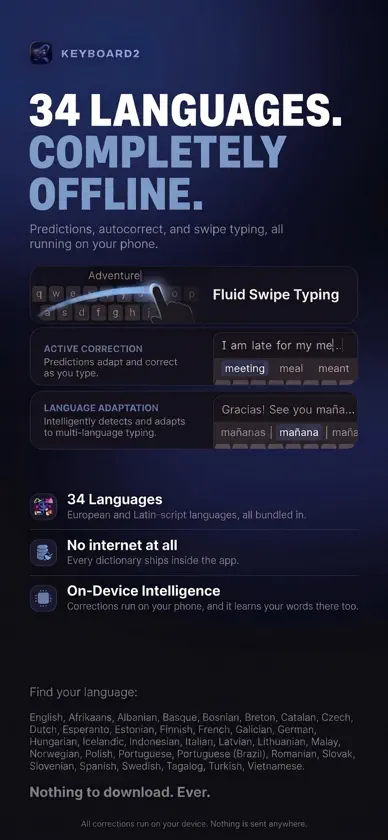
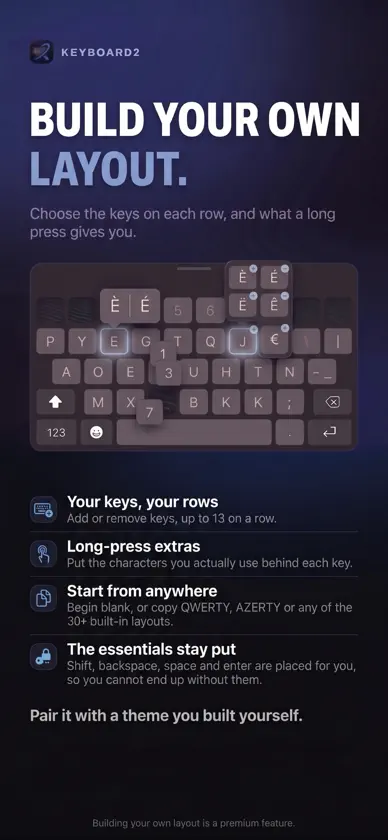
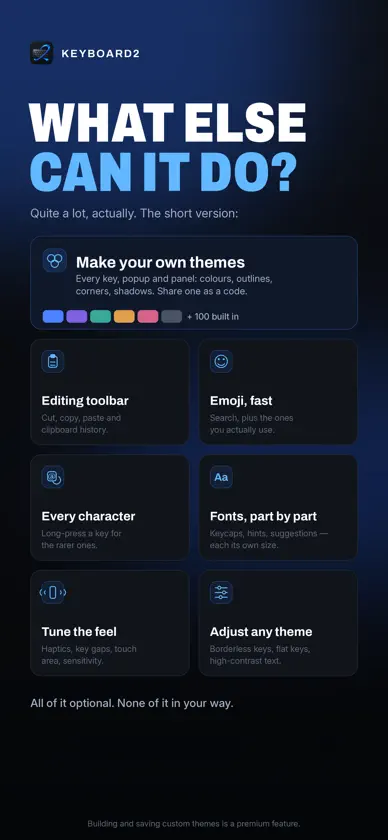
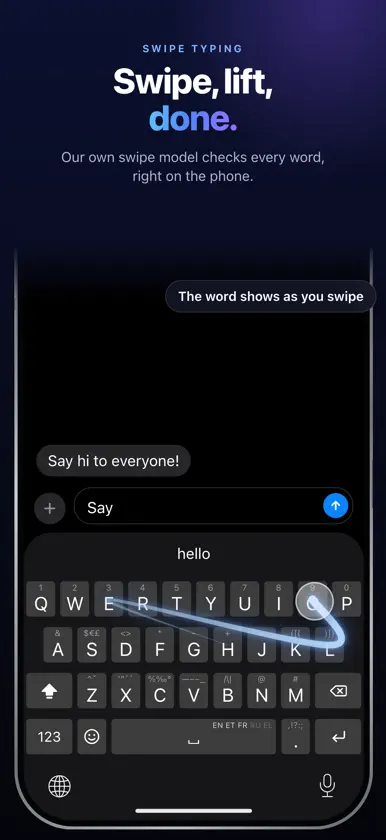
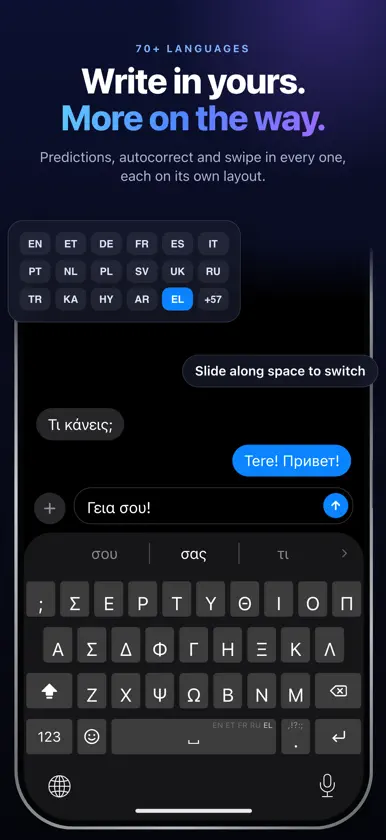
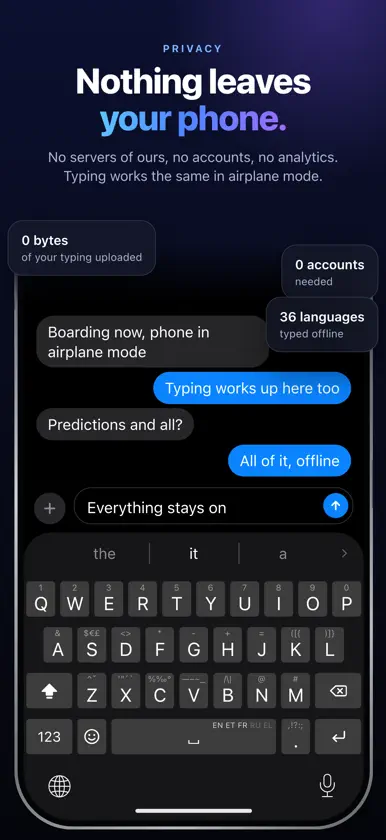
keyboard2 is a smart, private keyboard for iPhone. Autocorrect that fixes what you meant, swipe typing, predictions in 70+ languages and tools under your thumb. The keyboard uses no internet at all, so nothing you type ever leaves your device. TYPE SMARTER - Predictions, autocorrect and autocomplete in 70+ languages: 13 built in, the rest download once when you add them - Arabic typed right to left, or in Latin letters ("mar7aba" becomes مرحبا) - Autocorrect that fixes swapped, missing and extra letters, and puts back missing accents and apostrophes - Swipe typing with an on-device model that learns how you swipe - Write in two languages at once: keyboard2 follows you word by word - Suggestions that read the whole sentence, not just the last word - Learns your words on your device, and one backspace undoes a fix and teaches it - Learns where you tap each key and moves the key borders to match - Fixes capitalization, including German nouns - Smart punctuation that follows your language: quotes, ¿ ¡, French spacing - Emoji suggestions while you type TOOLS UNDER YOUR THUMB - Smart wheel: swipe up from the space bar to switch language or reach any tool - Clipboard history with text and images, as a list or a grid - Toolbar with cut, copy, paste, clipboard and emoji, one swipe from the suggestions - Text replacements, including the shortcuts you set up in iOS - Hold the space bar to move the cursor like a trackpad, flick to jump a sentence - Swipe left from delete to remove whole words - Paste a copied one-time code with one tap - Layouts that fit the field: number pads, email and web address keys - Emoji search in 70 languages that forgives typos PRIVACY FIRST - The keyboard never connects to the internet. Everything you type stays on your device - Extra languages come from Apple's App Store. Nothing of yours is sent - No tracking, no data collection MAKE IT YOURS - 50+ keyboard layouts in Latin, Cyrillic, Greek, Georgian, Armenian and Arabic script, or build your own - Your own font, size and weight for every part of the keyboard - Set key height, key gaps and the suggestion bar's height - 100+ themes in the app, or build your own and share it - The app and the keyboard in 40+ languages - A split keyboard on the unfolded iPhone Duo, held sideways KEEP YOUR SETUP - Save your settings and themes to a file you choose, and put them back on a new phone - Optional automatic backups to a folder you pick. It never comes to us - Settings only. Never the words the keyboard learned, your clipboard or your emoji history PREDICTION LANGUAGES (70+) English (US, UK, Australia, Canada), Estonian, German, Finnish, Dutch, Spanish, Swedish, Romanian, Hungarian, French, Italian, Afrikaans, Breton, Bosnian, Catalan, Czech, Esperanto, Basque, Galician, Indonesian, Icelandic, Lithuanian, Latvian, Malay, Norwegian, Polish, Portuguese (Portugal and Brazil), Slovak, Slovenian, Albanian, Tagalog, Turkish, Vietnamese, Russian, Ukrainian, Danish, Croatian, Bulgarian, Macedonian, Serbian (Latin and Cyrillic), Norwegian Nynorsk, Greek, Azerbaijani, Georgian, Armenian, Kazakh, Belarusian, Welsh, Uzbek, Swahili, Hinglish, Irish, Maltese, Faroese, Luxembourgish, Turkmen, Kurdish (Kurmanji), Hausa, Igbo, Māori, Tongan, Kyrgyz, Tajik, Mongolian, Roman Urdu, Roman Telugu, Navajo, Arabic, Malay (Jawi) FREE AND PREMIUM keyboard2 is free to download, and everything is unlocked for your first hour of typing. After that, basic typing stays free forever; premium features (predictions, swipe typing, most themes, custom themes, custom layouts, the toolbar and long-press alternates) need a subscription or a one-time lifetime purchase. Subscriptions start with a 7-day free trial. Backing up your settings is free. Requires iOS 26. Bought keyboard2 when it was a paid app? You keep premium for free. Open the app once after updating. We love feedback: info@techamigos.ee, or reddit.com/r/keyboard2 for updates, ideas and bug reports. TechAmigos OÜ, Estonia
What's new
Version 6.2 · Nov 6, 2026
70+ languages - 38 new typing languages: Arabic, Ukrainian, Danish, Croatian, Bulgarian, Macedonian, Serbian (Latin and Cyrillic), Norwegian Nynorsk, Azerbaijani, Georgian, Armenian, Kazakh, Belarusian, Welsh, Uzbek, Swahili, Hinglish, Irish, Maltese, Faroese, Luxembourgish, Turkmen, Kurdish (Kurmanji), Hausa, Igbo, Māori, Tongan, Kyrgyz, Tajik, Mongolian, Roman Urdu, Roman Telugu, Navajo, Malay in Jawi, and English for the UK, Australia and Canada. - Each comes with its own layout, predictions, autocorrect and swipe. Turn one on and it downloads once from the App Store. - Bigger word lists for the languages you already had, so fewer words go unrecognised. - The app is now also in Arabic, Ukrainian, Danish, Croatian, Bulgarian and Kazakh. Arabic, right to left - Arabic Standard and PC layouts with the vowel-mark key, Arabic numbers and your region's currency. - Arabic in Latin letters: type "mar7aba" and get مرحبا, on a QWERTY or AZERTY layout with the digit row always there. One backspace brings back what you typed. - Malay in Jawi, with its own layout and shift page. Arabic and Jawi each suggest words in their own language. - Popups and the suggestion bar read right to left, the cursor moves the way the text runs, and delete and return point the way they do on iOS. - Symbols on the letter keys, and ، ؟ ؛ « » under the dot key. - Custom layouts in Arabic letters work like the built-in ones. Smarter typing - Learning keeps your words, not your typos. A new word is learned once you use it on another day, or right away when you pick it from the suggestions. Typos, words run together and stray punctuation are left out, and the list you already have is tidied once. - Common typos like "thr" are corrected now. Hundreds of them had slipped into the word lists of 30 languages as if they were words. - Swipe words with ß and other letters that live under a long press: "Straße" comes out right. - No more stray capitals from another of your languages in the middle of a sentence. - Fast typing no longer turns into a swipe, and a quick tap on the space bar always types a space. - Shift works like the iOS keyboard: a tap toggles it, a double tap is caps lock. - A suggestion tapped in the middle of a sentence replaces just that word. - Dictated and pasted text is never learned as if you typed it. - Apps that ask the keyboard for its language, like Translate, get the language you are typing. Backspace and editing - Hold or swipe backspace to delete word by word or letter by letter, your choice. - Swipe backspace to the edge and it keeps deleting, across paragraphs too. Swipe back to restore. - Typing shortcuts: three dots become an ellipsis, two hyphens a long dash, and two apostrophes a quote mark. - Hold 0 for ° and %, and the dot for … Keyboard - Switching layouts by sliding along the space bar needs a deliberate slide now, with a tick each time the layout changes. - A slide from 123 or shift that rests on a key opens its alternatives.
In-app purchases
The most popular purchases on the App Store.
- Premium MonthlySubscription · 7 days free trial0,99 € / month
- Lifetime unlockConsumable17,99 €
- Premium YearlySubscription7,99 € / year
More from TechAmigos



You might also like
 EFKey – Swipe & AI KeyboardPeter Feranc
 MarAI KeyboardDeniz Maral
 Klava KeyboardNikita Shimkus
 MergeKeyAndrei Achziger
 MyKeyboard LegacyFiveSheep OU
 KeybuildJamie Froggatt
 Quick Kibo: Custom KeyboardWeiyanda (Shanghai) Information Technology Co., Ltd.
 Keyz KeyboardLARNA AI LTD
 So Annoying! Ad BlockerMIKAIL YENIGUN
 Cling: Pin AnythingWilliam Whitehouse