
Screenshots





About this app
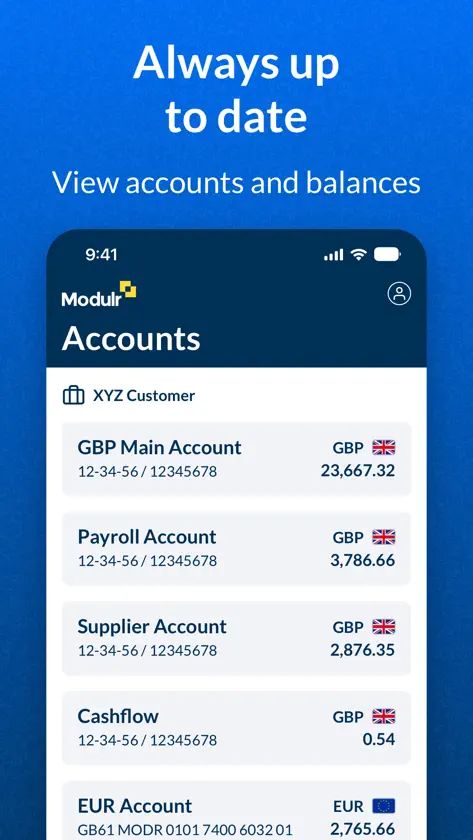
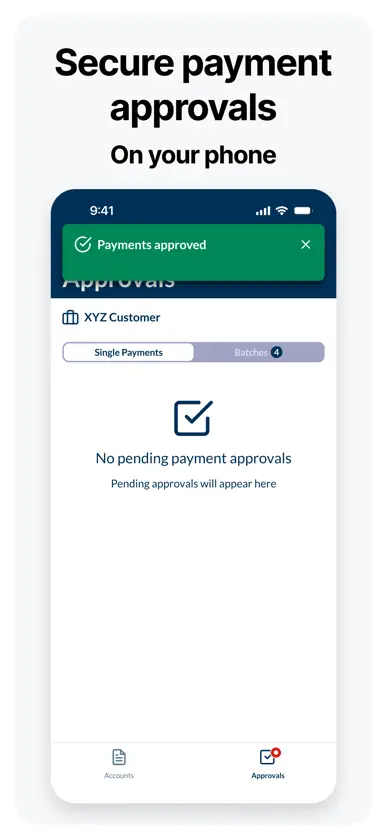
MODULR MOBILE APP Manage your Modulr payments, accounts and cards securely from wherever you are. MODULR PAYROLL PORTAL USERS Payment approvals Approve single, multiple or batch payments for your business or your customers, wherever you are. Receive push notifications when an approval is required and approve payments in seconds — no desktop required. Add funds Add funds directly from your bank within the app. Select “Add Funds”, choose your bank, and securely confirm the payment with your bank. Funds are transferred directly to your Modulr account and are ready for scheduled or approved payments. Funding requirements are clearly shown for your accounts and your customers’ accounts, so you always know what is needed and when. Accounts and balances Check balances and account activity for your business and your customers anytime, wherever you are. MODULR ACCOUNTS PAYABLE USERS Cards Activate your Modulr virtual payment cards directly from the app and securely view card details. Freeze or unfreeze cards whenever needed, and check spending limits and current spend at a glance. Receipts Upload receipts on the go using your phone’s camera or files, helping you keep your business spending reconciled wherever you are. For payroll payments, user management, accounts payable invoice approvals and other features, continue using the Modulr AP or Payroll portals on desktop. www.modulrfinance.com/help-and-support
What's new
Version 1.4.12 · Nov 10, 2026
**Receipt improvements** Add comments and follow conversations on receipts with optional notifications. View rejection reasons and who rejected a receipt. Edit or replace rejected and awaiting receipts; changes return for approval. Clearer receipt statuses: Awaiting approval, Pending Payment, Paid, Rejected, and Processing.
You might also like
 Transferra - IBANs, FX & CardsTransferra Un Limited
 DT&TDT&T Corporation Ltd
 Accountex LondonSitka Ltd
 GoSolo: Smart Business AccountGoSolo Financial Limited
 BanxeBANXE LTD
 Xonder Business AccountXONDER LTD
 Vault – Borderless BankingDEVERE GROUP LIMITED
 Prosper2 Prepaid CardPaneleven Ltd
 Allica BankAllica Limited
 Saurus.comSaurus.com