
Screenshots


About this app
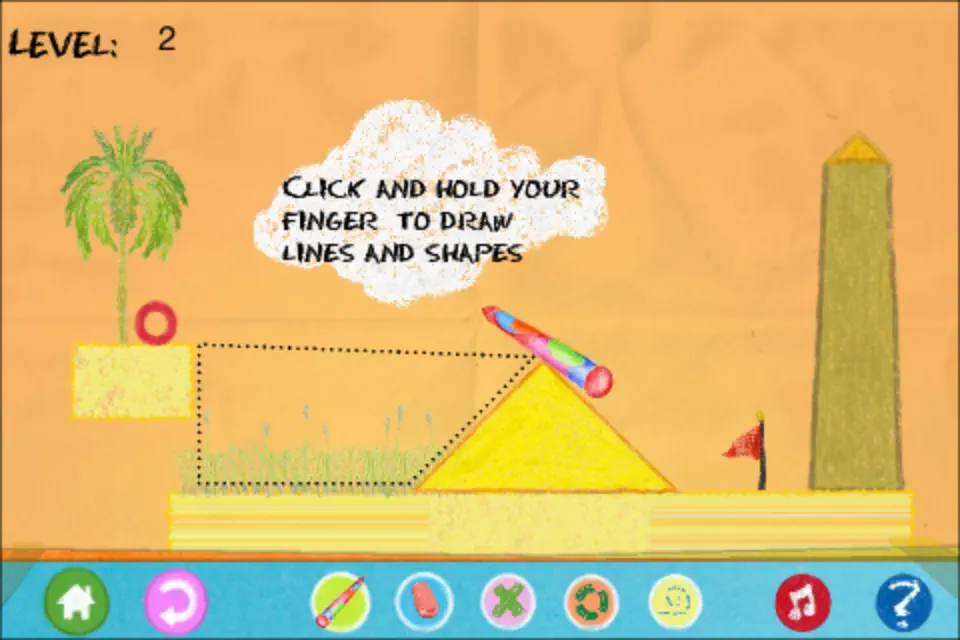
[Instructions]: Collect the flags with the little red ball to complete a level. Move the red ball by drawing objects and pushing it around. Press and move on screen to draw. You cannot draw inside other objects. To draw a circle, press and stay where you want the center to be,wait the circle grows. Pins and hinges connect objects. A pin fixes the two objects, and a hinge allows rotation. You can put them on the ball too. Press the "pin" button to switch to pin mode, the place the pin where you want. Then draw a figure on top. Press the "hinge" button to switch to hinge mode and place the hinge. Then draw a figure on top. Press the "erase"button then press inside a shape,pin or hinge to erase it. You switch to "normal" pen mode by pressing "normal"button. Hold Down the "Boost" and click for a small boost. ( New function in Magic PenII ). [Description]: The shapes that you draw are affected by gravity, friction and inertia. Use these properties in your advantage. The red ball (or red square in some levels), is the object that collects the flags. Draw the objects in such a way that they push the ball in the desired direction.
What's new
Version 1.5.5 · Mar 6, 2019
Optimizations.
More from TTCX Inc.


You might also like
All apps like MagicPenB → Adventure Ball 4: Run & RollHaroon Muhammad
 Egg Ball 4 – Red Ball HeroHaroon Muhammad
 Tricky Pipes - Funny PuzzlesDan-ionut Chis
 Monsterland. Junior vs SeniorOleksandr Mykhailov
 No Online Retro HorrorMarina Sharova
 Hamster Run: 3D DashIurii Nikshych
 Ball tales - The Lost IslandHakan Dede
 Jelly Jelly JumpsSixto Figueroa Uribe
 Travel Dress Up - TripKamran Abid
 Blocky CopsFull Fat Productions Ltd