
Stepwise Timer
Wei Chen Hung
No ratings yetProductivityAges 4+
Screenshots



About this app
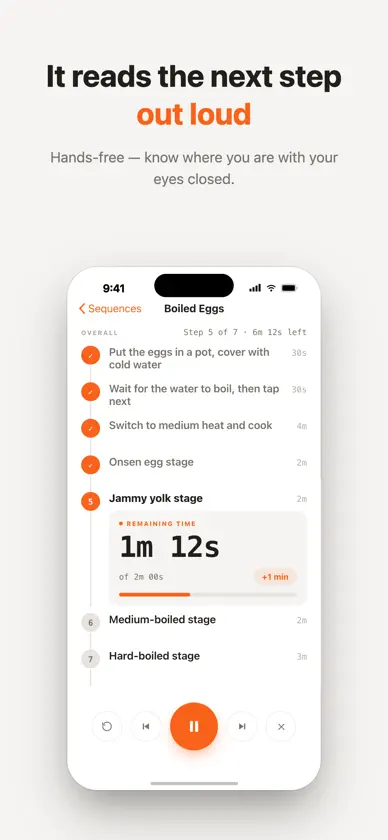
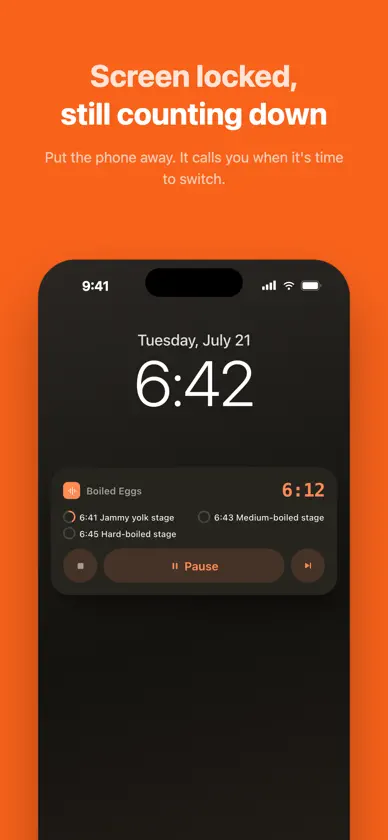
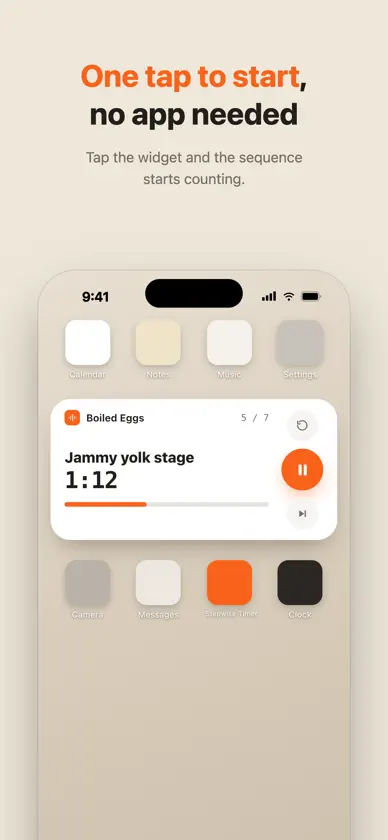
Chain a few timed steps into a "sequence", press play, and Stepwise walks you through it — one step at a time. Each step counts down on its own. When it ends, the next one starts automatically with a sound and a spoken announcement of what's coming up. You never have to look at your phone mid-routine. ■ Made for · Morning routines: stretch, meditate, write down today's three things · Focus work: Pomodoro, with automatic repeat rounds · Workouts and stretching: one set after another, no stopwatch fiddling · Cooking and pour-over coffee: bloom, pour, brew · Winding down: breathe, stretch, lights out ■ What it does · Sequence timing: set a duration per step; auto-advance or wait for your confirmation · Spoken announcements: hear the next step's name, eyes closed · Adjust while running: skip, go back, restart a step, or add +1 minute · Repeat rounds: run the whole sequence a few more times automatically · Finish signal: end the last step with a chime or your own spoken message · Live Activity: see the countdown on the Lock Screen, pause or continue right there · Home Screen widget: start a specific sequence with one tap · Usage stats: a diary of every run, with a 7-day rhythm chart, a calendar and streaks · Folders: keep your sequences organized · Share: import via QR code, or export CSV as a backup · Design with AI: paste the prompt from our support page into your favorite AI, then import the CSV it creates · Fully offline: no account, no ads, no data collection ■ Free vs Premium The free version includes every feature above, with up to 5 sequences and the last 30 days of stats. Premium unlocks unlimited sequences and your full stats history (records are always kept — upgrading brings them all back). ■ Premium subscription · Monthly or yearly plan (price shown on the purchase screen) · First month free for new subscribers; billing starts automatically when the trial ends · Subscriptions renew automatically unless cancelled at least 24 hours before the period ends · Payment is charged to your Apple Account at confirmation of purchase · Manage or cancel anytime in Settings → Apple Account → Subscriptions · Terms of Use (EULA): https://jacobhung.com/stepwisetimer/privacy/ · Privacy Policy: https://jacobhung.com/stepwisetimer/privacy/
What's new
Version 1.2.0 · Nov 4, 2026
New • Export your stats as CSV: the last 30 days on the free plan, your full history with Premium • Tap a day in the Usage Calendar to see that day's runs • Easier-to-read history: the last 7 days are listed day by day, and older months are collapsed until you open them Fixes & improvements • Fixed a crash that could happen when opening Stats • Removed the 1,000-record limit, so your oldest records are no longer deleted automatically • Stats now explains where your records are stored (on this device, included in iCloud Backup)
In-app purchases
The most popular purchases on the App Store.
- Stepwise Timer PremiumSubscription · month free trial0,99 € / month
- Stepwise Timer Premium YearlySubscription · month free trial7,99 € / year
More from Wei Chen Hung

You might also like
 stream countdown: until.atRaween Kalicharan
 Timely TimerTuan Nguyen
 Next Step – Sequential TimersAnthony Cuccia
 TodayFlow: Daily PlannerVu Thi Hanh
 Ritua: Routines & App BlockingLiam Gillespie
 Life's a GanttCycosoft, LLC
 Visual Intent - Schedule by AI明 旷
 TimeBuddy: Focus TimerMasterMind Software LLC
 Alarm QRMatthew Vella
 Flowstage-AI Time Block Timer恒智 石