
QuickLayout - Window Manager
KAZUHIRO KAKIMOTO
No ratings yetUtilitiesAges 4+
Screenshots

About this app
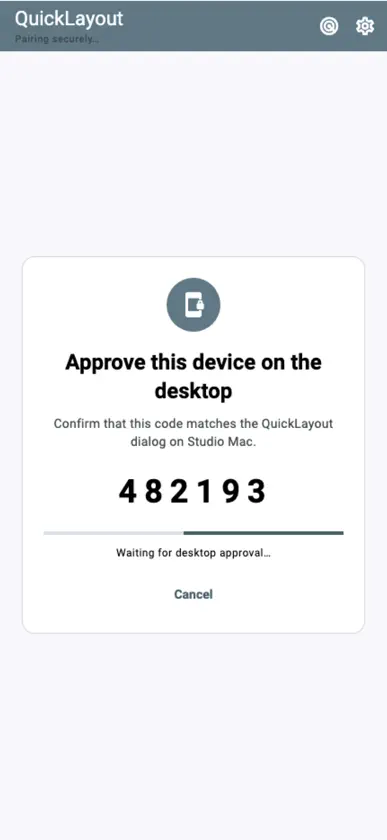
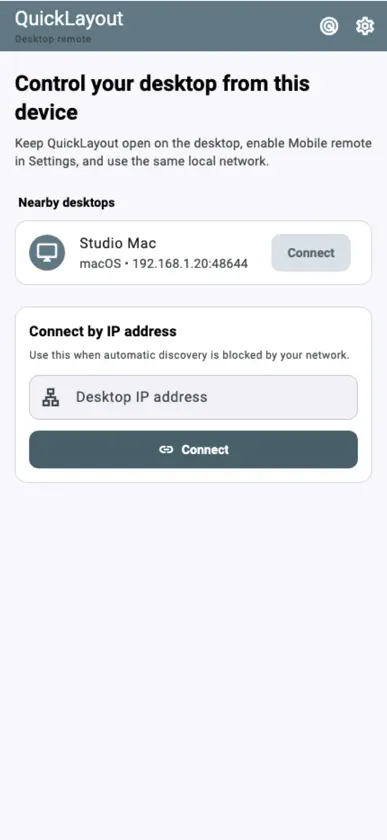
QuickLayout is a Mac remote and workspace switcher that recalls saved Mac window layouts from iPhone/iPad. Connect to a Mac running QuickLayout on the same local network to switch desktop setups for work, development or study. Create and save layouts on the Mac. KEY FEATURES • List and search layouts: Browse workspaces saved on your Mac and find them by name. • One-tap switching: Select a saved layout to restore multiple app windows together on your Mac. • Favorites: Give frequently used layouts priority for quick access to everyday workspaces. • Multiple displays: Check saved display configurations and app/window counts, then switch the whole arrangement. • Undo and status: Undo the last layout change and check application results and Mac status. • Mac pairing: Discover and connect to a Mac on the same network or enter its IP address. USE CASES • Turn iPhone/iPad into a shortcut remote or left-hand controller. • Switch screen setups for meetings, document creation, programming or video editing. • Recall external-monitor and dual-display workspaces from your mobile device. PRIVACY AND LOCAL OPERATION No account or cloud relay is needed. Commands stay on your local network, with an encrypted connection after pairing. PRICING AND PRO All basic features remain free after the 7-day trial. Pro (annual subscription or one-time purchase) removes mobile ads and desktop upgrade reminders. Terms of Use: https://kakitiro.com/quickapps/quicklayout/terms/
What's new
Version 2.0.0 · Nov 9, 2026
• Control saved layouts on a paired desktop over your local network. • Improved translations and usability.
In-app purchases
The most popular purchases on the App Store.
- Pro - AnnualSubscriptionRp 29ribu / year
- Pro - LifetimeConsumableRp 149ribu
More from KAZUHIRO KAKIMOTO
 QuickEditor - Text & CodeKAZUHIRO KAKIMOTO
 QuickVibrator - Remote SyncKAZUHIRO KAKIMOTO
 QuickExplorer - File & StorageKAZUHIRO KAKIMOTO
 QuickRemote - Desktop ManagerKAZUHIRO KAKIMOTO
 QuickPlayer - Music & VideoKAZUHIRO KAKIMOTO
 QuickVideo - Cam & EditKAZUHIRO KAKIMOTO
 QuickRecorder - Voice LibraryKAZUHIRO KAKIMOTO
 QuickTerminal - Multi-ShellKAZUHIRO KAKIMOTO
You might also like
 PocketStack - Hypervisor MgrWeaveHub Technologies LLC
 EaseConnect RemoteJoaquin Garcia
 ONE KVMShenzhen Yeesoo Technology Co., Ltd.
 emu98Caner (Chongqing) Computer System Co., Ltd.
 TouchNow RemotePo hin Ma
 CPCemuRainer Loritz
 Cleaner Zero: Clean Up StoragePEU SX S.R.L.
 Smart Print: Printer & ScannerSon Nguyen Minh
 AirPlay TV Screen MirroringCalista Fernandes
 Home Widget for HomeKit · HWClement Marty