
RefStage
Samoremi LLC
No ratings yetGraphics & DesignAges 17+
Screenshots




About this app
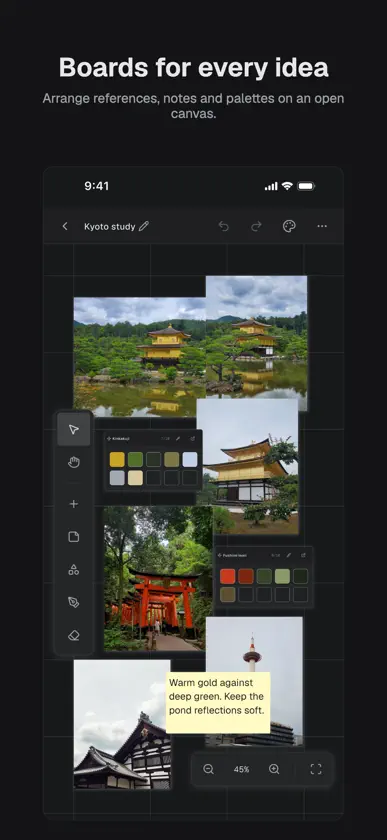
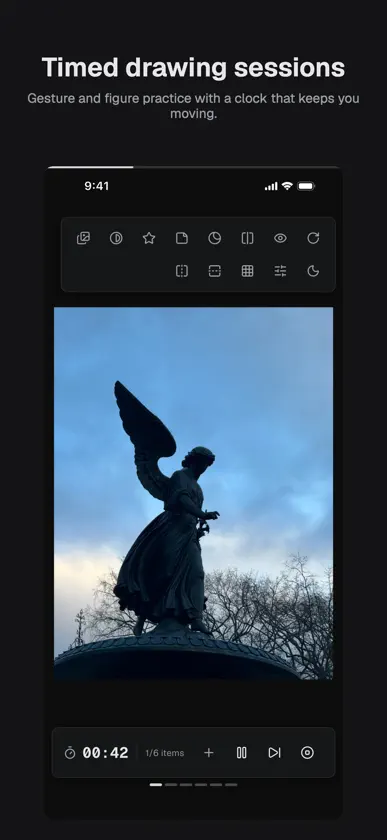
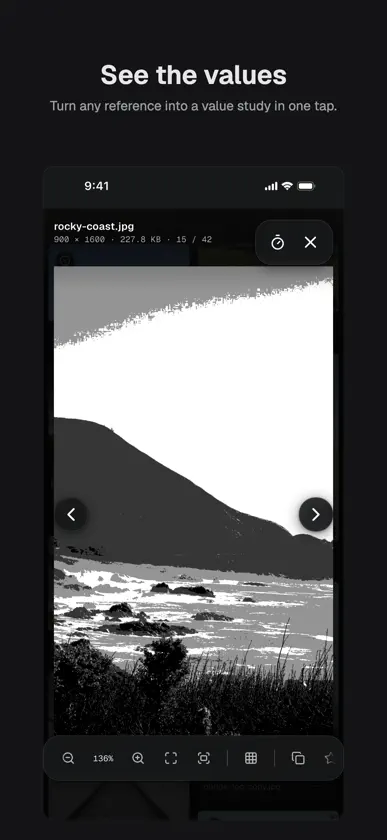
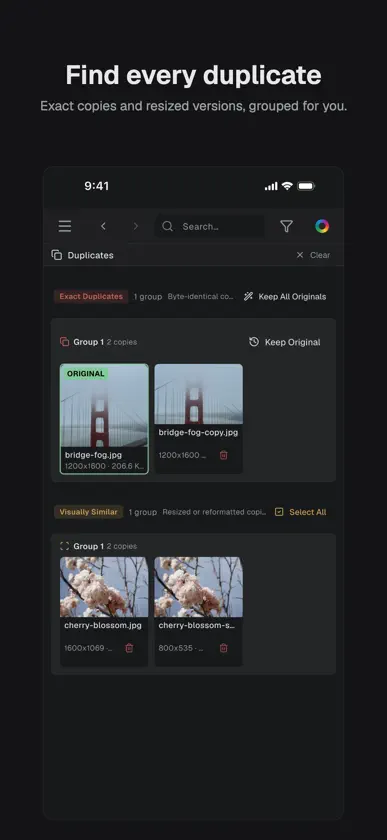
An infinite canvas for your references, plus a fast library to hold them all — images, video, 3D models, and PDFs. RefStage is built for artists, illustrators, and designers who work from reference. EVERYTHING ON ONE CANVAS • Drag-and-drop canvas for images, video clips, sticky notes, and color palettes • Arrange, group, and resize freely — your board, your layout • Draw shapes, link ideas with connectors, and sketch with Apple Pencil • Export any board as an image or PDF A REAL REFERENCE LIBRARY • Folders, tags, favorites, and smart folders • Fast full-text search, plus search by color • Find and clear out duplicate images automatically • Step through video, orbit 3D models, and read PDFs — save any frame or page as a new reference • Built to stay fast on large collections PRACTICE • Timed drawing sessions from your own references • Gesture, class, value, memory, and more • Study aids like grayscale, posterize, grid, and mirror — your originals never change • Goals, streaks, history, and routines with reminders EDIT WITHOUT DAMAGE • Crop, rotate, flip, adjust, and pixelate — the original file is never modified COLLECT FROM ANYWHERE • Web Capture: browse any site and collect the images you see • Pull images in from Photos, Files, or other apps THE FORMATS ARTISTS ACTUALLY USE • Images: JPEG, PNG, GIF, WebP, HEIC, AVIF, TIFF, JPEG 2000, JPEG XL • Camera RAW from most major manufacturers — no converting first • Video: MP4, MOV • 3D: OBJ, STL, glTF, FBX, USDZ, and more • Documents: PDF PRIVATE BY DESIGN • Your references and boards stay on your device • No account required, and no ads, ever • Anonymous analytics are OFF by default; crash reporting can be turned off in Settings • Hide references, folders, or boards behind an optional Face ID, Touch ID, or passcode lock Whether you're building a mood board, collecting style references, planning a shoot, or putting in daily practice, RefStage gives the images that drive your work a focused home. Bring your references together.
What's new
Version 1.1.1 · Nov 5, 2026
NEW • Batch rename: select several references and rename them all at once. Preview every new name before you commit, and undo the whole batch in one step. • Navigate and select library cards from the keyboard or with VoiceOver. IMPROVED • The lightbox Edit panel sits beside or below your picture instead of covering it. • The mood board's Edit panel stays out of the way until you open it. • Visually Similar in Duplicates now finds photos it used to miss. • Tag search ignores accents, and multi-word searches look across filenames and tags. • Smoother drawing and erasing on the mood board, with better palm rejection. • Faster, more reliable imports from Eagle, PureRef and Allusion. Plus many stability fixes, better large-text support, and accessibility improvements throughout.


