
Timetracks4D
Masayuki Akamatsu
5.0(2)Photo & VideoAges 4+
Screenshots


About this app
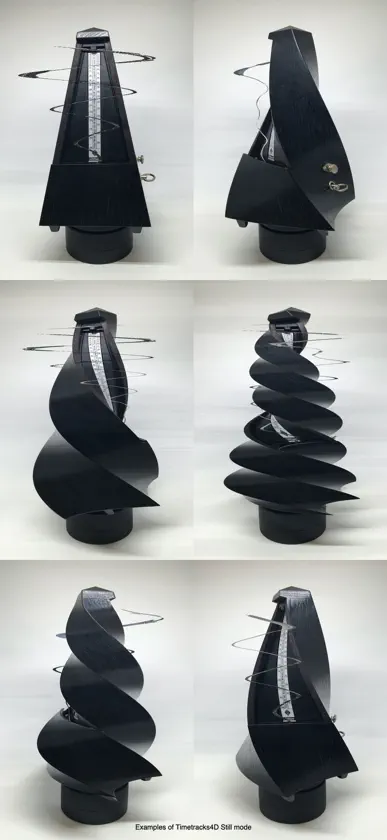
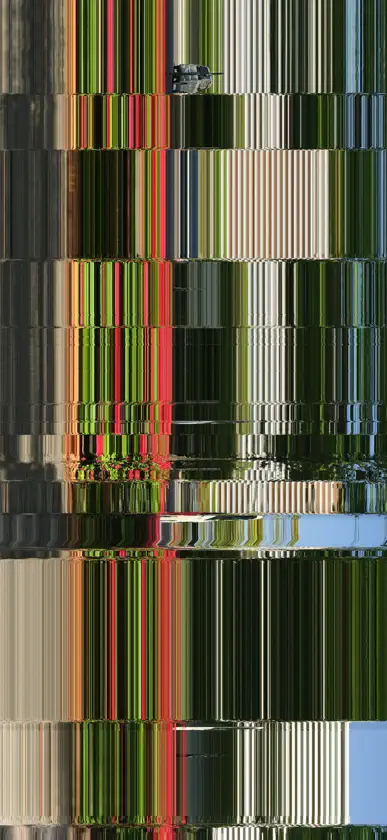
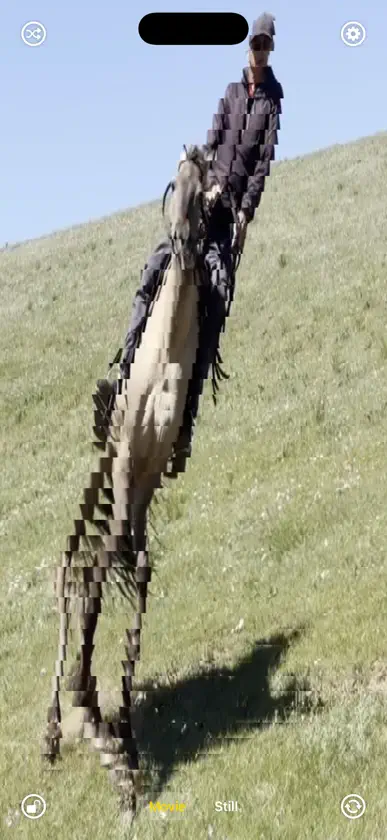
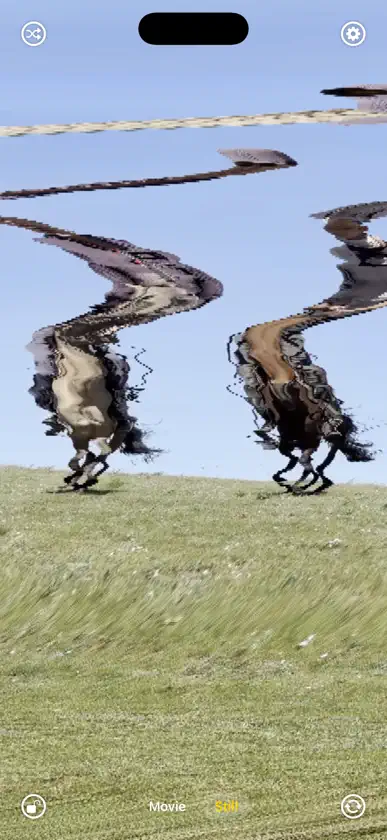
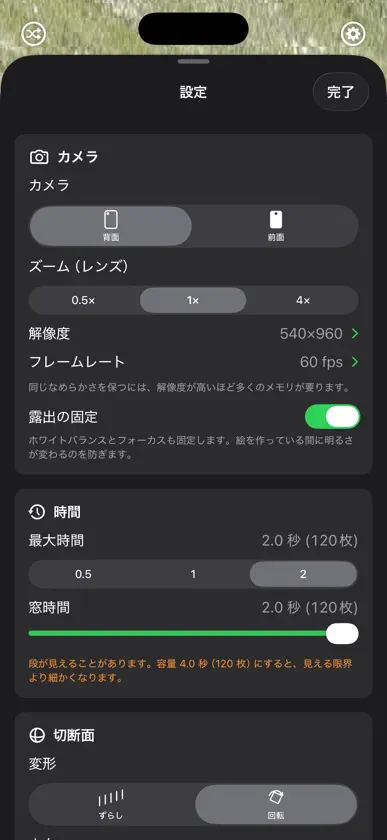
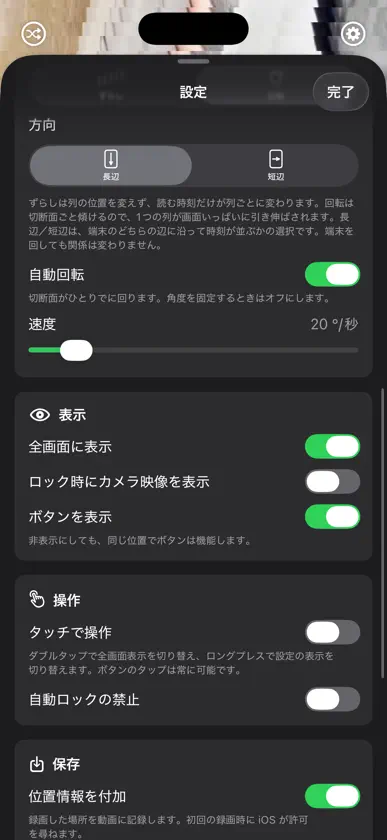
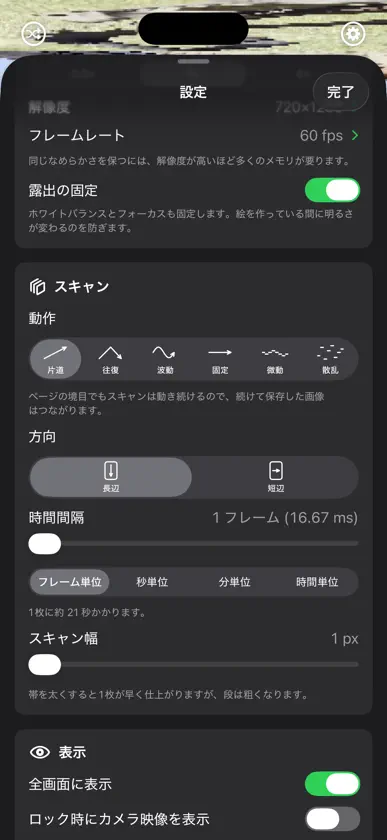
Timetracks4D は、時間を空間のように切り取るカメラです。 映像は、横・縦・時間の3方向に積み上がった立方体だと考えることができます。ふつうの再生は、この立方体を時間に対してまっすぐ切って、切り口を1枚ずつ見せることに当たります。Timetracks4D は、その切り口を傾けます。傾けると画面の場所ごとに違う時刻が写り、止まっているものはそのまま、動いたものだけがねじれます。 ■ 2つの撮り方 【動画】切り口を回しながら録画します。1コマごとに傾きが変わるので、絵が動き続けます。角度・速度・時間の窓の広さを変えると、ねじれ方が変わります。 【静止画】細い帯を1本ずつ積み上げて1枚の画像を作ります。帯はそれぞれ違う時刻に写したものなので、出来上がりの上下がそのまま時間の流れになります。スリット・スキャンと呼ばれる、初代 Timetracks からの撮り方です。カメラの解像度そのままの一画面ぶんを8つ縦に繋いだ、長い画像として保存します。 同じカメラの映像から作りますが、時間の扱い方が違うので、設定もそれぞれ別のものが並びます。 ■ 主な設定 ・カメラ(背面/前面)、レンズ、解像度、フレームレート ・切断面の変形(ずらし/回転)と、時間が流れる向き(長辺/短辺) ・自動回転の速度、傾きの角度、時間の窓の広さ ・帯の動かし方(片道/往復/波動/固定/微動/散乱) ・帯を出す時間間隔(フレーム単位から時間単位まで) ・帯の太さ ・全画面表示、ボタンの表示、タッチ操作、自動ロックの禁止 ・撮った場所の記録 設定をランダムに変えるボタンがあります。何を触ればよいか分からないときは、まずこれを押してみてください。 ■ うまく撮るには 端末を固定してください。端末が動くと画面全体が動いてしまい、被写体の動きと区別がつかなくなります。三脚や台に置くのが確実です。 動くものを写してください。止まっているものを止まった端末から写すと、どの時刻を読んでも同じ絵なので何も起きません。人の歩き、手の動き、水、車、風で揺れるものが向いています。 慣れてきたら、端末のほうを動かしてみてください。より複雑な形が作れます。 ■ 料金 無料で、記録以外のすべてが使えます。カメラも設定も自由に触れて、出来上がる絵はその場で画面に出ます。まずは、色々とお試しください。 そして「フル機能」(アプリ内購入・買い切り)を購入すると、広告が消え、動画と静止画を保存できるようになります。 なお、これまでに Timetracks をご購入いただいた方は、購入の必要はありません。アプリを更新すると、フル機能が自動で有効になります。
What's new
Version 3.0.2 · Sep 21, 2026
Minor fixes. (3.0.2)Minor fixes. (3.0.1)Timetracks has been rebuilt from the ground up and renamed Timetracks4D. (3.0.0) ■ New Movie mode It treats video as a cube of width, height and time, and records while tilting the cut through it. The cut keeps turning, so the picture twists as it moves. Angle, rotation Speed and Window Time are all yours to set. ■ Still mode rebuilt - Shoots at the camera's own resolution (up to 4032 x 3024). - High frame rates are now available (up to 240 fps). - Saves a long picture: eight screenfuls joined end to end. - Wave, Drift and Random have been added to how the band moves. - The interval between bands runs from single frames to hours. - A progress ring around the shutter shows how far the picture has come. ■ Other improvements - Front camera and lens switching. - A button that randomizes the settings. - A quick guide inside the app. - The place you recorded can be saved with the file. - Support for 120 fps (ProMotion) displays. ■ Pricing has changed The app is now free, and everything except recording is yours to try. Removing the ad and saving your work come with Full Access, a one-time purchase. If you have already bought Timetracks, you do not need to buy anything. Full Access turns on by itself when you update.
In-app purchases
The most popular purchases on the App Store.
- フル機能Consumable¥600
More from Masayuki Akamatsu


You might also like
 SLIT_STUDIOJinyu Meng
 Time Flow SketchRyu Furusawa
 SliceTimeCamReflection through Design Studio
 TimeSliceryoshihiro kunihara
 SNSプライバシーチェッカーkatapu.net
 PoloskaNIKITA SHANIN
 Tail Cam: Motion Trail EffectSerhii Rymar
 Slit Scan CameraAnton Heestand
 Tempo Experimental CameraAashman Goghari
 CATcam 猫マップカメラDaisaku Harasaki