
Bubble Map Maker
Bahattin Duran
No ratings yetUtilitiesAges 4+
Screenshots








About this app
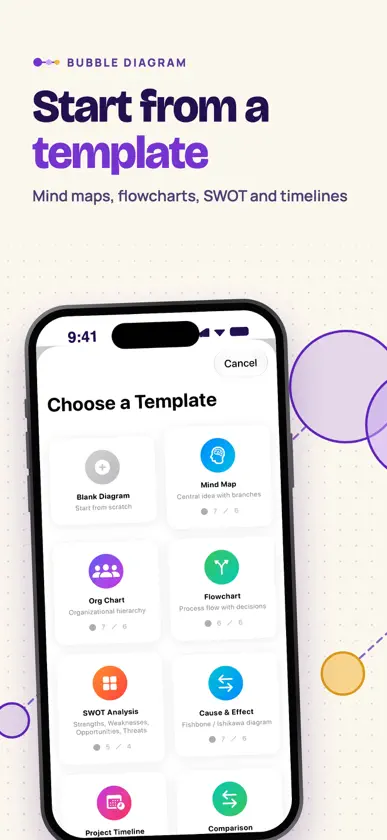
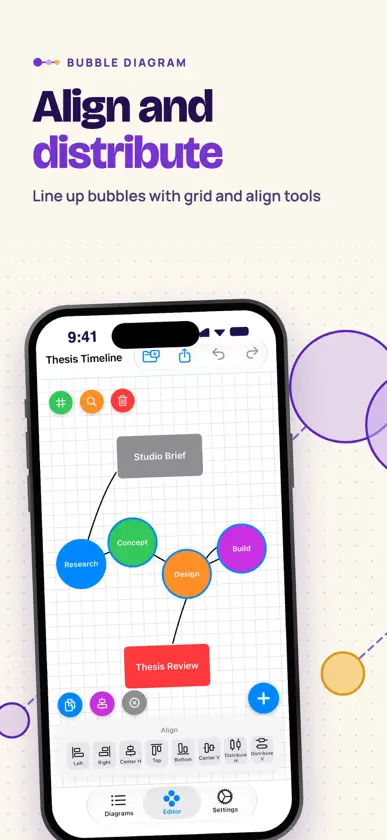
A diagram tool that thinks in bubbles instead of straight lines. If you have ever tried to capture a messy idea inside a rigid outline, or fought a flowchart app that demanded structure before you even knew the shape of the problem, this is the calmer alternative. Bubble Diagram Maker is built for architects sketching spatial programmes, designers tracing user flows, students mapping concepts, product people roughing out features, researchers organising literature, and anyone who thinks in relationships rather than rows. The philosophy is simple: let the layout follow the thought, not the other way around. No account to create, no sign-in wall, no cloud lock-in pushing your work into someone else's database, and no friction sitting between the moment of insight and the page where it lands. This is a mind mapping app that respects how messy real thinking actually looks before it becomes a finished diagram, and it treats brainstorm sessions as the loose, exploratory work they really are. Open the canvas and start dropping bubbles with labels, colours and sizes that match their weight in your head — the central idea large, supporting nodes smaller, vague hunches smaller still. Connect them with straight, curved, dashed or dotted lines of any thickness, add single or double arrows to show direction, and drag freely until the layout feels right. Templates cover mind map, org chart, flowchart, SWOT, cause and effect, timeline and comparison starting points so you never stare at an empty page, undo and redo work everywhere so experimentation is cheap, and finished diagrams export as PNG, PDF or SVG ready to drop into a presentation, brief, thesis or client deck. Pinch to zoom and drag to pan across the canvas, select several bubbles at once to align them or space them out evenly, and copy, paste or duplicate bubbles when a branch needs repeating. The app runs on both iPhone and iPad, so the larger iPad screen becomes a roomy surface for idea maps, flow diagram drafts and concept maps. With a hardware keyboard, shortcuts cover undo, redo, copy, paste, select all and delete, each bubble can take one of ten shapes from circle and hexagon to cloud and star, and a bubble can hold longer notes or a to-do checklist. Every diagram is saved on this device in one list that shows its bubble and connection counts and when it last changed, and you can rename it, delete it or save a copy under a new name. A background grid can be switched on or off for each diagram to keep layouts tidy, and a long press on any line opens a quick menu to change its style, arrows or colour. Press and hold the app icon for Home Screen quick actions that start a new diagram, reopen your most recent one or open the template gallery. This diagram maker works fully offline — your data stays on this device, no analytics watching how you brainstorm, no thought map ever leaving your phone or iPad, and no servers in the loop between you and your canvas. The interface ships in 39 languages, the canvas stays calm and quiet, and the whole app is intentionally free of ads. Whether you are roughing out a floor plan, mapping the chapters of a book, planning a research project, designing a service flow or just trying to get the noise in your head onto a single page, this is a mind mapper built to disappear behind the work and let the idea take the shape it actually wants. A quiet diagram tool for visual thinking, nothing more, nothing pretending to be more.
What's new
Version 1.26 · Nov 10, 2026
Minor bug fixes and improvements for iPhone Duo.
More from Bahattin Duran
 Sulora Journal & GardenBahattin Duran
 Klauz Contracts & SigningBahattin Duran
 Resuma CV & Cover LettersBahattin Duran
 Garagio Fuel & Service CostsBahattin Duran
 Watch Identifier AI: WatchSnapBahattin Duran
 Steps Tracker: StepLogBahattin Duran
 SupaLog: Supabase ManagerBahattin Duran
 Spam SMS Blocker: FiltrBahattin Duran
You might also like
 Simple DiagramNhat Linh Dang
 Neural Flow 3D Mind Map在京 王
 MindDump - Structured Thinking晓光 李
 Drawing Studio: Draw & AI兴驰 马
 Domains.Land - Domain ManagerHOYO Studio
 PipeGauge – Pipe Size FinderKatherine Ryan
 GoMindPOSH GROUP LIMITED
 Simple Relationship MapYUKI TANAIKE
 SaveCartygal brami
 Alchemical InputPablo Cussa de Souza