
FlightLedger
GUOYU WANG
No ratings yetTravelAges 4+
Screenshots


About this app
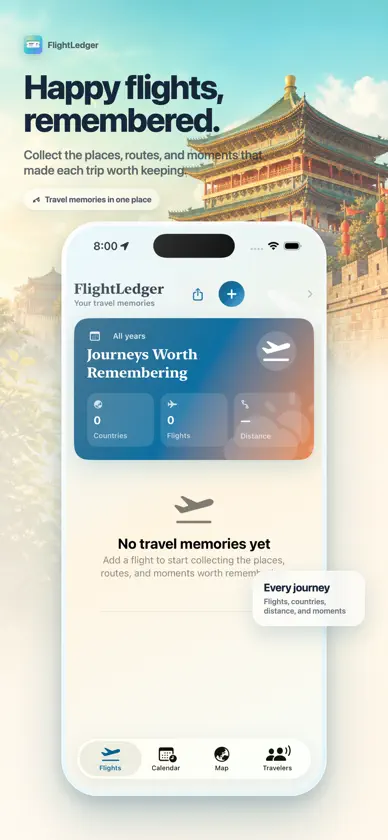
FlightLedger is a simple, private flight log. Scan a boarding pass barcode, take a photo of a ticket, or type in your trip—then see every flight on a list and on a world map. No account, no ads, no tracking. ADD FLIGHTS YOUR WAY • Scan the barcode on your boarding pass (BCBP) for instant From/To, date, and flight number—supports multi-leg trips. • Prefer a photo? Point your camera or pick an image; the app crops and reads the text (OCR) and suggests departure, arrival, date, and flight number. Edit anything before saving. • Add multiple photos in one go and confirm each flight. • Or enter trips manually: search airports by IATA code, name, or keywords (including Chinese). YOUR FLIGHTS ON THE MAP • Every flight appears as a route on a global map with pins for departure and arrival. • Filter by year and see visited countries, total flights, and total distance (in km). • Tap a flight for details and a single-route map; edit or delete any time (swipe to delete in the list or use Delete in the detail screen). GLOBAL AIRPORT DATA • The app includes worldwide airport data (including China). Search by IATA (e.g. PEK, PVG), English name, or local keywords. • Perfect for frequent flyers and trip planners who want one place for all their flights. PRIVACY FIRST • All data stays on your device. We don’t collect, upload, or sell your trips. • No analytics, no ads, no account required. Camera and photos are used only when you scan or pick an image. • Delete individual flights or remove the app to erase everything. Requires iOS 17 or later. Best with iPhone and iPad.
What's new
Version 1.4.4 · Oct 23, 2026
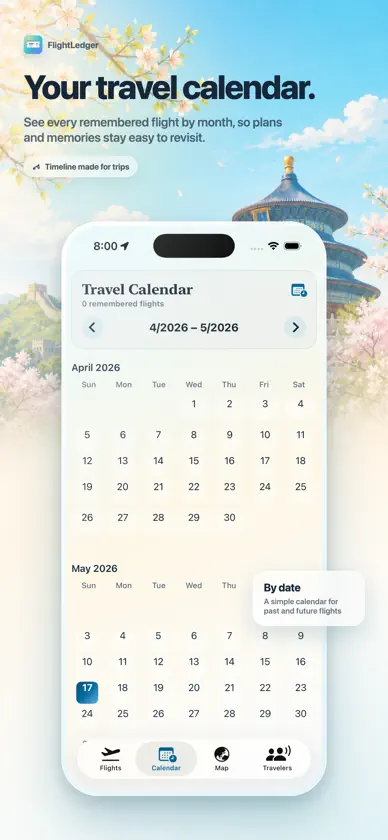
FlightLedger 1.4 brings a warmer, more memorable travel-focused design across the app. • Redesigned Travel Log: The main flight list now uses a richer travel journal layout with a journey summary, year filters, and boarding-pass-inspired flight cards. • Refreshed Flight Details: Each flight now feels more like a memory card, with a stronger route header, polished trip metadata, and a more expressive route map section. • Updated Calendar: Flight days are easier to spot, with a compact top layout and redesigned day and flight cards. • Improved Flight Map: Map controls now sit directly on the map, with a clearer route summary and more travel-focused airport markers. • Redesigned Travelers page: Traveler profiles now match the rest of the app, with warm backgrounds, profile cards, and quick access to add or edit travelers. • Better use of screen space: Inline navigation titles were removed from the main experience so the top of each page can focus on useful content and controls. Requires iOS 17 or later.


