
Widezilla
Matteo Dall'Ombra
No ratings yetUtilitiesAges 17+
Screenshots




About this app
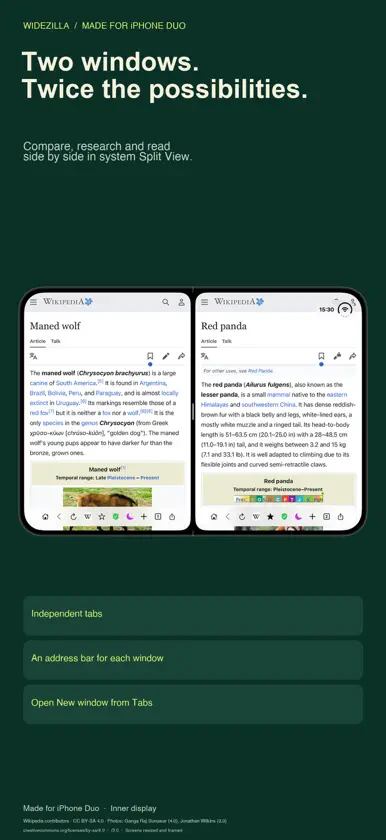
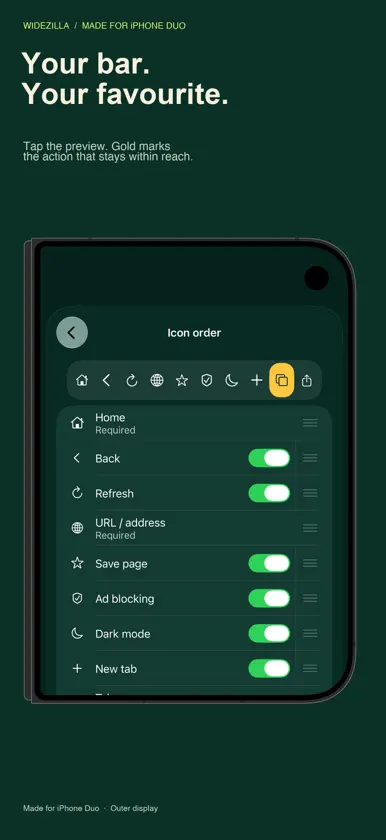
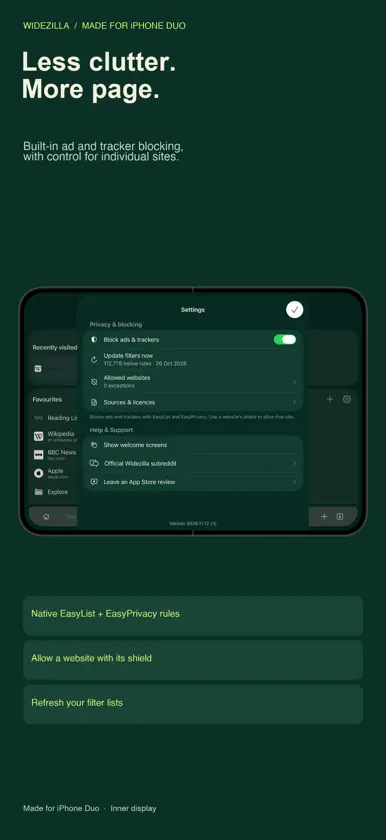
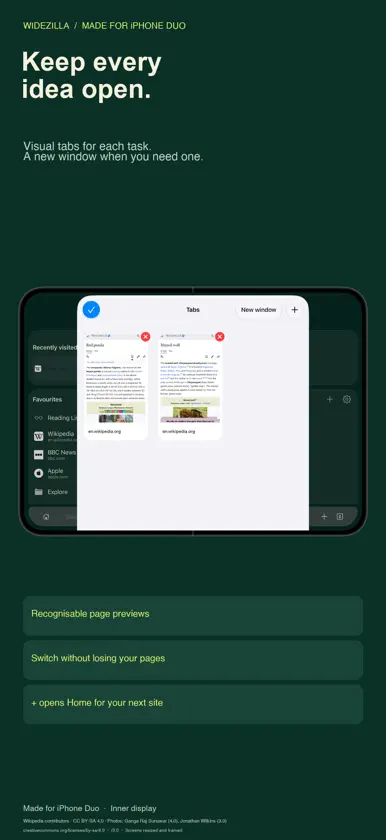
SMALL SCREEN. BIG SCREEN. MORE WEB. Widezilla is a native browser made for iPhone Duo. Make the most of the outer display, open up desktop websites on the inner display, and give your pages room to breathe. LESS BROWSER. MORE PAGE. Browse full-width websites with a floating glass toolbar at the top or bottom. Let it collapse to a little Widezilla icon, with your favourite action beside it. Open tabs, share or use another chosen action with one tap, even while the bar is tucked away. TWO WINDOWS. TWICE THE POSSIBILITIES. Choose New window in the tab switcher to give another task its own tabs. Use Widezilla alongside itself in system Split View to compare pages, research while you read, or keep two websites within reach. YOUR BAR. YOUR CALL. Reorder your toolbar, hide optional controls and add a + button. Tap the preview to choose the action that stays visible when the bar collapses. Choose the collapse side and independently control status-bar visibility on the outer display, inner display and in Split View. OPEN WIDE. KEEP READING. Request desktop websites on the inner display and mobile pages on the outer display or in half-width Split View. Refined display transitions help preserve your place as the page changes layout. READ YOUR WAY. Adaptive website dark mode follows your iPhone's appearance, with a tone control from cool to warm and exceptions for individual websites. Choose app text size, follow system text size, set a default page zoom or save zoom for a particular website. BRING YOUR SAVED WEB WITH YOU. Import Safari bookmarks, folders and Reading List links through a guided file import. Organise favourites into folders, save pages to Reading List and revisit recent pages from Home. Visual tab cards make it easy to find an open page. Tabs can be restored after relaunch; optional tab and recent-history clearing have separate schedules. FIND IT FASTER. Get instant website matches from saved pages, open tabs, recent visits and a built-in catalogue. Choose Google, DuckDuckGo, Bing, Ecosia or Kagi, or add a custom search service. Kagi requires its own account. Optional Apple Intelligence features offer on-device search ideas and saved-page matching when supported and available. Typing does not send suggestions to a search provider; choosing a search sends it to your selected service. BUILT-IN AD AND TRACKER BLOCKING. Native EasyList and EasyPrivacy rules help reduce ads and trackers. Allow an individual website with its shield, manage exceptions and refresh your filters. Effectiveness varies by website. THE EVERYDAY DETAILS. Share links and documents through the native Share sheet. Save links to Widezilla from other apps with its Share extension. Choose an app icon, personalise Home and set up your layout in the welcome tour. Made for iPhone Duo. Requires iOS 27.1 or later. Safari import uses an export file you choose; it is not live Safari sync. Widezilla does not currently offer system-default-browser setup or Safari-extension hosting.
What's new
Version 2026.11.12 · Nov 12, 2026
Less browser. More web. A bigger update for both sides of your Duo. TWO WINDOWS. TWICE THE POSSIBILITIES. Open a New window from the tab switcher and use Widezilla side by side in system Split View. Keep an article open while you research, compare two pages, or give each task its own tabs. YOUR FAVOURITE ACTION, ALWAYS WITHIN REACH. The collapsed bar now has its own little Widezilla icon. Keep your favourite toolbar action beside it and tap straight into that action. Tap Widezilla to bring the full bar back. Tiny controls. More room for the page. MAKE THE TOOLBAR YOURS. Reorder your icons, choose your favourite by tapping the gold preview, and add an optional + button. Both + buttons take you to Home, ready for your next website. OPEN WIDE. KEEP READING. More reliable desktop mode on the inner display and smoother changes between outer and inner screens help you stay with the page as you fold and unfold. READ YOUR WAY. Refined dark mode, app text size and website zoom controls make browsing more comfortable. Choose what works for your eyes and your favourite sites. A refreshed welcome tour brings the new controls together. Your saved favourites and preferences stay with you.
More from Matteo Dall'Ombra


You might also like
 WidenChallis & Company Pty Limited
 ComicFlow - CBR & CBZ to PDFNavid Gooranourimi
 PC View Mode for SafariSeiya.k
 Pilcrow: Spell Check KeyboardANDRIS DUDAREVS
 EFKey – Swipe & AI 키보드Peter Feranc
 keyboard2TechAmigos
 Remio: 원격 데스크톱 & PC 원격제어Long Ngo Huynh
 AR EverythingMujuryoku Inc.
 RingIt - Find Your Lost PhoneModavi
 Hourline: 위젯과 배경화면成琦 李