
Brim: Full-Width Browsing
seokyong kim
No ratings yetUtilitiesAges 4+
Screenshots


About this app
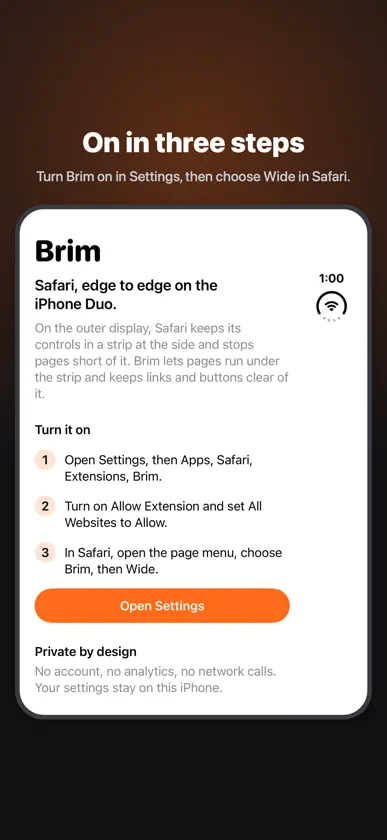
On the iPhone Duo's outer display, Safari keeps its controls in a strip at the side, and web pages stop short of it. Brim gives that space back. WHAT BRIM DOES • Lays phone-width pages out across the whole outer display, under Safari's side controls • Moves links and buttons that would land under the controls back to where you can tap them • Lets fixed headers and tab bars run their color to the edge while their contents stay clear • Leaves desktop-width pages exactly as Safari shows them • Optional blur under the controls ONE SWITCH Choose Wide or Off from Safari's page menu. The choice applies across sites and tabs. Leave any site as it is with one tap. PRIVATE No account, no analytics, no network requests. Brim adjusts layouts on your iPhone and never reads or sends what you browse. SETUP 1. Settings › Apps › Safari › Extensions › Brim 2. Turn on Allow Extension and set All Websites to Allow 3. In Safari, open the page menu › Brim › Wide Brim is made for the iPhone Duo. On other iPhones Safari already uses the full width, so there is nothing for Brim to change.
What's new
Version 26.45.1 · Nov 8, 2026
Brim now speaks Japanese, Chinese (Simplified and Traditional), German, French, Spanish, Italian, Portuguese (Brazil) and Dutch.
More from seokyong kim


You might also like
 WidenChallis & Company Pty Limited
 Wide Web: Full Screen SafariZooKeeper Media LLC
 OutSpan - Fullscreen BrowsingYaw Boamah
 Roomy for Duo: Full WidthJulian Christopher Siebert
 Wattstopperi3THE WATT STOPPER, INC.
 Foldometer: Fold Angle GaugeMatthew Purcell
 Foldmeter: Hinge Angle & RulerappRabauken GbR
 Threadlytics: Matter & ThreadSeering LLC
 FoldOdometerJoseph Hutchings
 FoldCounter: Fold StatsAndrea Confalonieri