
Carouselz
SEYED SAM SHAYEGAN SALEK
No ratings yetGraphics & DesignAges 4+
Screenshots

About this app
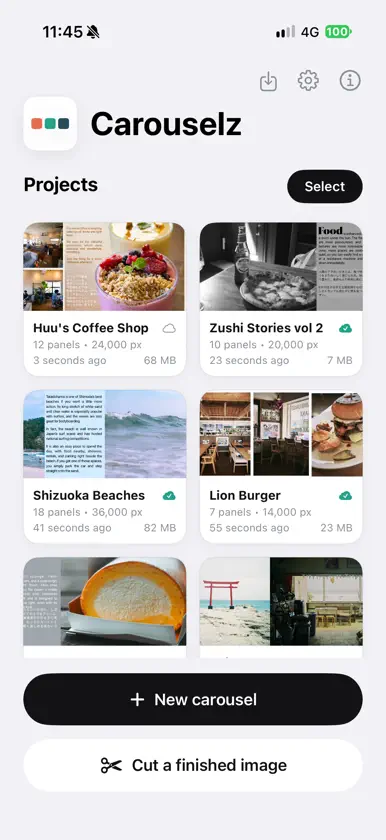
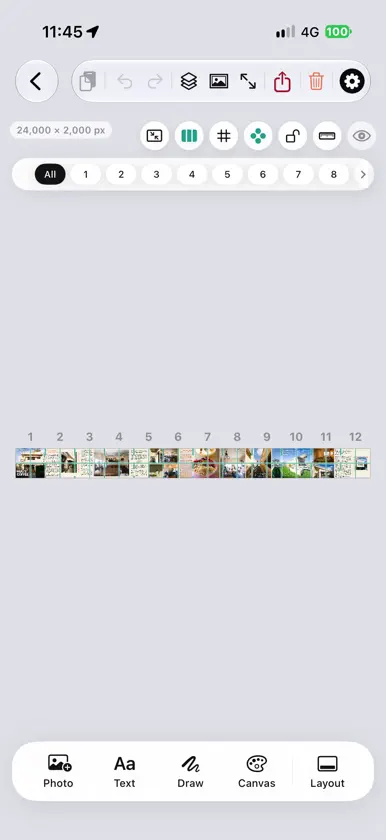
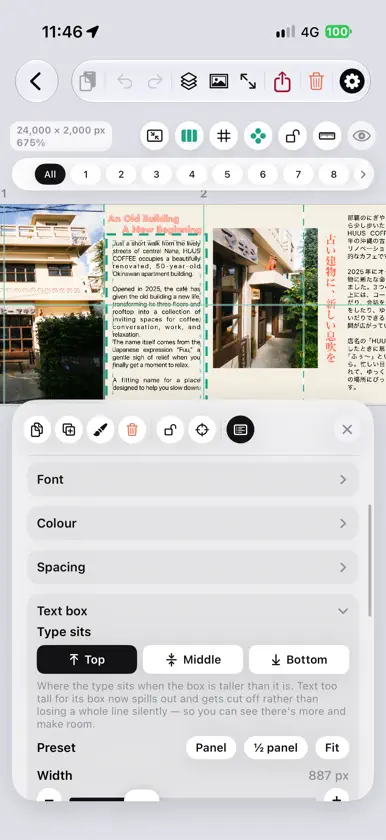
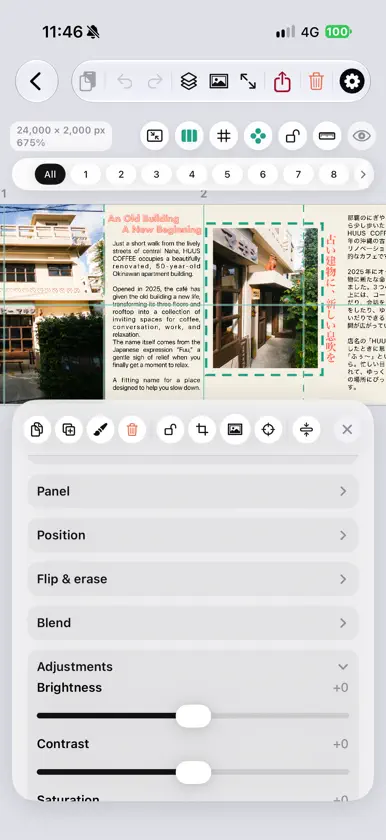
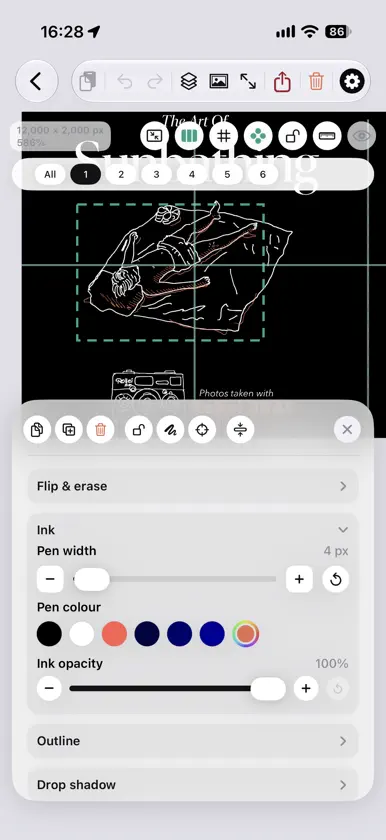
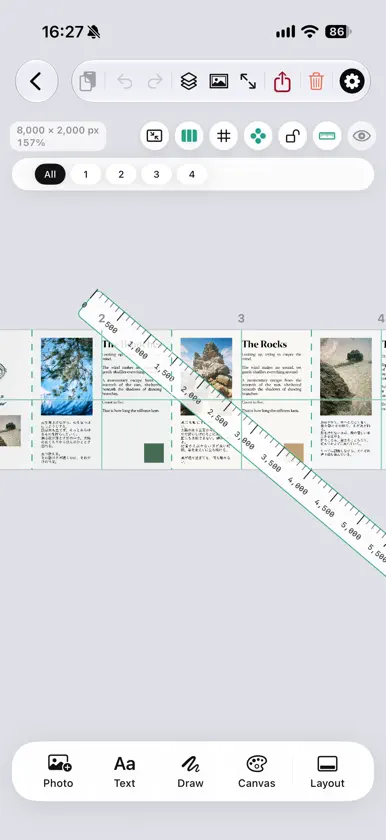
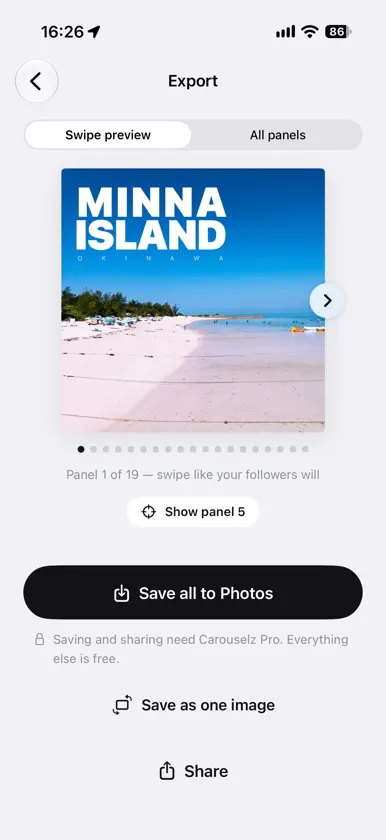
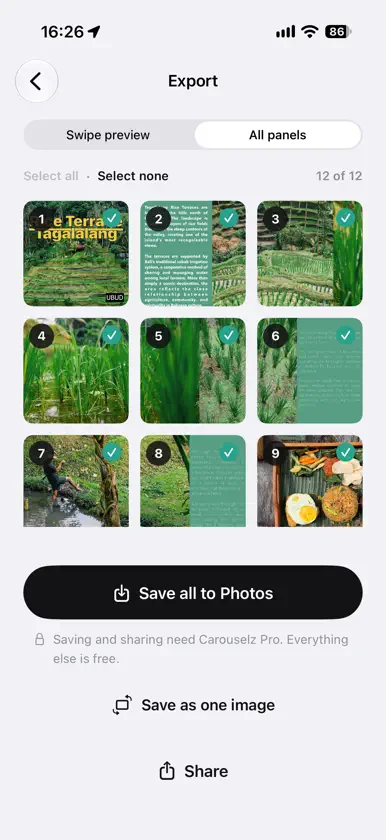
Turn one wide composition into a perfectly seamless Instagram carousel — no guesswork, no misaligned panels. Carouselz lets you design on one continuous canvas, or drop in an image you've already made, and see exactly where every cut will land before you export. Each panel comes out in the right order, ready to post as a swipeable carousel. DESIGN ON ONE CANVAS • Square (1:1) or portrait (4:5) panels, 2 to 20 of them, at 1080, 1350, 2000 or 3000 px each • Photos, type, ink and video all live on the same wide canvas • Cut guides show exactly where the swipe will fall • Rulers, snapping, and a full-screen preview • Unlimited undo and redo TYPE THAT DOES MORE • Six stylisations — drop cap, headline, wall, cascade, lines, echo • Two outlines and a shadow on every text layer • 縦書き vertical writing, and Japanese faces fetched from iOS beyond the installed set • Font, weight, size, colour, alignment, kerning, word and line spacing • Text boxes with padding, fit modes and justification DRAW • Pressure-sensitive pen with adjustable smoothing • Shapes, eraser, and blend modes for ink • Place a stroke precisely across a seam PHOTOS AND LAYERS • Brightness, contrast, saturation and warmth • Crop, flip, mask and erase • Fourteen blend modes — set type to Multiply over a photograph and it reads as ink on the paper • Reorder, hide, lock, group and duplicate anything • A built-in library browser that ticks the pictures already on your canvas, so you never hunt for the one you haven't placed VIDEO PANELS • Trim a clip inside the app and place it on the canvas • Export those panels as movies, or as a still cover frame CUT A FINISHED IMAGE — ALWAYS FREE Already made your graphic somewhere else? Position and scale it inside the canvas, pick a fill colour for any uncovered space, check the cut lines, and slice. This path is free for everyone, with no limits. EXPORT, READY TO POST • Swipe through a preview before you commit • Save every panel to Photos in posting order, 1 to N • Or share the whole set at once IPHONE, IPAD AND MAC A full app on each, not a stretched phone screen. Projects sync through your own iCloud account, so you can start on one device and finish on another. Send a project to someone as a .carouselz file and it opens straight into their library. FREE VS. CAROUSELZ PRO Designing is free, and so is cutting a finished image — every tool, every panel count, no limits. Carouselz Pro unlocks exporting the carousels you design from scratch. Carouselz Pro - Monthly: auto-renewing subscription, billed monthly, includes a 7-day free trial. Carouselz Pro - Annual: auto-renewing subscription, billed yearly, includes a 7-day free trial. Payment is charged to your Apple ID at confirmation of purchase. Subscriptions renew automatically unless auto-renew is turned off at least 24 hours before the end of the current period. Your account will be charged for renewal within 24 hours before the end of the current period. Manage or cancel anytime in your Apple ID account settings. Any unused portion of a free trial is forfeited if you purchase the subscription during the trial. Terms of Use (EULA): https://samsalek.com/carouselz/#legal Privacy Policy: https://samsalek.com/carouselz/#legal Questions or feedback? https://samsalek.com/carouselz/#support

