
Screenshots






About this app
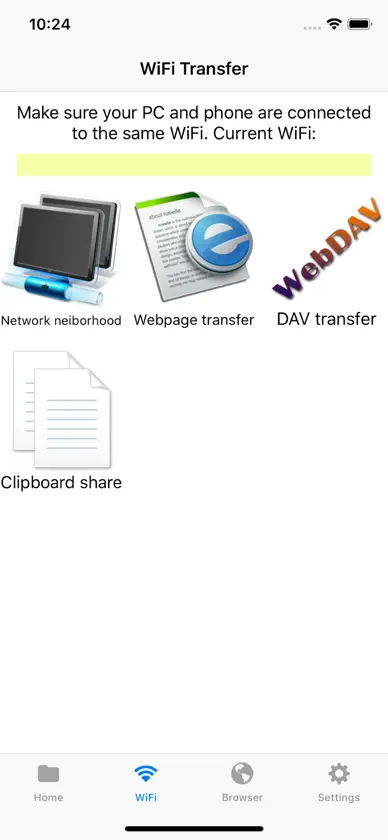
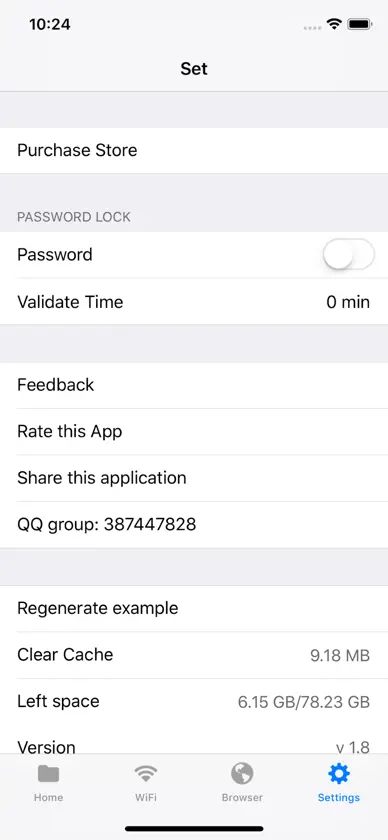
Powerful file transfer management tools, greatly improve your daily work efficiency, more black technology to surprise you. 1. Document Browsing Includes a variety of sorting methods: name, date, type, size and ascending and descending order; a variety of file layout methods: list, single row, double row, three row, four row, five row, so that you can view the file as you like, and have the same browsing experience as PC. 2. Document Sharing It supports sharing files with other applications from this application. At the same time, you can share pictures, videos, texts and links to this application from "photos", "memos" and "Safari" of Apple applications. 3. File Transfer WiFi supports the transfer of files with PC in the LAN. Currently, there are web pages and Dav services. At the same time, you can use iTunes or mobile assistants to transfer files. Network Neighbor function enables you to access and download PC shared files at any time under the LAN. It also supports online viewing of pictures, videos, music, text and so on. Sharing function of clipboard supports easy access to and viewing mobile phone shared text under LAN. 4. Password Protection Support the setting of numbers and TouchID passwords, and can set the verification time interval as needed to protect your privacy at all times. 5. Browsers Built-in browser supports downloading resources, pictures and videos from any website. Creative in the form of documents to show the collection of web pages and downloaded documents. Support file download breakpoint continuation, background download. 6. Picture Browsing Combining multiple layouts of documents, it brings the best browsing experience of pictures, and more convenient functions such as image rotation and flip. Long Map Function: One Click to view vertical or horizontal long maps, super-long micro chat record and high-definition "Qingming Shanghe Tu" are not in the words. 7.Video Watching Supports almost all video formats, and no longer bothers to find various players for playing video. The comfortable video viewing experience is no longer bothered by the repeated drag and adjustment of video progress. Speed doubling function: featured speed doubling function, a variety of speed adjustment, speed listening training, slow movement are all mastered. Timer: Set a good time, listen to music or MV before bed, easy freehand brushwork~ 8.Music appreciation With the same framework as video playback, automatic circular playback, support flac, ape high-definition music format, can still be appreciated after locking the screen. It also includes speed doubling and timing functions. 9. Book Reading Support large capacity TXT reading, pdf, word, etc. 10.Compression and decompression Support zip, rar, 7z format decompression, and ZIP format file compression. 11.Live TV Creative format, write live links to text, you can try to parse and play.
What's new
Version 5.2 · Apr 24, 2024
Fix download directory issue, add root directory setting in advanced settings
In-app purchases
The most popular purchases on the App Store.
- 永久会员Consumable$39.99
- YearCardConsumable$24.99
- 月卡Consumable$2.99
- 七星瓢虫Consumable$0.99
- 老式唱片Consumable$0.99
- 浩瀚星空Consumable$0.99
- 太阳Consumable$0.99
- 甘甜桔子Consumable$0.99
- 沸腾液体Consumable$0.99
- 可爱青蛙Consumable$0.99
More from 志强 余


You might also like
 文件浏览器 - 优雅的管理传输文件浩 唐
 FileBox - Mobile File ManagerJUNBO JIA
 File Explorer-File Manager Zip农 葛
 Zip Extractor:File ExplorerRetouch Photo Editor Technology Limited
 File Manager - Zip & UnzipMirarobot Science & Technology Co., Ltd.
 AirBox-Your File ManagerCrefit Development
 超级文件夹加建 李
 FileHub: File Manager金 郭
 Secret Vault·Private Locker景元 肖
 Air Transfer-File Sharing意 田