
Compute – SSH and Forwarding
Roman Tsopin
No ratings yetDeveloper ToolsAges 4+
Screenshots



About this app
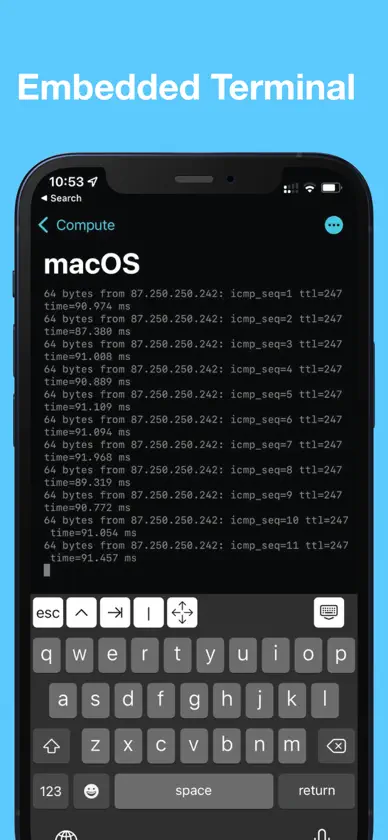
TO CONNECT TO YOUR LOCAL MAC: 1. Open System Preferences; 2. Type SSH in the search field and select Remote Login option; 3. Enable remote login; 4. Use [hostname].local and your username / password to connect. We believe that it should be easy to solve any computational problem using any device. That's why we've built Compute. Connect by SSH to your Mac, private server or even AWS instance using your iPhone or iPad. It's also possible to use SSH Port Forwarding to run Jupyter or Cloud VSCode to code something on the go. Please tell us what you think! skintimeapp@gmail.com Don't forget to rate the app! Privacy policy: https://skintimeapp.com/privacy.html Terms of use: https://skintimeapp.com/terms.html
What's new
Version 1.3 · Feb 11, 2022
- Fix authentication by key - Add support for ed25519 key (in base64 format) - Add the ability to support the developer by buying him a coffee!
In-app purchases
The most popular purchases on the App Store.
- LunchSubscription$8.49 / month
- CoffeeSubscription$3.99 / month
More from Roman Tsopin


You might also like
 Tempest 3 - SSH, RDP & MoshAtlas Express LLC
 ServerView-SSH Terminal&Shell连喜 罗
 Secure TerminalFilippo Maguolo
 ShellBean - AI SSH Client北京如电科技有限公司
 NaviTerm AI - SSH,SFTP,TunnelsWuhan Trivix Technology Co., Ltd
 SSH TerminatorMonarc Systems, Inc
 SNMP Network Monitor婉媚 邵
 Core ShellCodinn Technologies
 NetShell - SSH TerminalWellington Mukahiwa
 WebSSHCHENGDU MIAOZHI TECHNOLOGY CO., LTD.