
CrossShift - Shift Schedule
培培 李
No ratings yetProductivityAges 4+
Screenshots




About this app
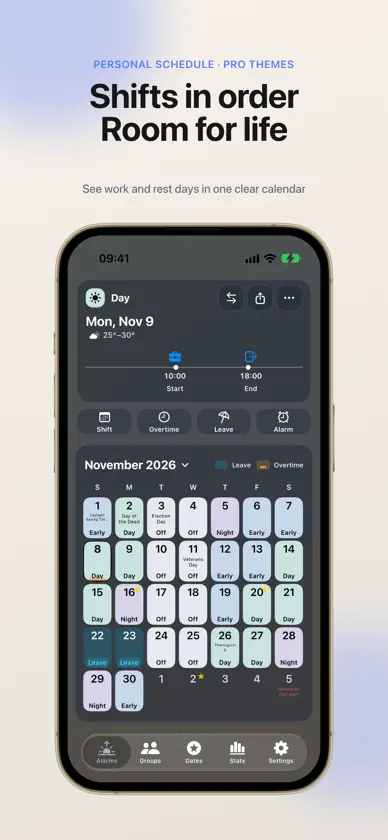
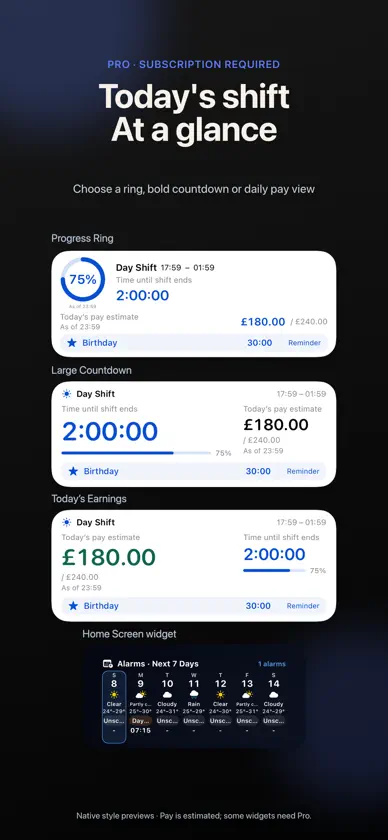
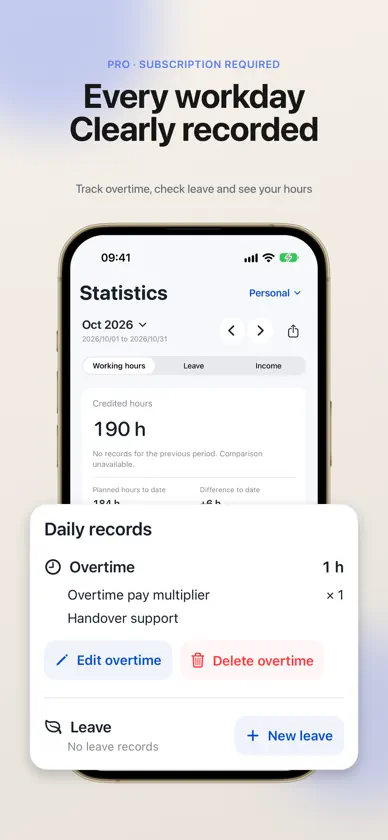
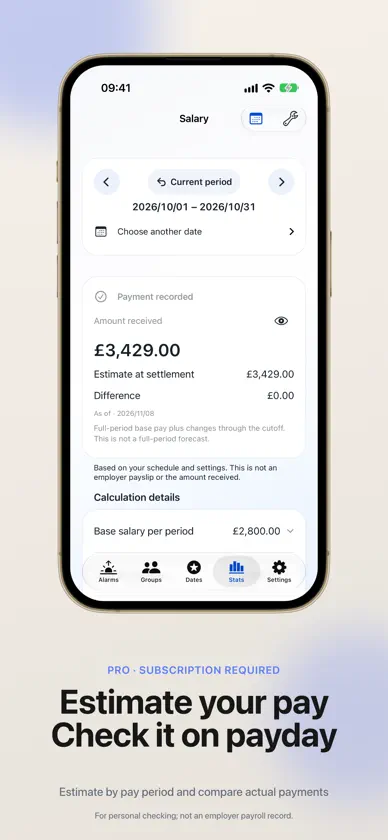
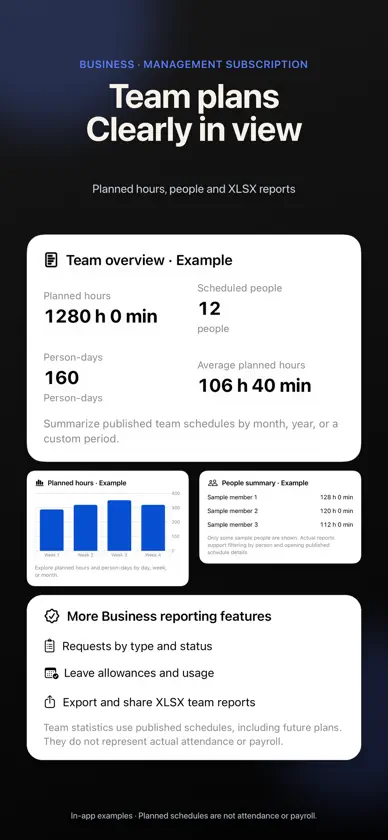
Room for life, even when shifts change. Rosters, alarms and work records for rotating shifts and irregular routines. SCHEDULES & ALARMS Set shift hours and alarms. Cycles, dated changes, multiple daily shifts, batch edits and regional holiday/make-up days. Customize rest-day names/icons/colors; default: no alarm, work hours or leave deduction. Name alarms; choose personal or one team calendar for alarms, independently of the calendar viewed. WEATHER REMINDERS Home shows weather, shift and alarm. Tap to edit; confirm each change. With consent, ongoing cloud reminders use the last synced area, roster and alarms, including cycles/holidays. Sync changes; forecasts/alerts depend on network, system and permissions. VOICE & TIMING Optional on-device speech reads shifts/available forecasts: Chinese voices, three speeds, preview; off by default. Move automatic alarms 1–180 minutes by weekday/date. Dates take priority; one-time manual edits stay. Guided setup: skip, resume, saved drafts. BUSINESS TEAMS Owners manage people/shifts, review/publish rosters and handle swap, overtime, leave and handover requests. Members view their roster and request free; they set their own alarms, never activated by publication. Plans, hours, leave balances and exports follow permissions, not actual attendance/payroll. Business includes personal Pro for its holder, not all members. Delegation/ownership transfer require rights and Business eligibility. HOURS, LEAVE & PAY Free completed-shift counts by month/year/custom period; custom closing dates or fixed-day cycles. Pro: planned/counted hours, differences, overtime, notes, rates, leave quotas and time off in lieu. Enter overtime or calculate from planned/actual end times and breaks. Date details/editors show saved records: edit/delete/revoke, full-screen overtime, daily/total leave deductions. Pro estimates pay by pay period, records received pay and differences, not employer payroll. LIVE ACTIVITIES Pro: ring, large countdown or today's earnings; progress, estimated pay, anniversaries. Choose content/hide amounts. Push refresh depends on network/system. Pay is timestamped, refreshed on opening, not continuous actual income. IMPORT & EXPORT Free Calendar/ICS/image imports; unlimited on-device recognition. Review/match/create shifts and edit dates/times first. Optional Pro cloud recognition requires consent each use: images, including names, employee IDs and rosters, go to CrossShift/recognition providers. Check results. Pro exports PDF, CSV and long-image reports. THEMES & LIFE Pro photo themes: position, colors, card opacity, saved variants; edit built-in light/dark themes. Local wallpaper on all five tabs or Home only. Original shift colors, saturation, clearer selected dates. Share rosters, each person managing their own; member notes stay local. Birthday/anniversary/exam reminders. Widgets: alarms, calendars, shared rosters, hours, anniversaries; some need Pro. YOUR SETUP iPhone/iPad; avatars, sounds, time formats, dark mode, Dynamic Type, VoiceOver, 18 languages. No account for personal rosters/alarms; sharing needs one. Apple sign-in; regional mini-program login. Optional sync: supported shifts, rosters, leave quotas, overtime; excludes alarms, pay, anniversaries, wallpaper, member notes. Location optional for basic rosters/alarms. Update checks, guides, FAQ, feedback. Free iCloud Drive automatic/versioned backups; manual JSON restore. UP TO 3 MONTHS OF PRO First work roster: 1 month; qualifying referrals: 1 each, up to 2. Friends complete a roster and confirm your code in Settings. Sign in to claim; see in-app rules. Apple offer codes start auto-renewing monthly Pro; local App Store prices apply after the free period. Cancel in Apple subscriptions. Annual members can save referral rewards until expiry; annual renewal unchanged. Pro/Business prices and benefits in-app. EULA: https://www.apple.com/legal/internet-services/itunes/dev/stdeula/ Privacy: https://crossshiftalarm.com/privacy/
What's new
Version 2.9.0 · Nov 9, 2026
What's New in 2.9.0 • Weather reminders: Stay informed about weather around your shift. Tap a reminder to edit the relevant alarm. • Optional app-wide wallpaper: Use the same wallpaper across the main screens and adjust card opacity. • More theme customization: Use original shift colors, adjust saturation, and spot the selected date more easily. Pro users can edit the built-in light and dark themes. • Multiple rest-day types: Customize names, icons, and colors, with more work and rest icons to choose from. • New Live Activity styles: Choose a ring, a large countdown, or today's earnings. • Clearer overtime and leave records: Date details bring the day's records together, editors show saved records, and overtime editing supports full screen. • Manually check for updates, with improved guides and multilingual help. • Improved text and chart readability over wallpaper, and fixed schedule imports, navigation after theme editing, and other issues.
In-app purchases
The most popular purchases on the App Store.
- Business MonthlySubscription$3.99 / month
- Business YearlySubscription$24.99 / year
- CrossShift Pro YearlySubscription$9.99 / year
- CrossShift Pro MonthlySubscription$1.99 / month
You might also like
 Rota - Shift Planner礼源 杨
 Tembri: Shift PlannerMianyang Junshian Medical Technology Co., Ltd.
 Firefly Todo - Daily Planner馨洁龙 郑
 ShiftAlarm: Work Schedule明 刘
 Focus Train · Pomodoro Timer青 闫
 WorkTrail洋 刘
 HomeKeep - Smart Storage晨飞 赵
 DayCard·Countdown·Day Counter鹏 蒋
 Sundial Time Marks婉 唐
 Shrimpodoro: Pomodoro Timer千皓 罗