
DocPolish
Anupam Chugh
No ratings yetProductivityAges 4+
Screenshots



About this app
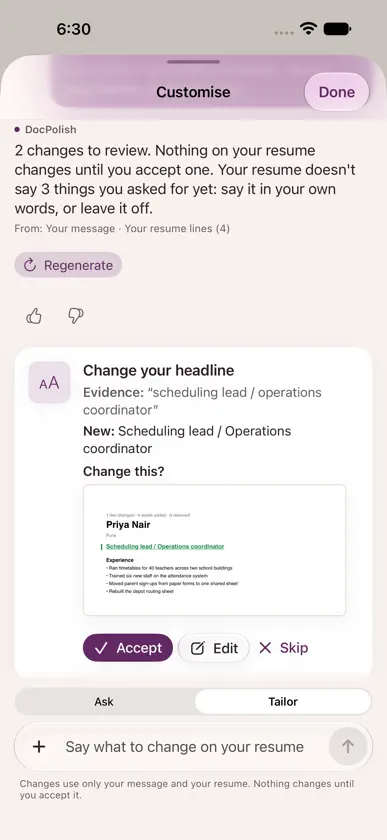
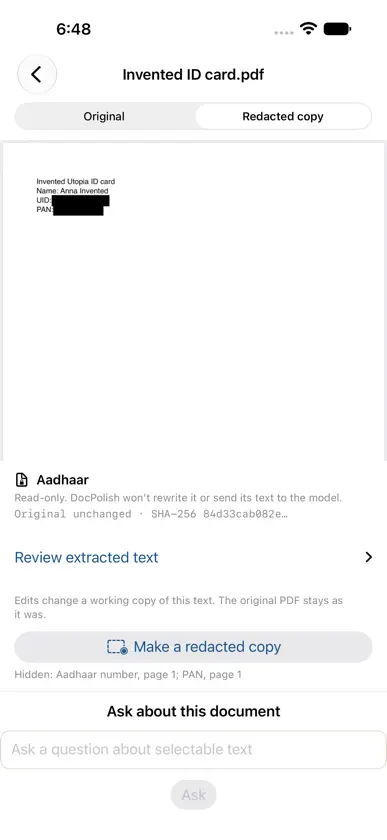
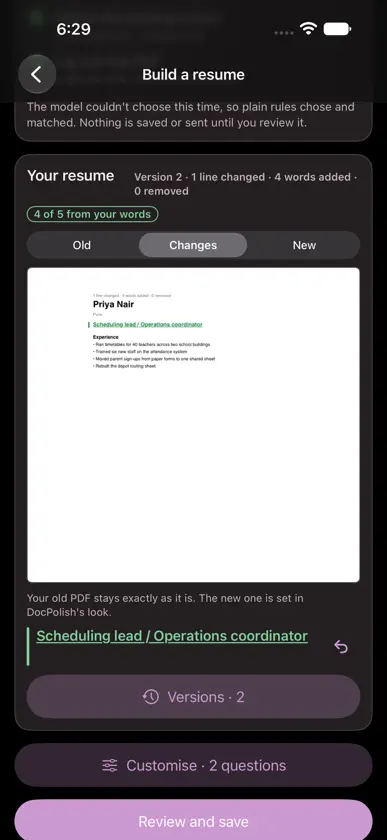
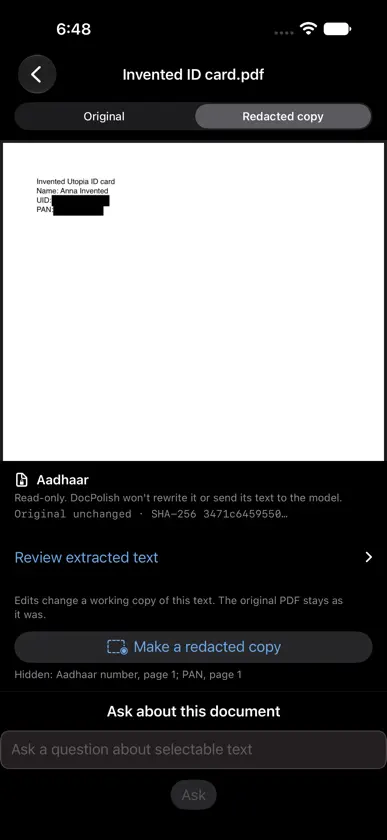
DocPolish keeps your documents and your career story on your device. CLEAN A DOCUMENT Scan with the camera or import photos and files. DocPolish finds the page edges, straightens the perspective, crops the background and cleans the page in natural colour, crisp text, black and white or low glare. Export the pages as images or a PDF. Open a PDF to review its text, ask about it and see suggested rewrites, each tied to the exact words they replace. Save a redacted copy of an ID, PAN or statement PDF: black boxes over the numbers, on page images, with the original untouched. BUILD A RÉSUMÉ Answer a few questions or chat about your work, and DocPolish writes résumé lines with Apple Intelligence on your device. Every line must be backed by something you told it; a line that isn't is left out. See each change as a redline against your old résumé (added words green, removed words red), keep versions and undo any change. Choose a look, preview it and share the PDF. YOUR STORY Keep the facts of your career in one place: roles, results and projects. Brainstorm what to add, import your positions from the file LinkedIn's "Get a copy of your data" gives you (nothing is fetched from LinkedIn), and delete anything at any time. COMPARE WITH A JOB Paste or share a job posting link and DocPolish opens the gap board: what the posting asks for, what your résumé already shows, and what's missing. Siri and Shortcuts can open it too ("Compare a job with my résumé in DocPolish"). READ AN ID Read the machine-readable lines of a passport or ID card on your device to fill details you then check yourself. DocPolish does not verify identity, detect fraud or validate documents. CHECK A STATEMENT Read a bank statement's transaction table on your device, check every row it flags, then export a CSV for Ticknote. Nothing is exported while a row still needs your answer. REPORT A PROBLEM Describe a problem in your own words and DocPolish drafts an email with app and device facts for you to review and send. DocPolish needs no account. Documents, résumés, your story, IDs and statements stay on your device; the only network use is loading a job posting link you add. Résumé writing, brainstorming and suggestions need Apple Intelligence.
What's new
Version 1.0.1 · Nov 12, 2026
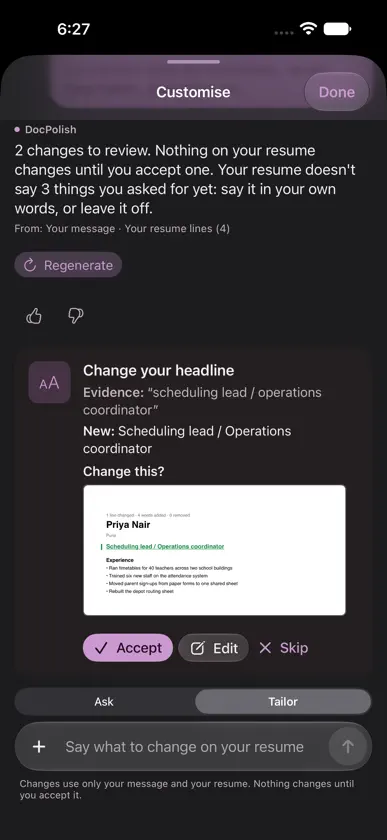
- Ask about your résumé or say what to change: requests go to Tailor on their own, and Ask | Tailor is always in view. - Each change is a card that says what it replaces and which of your words it rests on. Nothing changes until you tap Accept, and Undo takes it back. - Anything your résumé doesn't say yet becomes a question you answer in your own words, or leave off. - The headline uses the title you asked for, word for word. - Attach a photo, screenshot, PDF or file to a message; DocPolish reads its words on your device. - Suggested next steps under each answer, which run only when you tap them. - See what changed: a redline of your résumé against the last version, with versions you can compare, export with changes, or undo. An imported résumé PDF shows Old | Changes | New. - Ask about an open PDF; text from an ID, PAN, Aadhaar or bank statement is never sent to the model. - Paste a reviewer's feedback: each point becomes a request, and anything only the reviewer wrote comes back as a question. - Readable in dark mode, with clearer messages when Apple Intelligence is off or busy. - Make a redacted copy of an ID, PAN or statement PDF, and check it in place before you share it: switch between Original and Redacted copy to see the black boxes.
More from Anupam Chugh


You might also like
 OH HAI — Agent InboxAutonomy LLC
 DocuCleanEssam Abdelhady
 Smart Student Planner: FeymarkKibru Joba Kuture
 Paperix - PDF Secure and LocalAbhijit Bansal
 SnapPDF: Photo to PDFmingyu sim
 Syllabus AIAlex Freedman
 LensDoc: AI Document CleanerLens Life Tech LLC
 Cue: Personal AI AssistantAnutech pty ltd
 AI Tools, AI Writing AssistantNitish Rokade
 RichScan: PDF Scanner & SignSerhii Borychev