
Flux Timer
ZAHIR MIRZA
No ratings yetProductivityAges 4+
Screenshots


About this app
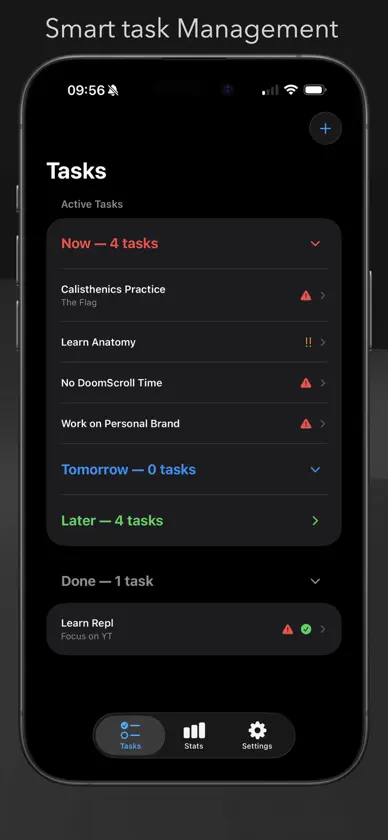
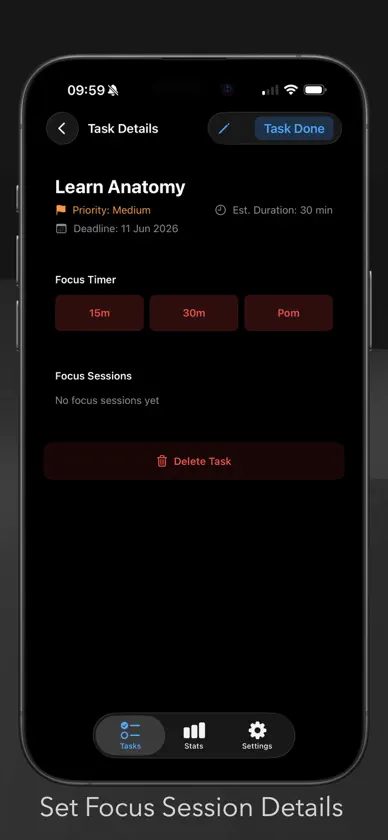
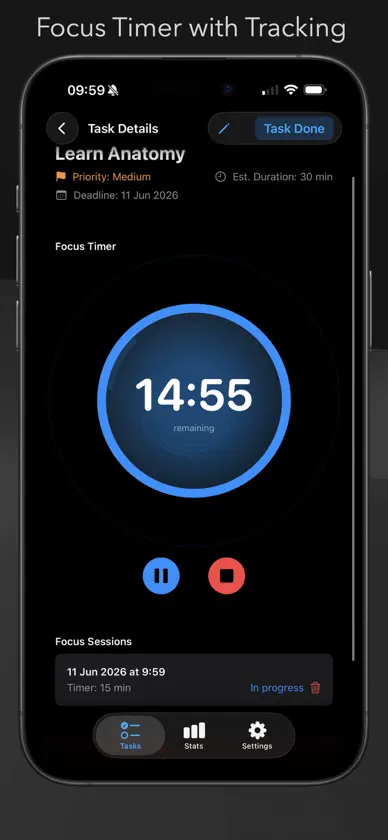
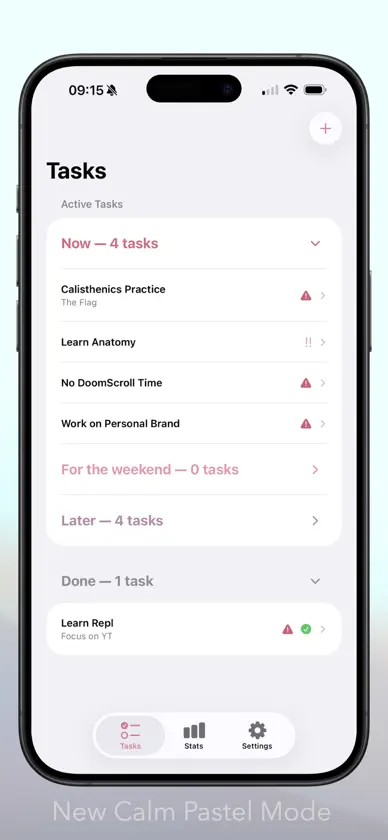
Transform your productivity with Flux Timer's intelligent task management and focus timer. Organize, prioritize, and complete tasks efficiently with our Pom Timer technique. Your Complete Task Management Solution Stay organized and maximize your productivity with Flux Timer, the elegant task manager with an integrated Pom timer. Designed for both iPhone and iPad, Flux Timer helps you focus on what matters most. Why Choose Flux Timer? Intelligent Task Organization - Tasks sort into Now, Tomorrow, and Later categories. Powerful Focus Timer - Built-in Pomodoro technique timer to boost productivity Seamless Experience - Optimized for both iPhone and iPad Visual Priority System - Color-codes help you quickly identify what needs attention Progress Tracking - Monitor completed tasks to celebrate your achievements Key Features: Create tasks with customizable titles, descriptions, deadlines, priorities, and durations needed to complete a task Optional Task categorization based on deadlines Integrated Pom timer for enhanced focus sessions Detailed completion history Elegant, distraction-free interface Universal app with optimized iPad experience Getting Started Flux Timer helps you manage and track your tasks with an intuitive interface designed for both iPhone and iPad. Adding Tasks * Tap the "+" button in the top right corner to create a new task * Fill in the task details: * Title (required) * Description (optional) * Deadline (optional) * Priority level * Estimated duration Managing Tasks On iPhone: * Tasks are organized in categories: Now, Soon, and Later * Swipe left on any task to delete it * Tap a task to view its details and start the timer * Pull down to refresh task categories On iPad: * All tasks are displayed in a clear layout * Tap any task to view its details Task Categories Tasks are organised into three categories: Now (Red): Tasks due today or overdue Tomorrow : Tasks due tomorrow or within a few days Later: Tasks with later deadlines or no deadline Completed Tasks Completed tasks move to the "Done" section Flux Timer Features * Open a task's details to access the timer * Set proven durations for your focus sessions * Track your progress with the visual timer interface * Tips * Use priorities (High, Medium, Low) to better organise your tasks * Add deadlines to help categorise tasks * Check the "Done" section to review completed tasks * iPad-Specific Features * Larger, more detailed task cards * At-a-glance view of all your tasks * Easy access to task management with prominent controls * Optimised layout for the larger screen
What's new
Version 1.1 · Jun 11, 2026
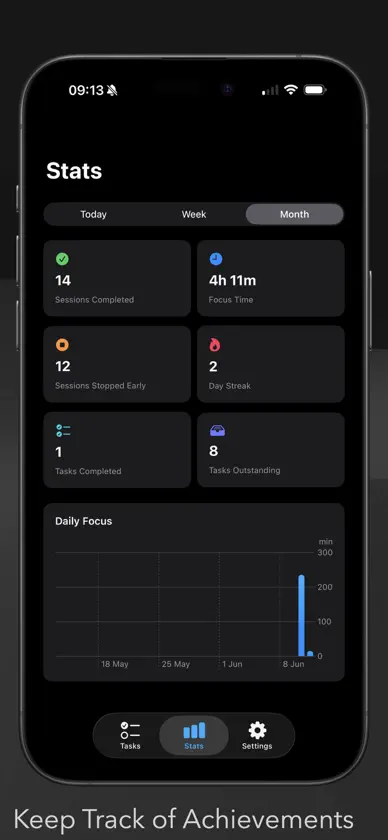
Now with chill Pastel Calm Mode and New Stats Screen. Add custom labels to focus priority categories Dark Focus / Calm Pastel Switch in settings Bug Fixes - Timer Pause now suspends and Delete Session Option Fixed
More from ZAHIR MIRZA


You might also like
 Snag List - Audit & ReporterMonocubed, Inc
 Journal it! Planner, OrganizerDoit Apps OU
 UnTrap for YouTubeYevhen Tretiakov
 Ulysses: Writing AppUlysses GmbH & Co. KG
 Forms for Google Forms & DriveBurningFlower INC
 Forest: Focus for ProductivitySEEKRTECH CO., LTD.
 Proton Pass - Password ManagerProton AG
 Digital PostDigitaliseringsstyrelsen