
Focus Puller
Robert Meakin
No ratings yetPhoto & VideoAges 4+
Screenshots



About this app
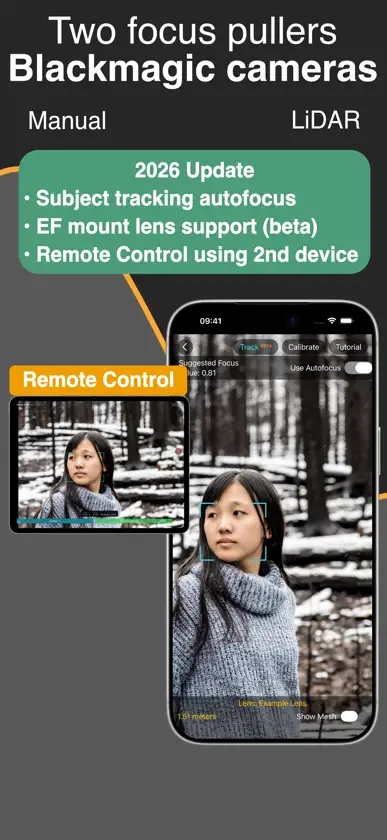
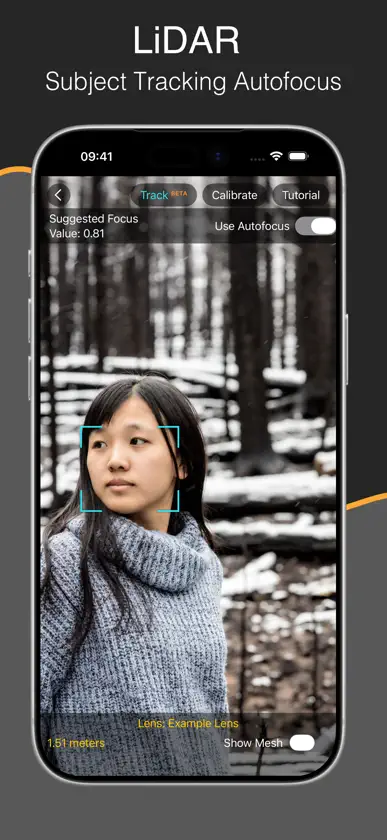
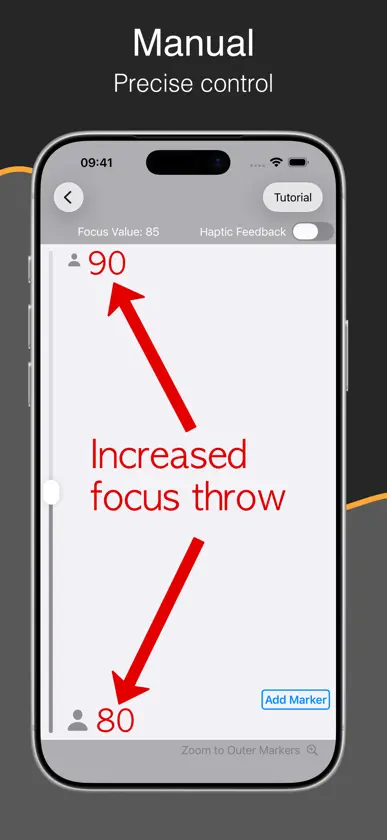
Control focus on your Blackmagic camera over Bluetooth using LiDAR (for auto-focus) or use a manual control. All of the features can be tested for free for an unlimited time. LiDAR FOCUS CONTROL LiDAR Focus Control is available for iOS devices that have a LiDAR scanner. Simply tap a subject on the iPhone screen, or draw a box around something, and the app will follow it and keep it in focus. REMOTE CONTROL Control LiDAR subject tracking using a second device such as an iPad and see a live video stream and the iOS focus device. Tap to track. MANUAL MODE Manual Mode will work with any iOS device and solves a common problem when using stills lenses to shoot moving pictures: a limited focus throw. Using this app, the focus throw can be extended, allowing precise control to match that of a lens designed for a movie camera. Markers and optional haptic feedback allow the focus puller to feel when the focus reaches a set point without having to look at the image, making the experience closer to a traditional focus puller. Both of these solutions mean the focus puller can stand and operate separate to the camera operator.
What's new
Version 1.7 · Jul 9, 2026
EF Mount lens support added in beta for BMPCC 6K and 6K Pro cameras. Remote Control allows a second operator to use another iPhone or iPad to control subject tracking autofocus with a live video feed of the focus device. Tap to focus.
In-app purchases
The most popular purchases on the App Store.
- Unlock Camera RecordingConsumable$12.99
More from Robert Meakin


You might also like
 Video AssistAuron Studios Pty Ltd
 NDI MonitorMark Gilbert
 f8 Lens ToolkitCadrage GmbH
 Kelvin NarratorRift Labs AS
 Earwig Markerharry Winteringham
 Move Multi-CamMove.AI
 ColourTempHigh Water Films Limited
 Accsoon GoChengdu Accsoon Technology Co., Ltd
 Mavis Camera: Pro CaptureMavis Broadcast
 Cadrage Director's ViewfinderCadrage GmbH