
FoldNotes
Foldsoft Pty Ltd
No ratings yetProductivityAges 4+
Screenshots


About this app
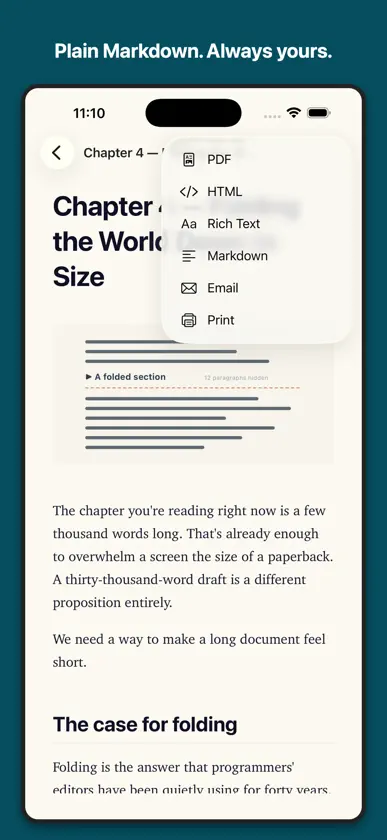
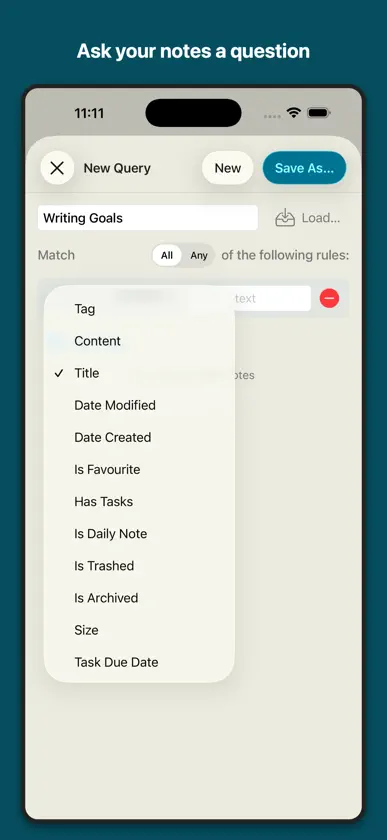
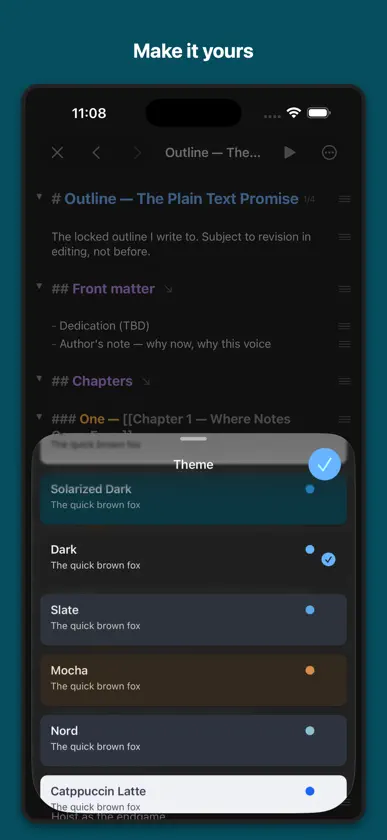
Some notes are short. Others grow into chapters, plans and running logs you scroll past a hundred times. FoldNotes lets you fold the finished parts away, so a long note stays as small as the part you are actually working on. Every note is a plain Markdown file. No database, no proprietary format, no export step. Your notes sit in iCloud Drive or on your device, and any other app can open them, today or in ten years. It is also a real iOS app, written in Swift. Not a web page in a wrapper. It opens instantly, works offline, handles a hardware keyboard properly, and does not sit in the background eating your battery. FOLD ANYTHING • Collapse any heading or list item and everything beneath it folds away • Hoist a section to work on it alone, with everything else out of sight • Task counts stay on the folded heading, so you can see what is left without unfolding WRITTEN FOR MARKDOWN • Live styling as you type — headings, lists, quotes, code, links • Six heading levels, and GFM tables with a real table editor • Code blocks with syntax highlighting • Wiki-links [[like this]], with previews and automatic backlinks • Nested tags TASKS WHERE YOU WROTE THEM • Four states: to do, in progress, done and cancelled • Due dates and priorities written inline, in plain text • Assign them to a project and add context and comments • Counts roll up to the section above them BUILT FOR IPAD • Library, notes and editor side by side • Hardware keyboard shortcuts throughout • An inspector with outline, tasks, references, properties and a note graph • Scan printed text straight into a note with the camera FIND ANYTHING • Search every note, including regular expressions • Saved queries and database views across your whole collection • Daily notes with a calendar COMING FROM ANOTHER APP • Import from Bear or Obsidian in a tap • Or simply point FoldNotes at the Markdown files you already have MAKE IT YOURS • Light and dark themes, including Nord, Dracula and Catppuccin • Choose your body, heading and code fonts • Paragraph focus, sentence focus and typewriter scrolling Folding is not a formatting trick. A long document asks you to hold every section in your head at once; folding lets you put the finished ones down. That is the whole idea, and everything else here is built around it. Your notes will outlive this app, and every app like it. That is rather the point.
What's new
Version 1.4.4 · Nov 2, 2026
The keyboard toolbar is back on iPhone • On iPhone, the toolbar above the keyboard is the default again: search, headings, commands, undo and redo, indent, bold and italic are one tap away. If you prefer the formatting panel, turn on Settings > Behaviour > Formatting Panel Instead of Toolbar. If you already chose one, it stays as you set it. iPhone Duo keeps its panel and typing bar, and iPad keeps its toolbar. • Properties can now have a description, written in the Property Manager on the Mac. When you add a property to a note, the description shows under its name, so you pick the one you mean. • Plus a number of fixes.
You might also like
 visualOS: Infinite CanvasDorweiler & Reimertz GbR
 HelloNotesHello Tham Pty Ltd
 PDF to Word Converter - Mr PDFShrenik Choudhary
 ScrivenerBridge明罡 蒋
 TaskNotesCallum Alpass
 Hjarni Notes & Memoryevert van den bruel
 Inkiostro - Markdown EditorCarlo Di Giuseppe
 Note - ConniePadHuy Le
 AppKeeper BookmarkBYNET
 Capture for Roam ResearchMark Lavercombe