
Screenshots



About this app
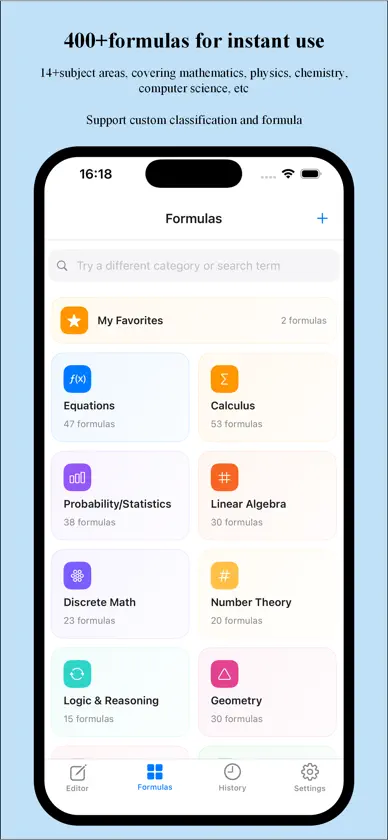
Type, edit and export LaTeX formulas in one app: change a formula right in the preview or edit the LaTeX source itself; photos, images and handwriting all turn into editable code; 544 templates, a 258-symbol keyboard, live KaTeX rendering and one-tap high-res PNG / LaTeX / MathML export. Whether you are writing academic papers, preparing lesson notes, or organizing science and engineering notes, you can input, edit and export formulas in one app. Core Features • Preview editing and LaTeX code editing: the preview area is the editing area. Tap a formula to change it on the spot — what you see is what you get; you can also edit the LaTeX code directly. • Formula recognition: take a photo, pick one from your photo library, or write by hand — all are recognized as LaTeX code automatically. • 258-symbol keyboard: a custom keyboard built for formula input, with a clearly organized symbol panel (8 categories, 258 symbols: common, arithmetic, Greek letters, structures, arrows, functions and more), precise cursor dragging and LaTeX command autocomplete — much faster input. • One-tap high-res PNG and LaTeX / MathML export: save a formula as a high-resolution PNG in one tap (no watermark with Pro); export LaTeX, MathML, HTML or SVG code for papers, web pages and slide decks. • 544 formulas, live preview: 544 built-in formula templates across 14 subjects including math, physics, chemistry and computer science, ready out of the box; rendered in real time with the KaTeX engine so you see results as you type, with instant syntax hints; one-tap favorites and custom categories keep everything organized. • History and full-screen preview: editing history is saved automatically and easy to browse as thumbnails; full-screen preview appears automatically after you copy a formula. Why Formula Kit • Lightweight and fast — quick launch, smooth rendering • iPhone, iPad and Mac • Core features are free; upgrade to Pro to unlock full recognition, watermark-free export and unlimited favorites (yearly subscription or lifetime purchase) Who it is for • Students (high school / university / graduate) • Teachers and professors • Researchers • Engineers and technical writers • Anyone who needs to type mathematical formulas Terms of Use (EULA): https://www.apple.com/legal/internet-services/itunes/dev/stdeula/
What's new
Version 1.6 · Oct 18, 2026
1. Improved camera recognition, image recognition and handwriting recognition. 2. Improved editing formulas directly in the preview area.
In-app purchases
The most popular purchases on the App Store.
- LifetimeConsumable$0.99
- Yearly PlanSubscription$0.39 / year


