
Integration Lab: Posture
Motion Unlimited Inc.
No ratings yetHealth & FitnessAges 4+
Screenshots
About this app
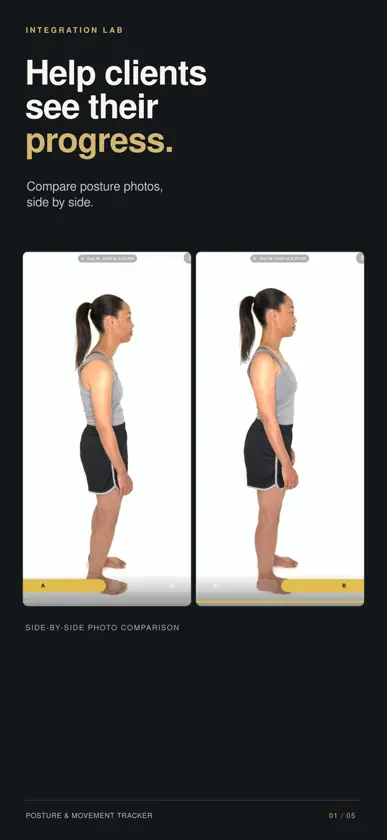
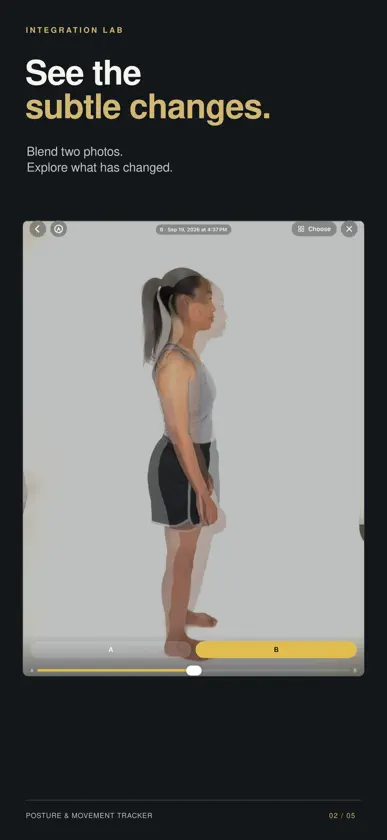
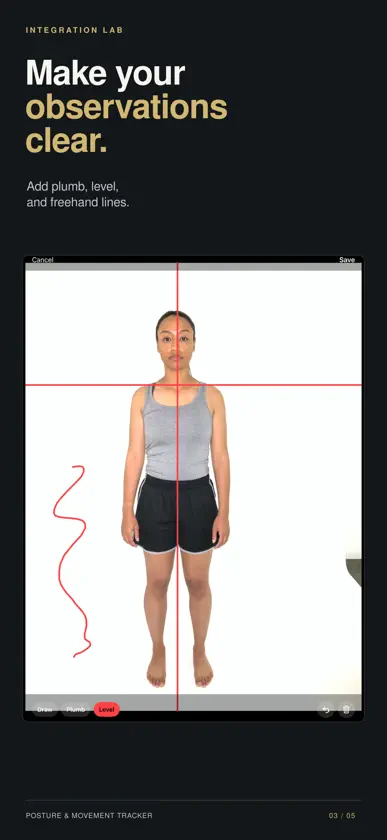
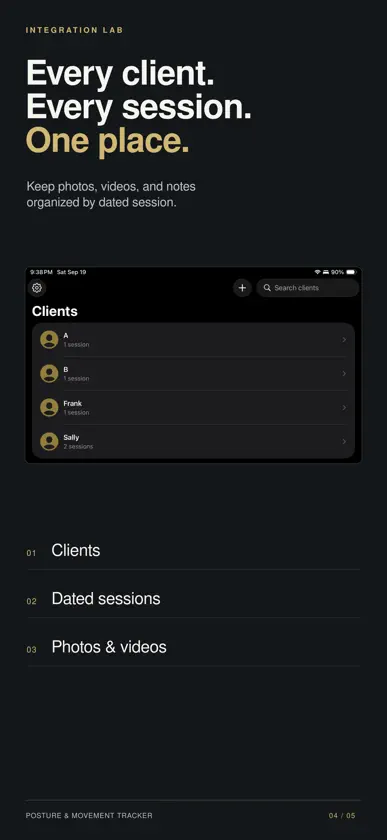
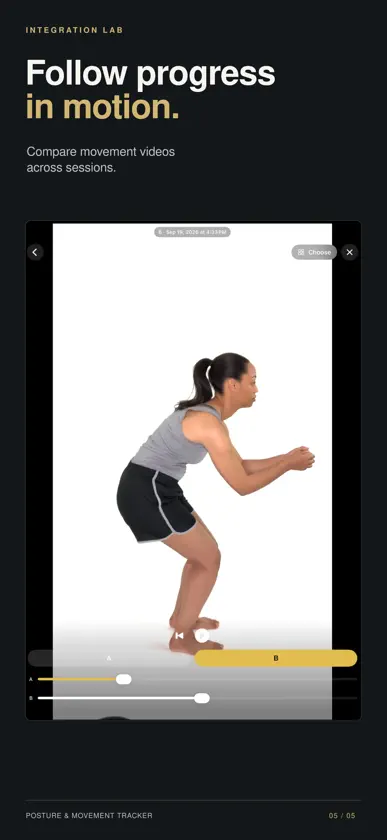
Help clients see and understand their progress. Integration Lab brings client photos, movement videos, and dated sessions together in one place. Compare sessions, add visual reference lines, and help clients connect what they see with what they feel. ORGANIZE CLIENTS AND SESSIONS Keep each client's photos and videos organized by dated session, with space for notes. Archive a client to Files whenever you want a copy outside the app. CAPTURE PHOTOS AND MOVEMENT Take photos and record videos directly in the app, or import existing media. A camera grid and live level indicator help with framing and camera leveling. Videos are stored at 720p to save space, with a full-quality option in Settings. COMPARE ACROSS SESSIONS • View two photos side by side in landscape. • Blend photos with an onion-skin overlay to explore subtle differences. • Switch between A and B to compare individual images. • Play two movement videos side by side. • Scrub each video independently to compare moments in a walk, squat, or reach. • Pinch to zoom; A and B stay lined up as you flip. • Export two photos as one collage to save or share. ADD REFERENCE LINES Place plumb and level lines or draw freehand marks over photos, or draw on the compare screen itself so lines stay put as you flip. On iPad, draw with Apple Pencil. Annotations are saved separately; the original image is unchanged. SUPPORT CLIENT EDUCATION Photos and videos offer useful clues. They can help clients recognize patterns, observe progress, and understand what they may want to continue exploring. Two-dimensional images do not tell the whole story. Use them alongside direct observation, movement, sensation, and conversation. The goal is greater awareness, not a perfect posture. NO AI ASSESSMENTS—BY DESIGN Integration Lab does not use AI to interpret posture, diagnose patterns, or tell you what you should be seeing. Observation and interpretation remain with the practitioner. PRIVATE BY DEFAULT Your client records remain on your device and, if you turn on iCloud sync, in your private iCloud account. No separate Integration Lab account is required. Access is protected by Face ID, Touch ID, or your device passcode. ICLOUD SYNC AND STORAGE Optionally keep clients, photos, and videos in your private iCloud, up to date on iPhone and iPad. Optimize Storage frees up space by keeping media you haven't opened for 30 days in iCloud only; it downloads again when opened. Photos and videos count against your iCloud storage plan. BUILT FOR PRACTITIONERS For Structural Integration practitioners, massage therapists, physical therapists, chiropractors, Pilates instructors, movement coaches, and personal trainers. Created by Isaac Osborne, a Structural Integration practitioner with more than 30,000 clinical hours of experience and the creator of Body Align Pro, first launched in 2014. SUBSCRIPTION Integration Lab is free to use with one client. Integration Lab Pro unlocks unlimited clients: • Monthly - $19.99 per month • Annual - $199.99 per year New subscribers start with a 1-week free trial. If Pro ends, everything you've recorded stays viewable and exportable. Adding new sessions needs Pro while you have more than one client. Payment is charged to your Apple Account at confirmation of purchase. The subscription renews automatically unless it is cancelled at least 24 hours before the end of the current period, and your account is charged for renewal within 24 hours before the end of the current period. You can manage or cancel your subscription in Settings > Apple Account > Subscriptions after purchase. Any unused portion of a free trial is forfeited when you purchase a subscription. Prices are in U.S. dollars and may vary by country or region. Privacy policy: https://www.isaacosborne.com/integration-lab-privacy Terms of use (EULA): https://www.apple.com/legal/internet-services/itunes/dev/stdeula/ Support: https://www.isaacosborne.com/contact
What's new
Version 1.2.1 · Nov 4, 2026
• Pinch to zoom on photos and videos, in the viewer and on both compare screens. A and B zoom together, so the same spot stays lined up as you flip between them. • Export Collage: on the photo compare screen, put your A and B photos together side by side or one above the other, with dates and reference lines if you like, ready to save or send. • Lines drawn on the compare screens now stay exactly in place as you flip between A and B. Lines saved on a photo still show as before. • Apple Pencil on iPad: the Pencil draws, a hand resting on the screen leaves no marks, and two fingers zoom and move the picture. With Apple Pencil (2nd generation) or Apple Pencil Pro, double-tap or squeeze to switch tools. • Compare now opens with just one photo or video. • Archive to Files, on the client's menu: save everything for a client (sessions, notes, photos and videos) as one file in Files, iCloud Drive or on a computer. The client stays in the app. • The video viewer has new play and scrub controls.
In-app purchases
The most popular purchases on the App Store.
- Integration Lab Pro AnnualSubscription · 7 days free trial$199.99 / year
- Integration Lab Pro MonthlySubscription · 7 days free trial$19.99 / month
You might also like
 PhysioBody: Posture Analysisseonki kim
 Coach DoryFounders First System, LLC
 BWKKateLyn Costa, LLC
 Posture ChartKent Health Systems
 Skull, Teeth & TMJAnatomy Standard
 Bar Breakertrybe, Inc.
 Menda: Virtual Pain CareMindbody Health Inc.
 ToneStreamHear Now Systems, Inc.
 KAATSU ConnectKAATSU Global Inc.
 Anatomy TrainsKinesis, LP