
Inventory360
Pixicle Technologies
No ratings yetBusinessAges 4+
Screenshots



About this app
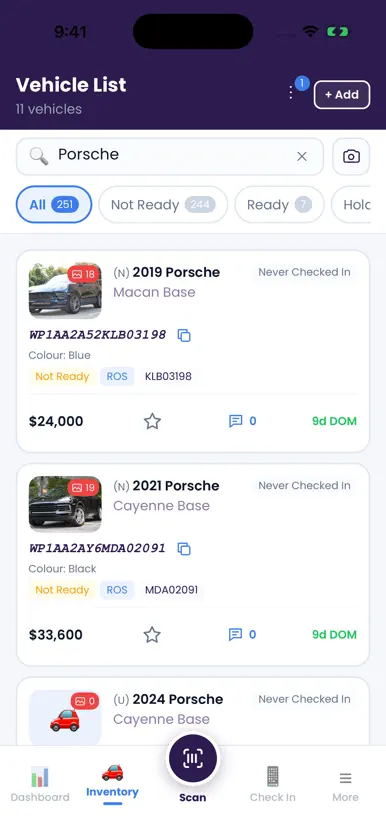
Inventory360 brings your dealership’s vehicle operations together in one mobile workspace. Built for car lots and dealer groups, the app connects your team with current inventory information across authorized stores. MANAGE YOUR INVENTORY Search vehicles by VIN, make, model or stock number. View vehicle details, photos, notes, favorites, availability and location status. Update vehicle information with controls designed for mobile. SCAN AND CHECK IN VEHICLES Scan a VIN or enter it manually to find a vehicle and continue the appropriate check-in, appraisal, consignment, employee or service workflow. COMPLETE INVENTORY AUDITS Scan vehicles during a lot walk, review audited and remaining vehicles, and track an audit’s progress with clear status information. RECORD CONDITION REPORTS Capture exterior, interior, glass, mechanical and accessory conditions. Add component photos, notes and visibility settings, and review tire and wheel information. TRACK TITLES AND DOCUMENTS View title records, supporting files and transfer workflows. Photograph a title to help extract details, then review, edit and verify populated fields before continuing. Optional AI processing requires your permission. PREPARE VEHICLE PHOTOS Manage vehicle marketing images and improve photos with editing controls, watermarks and optional AI background removal with studio backgrounds. KEEP YOUR TEAM CONNECTED Access vehicle costs and floor plan summaries, projects, tasks, print forms and stickers according to your account permissions. Inventory360 requires a dealership account. Available features and stores depend on your organization’s configuration and user permissions. Camera, photo and location access are requested when needed for the relevant workflow.
What's new
Version 3.0.2 · Nov 4, 2026
Bug fixes and UI improvements. • Fixed an issue saving Check In for displaced vehicles during inventory audits. • Improved audit save requests and reliability.


