
J-Notes: Lock Screen Notes
Robert Libsansky
No ratings yetProductivityAges 4+
Screenshots






About this app
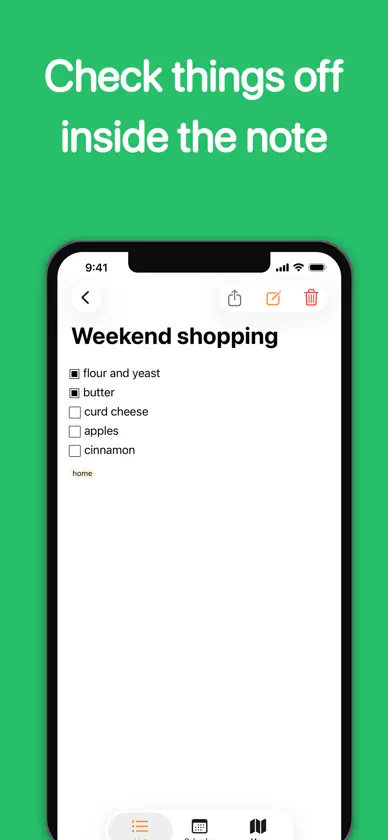
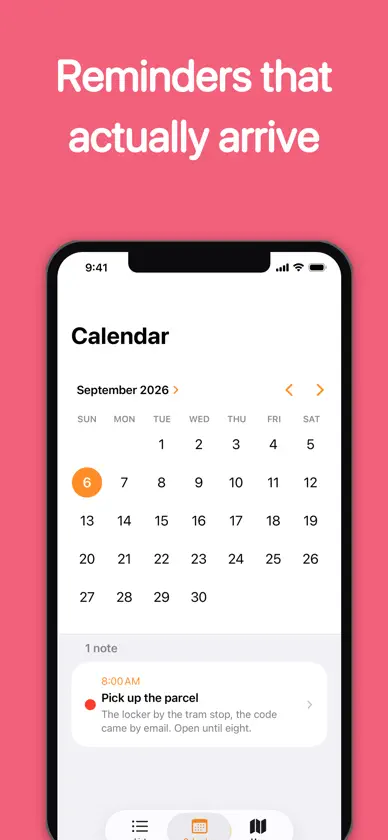
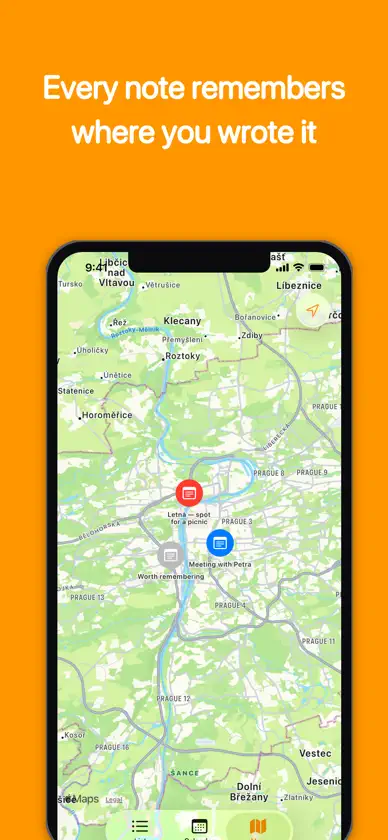
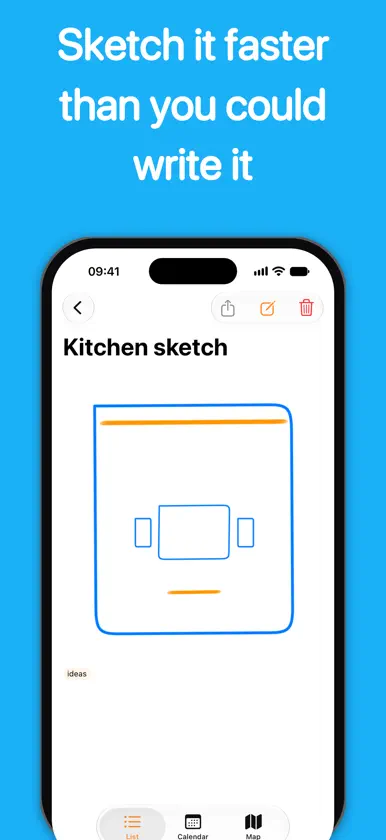
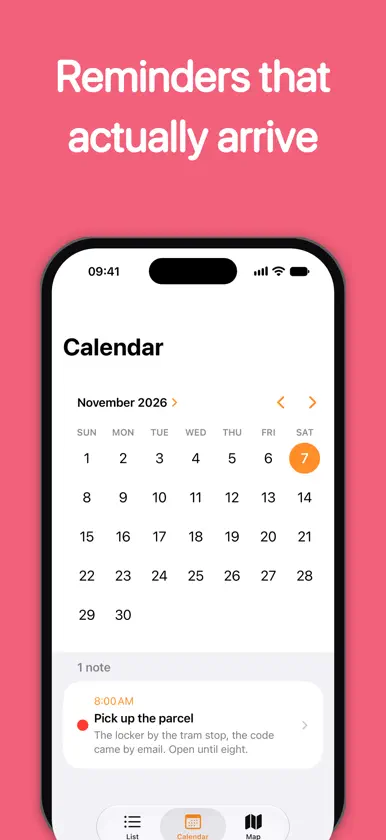
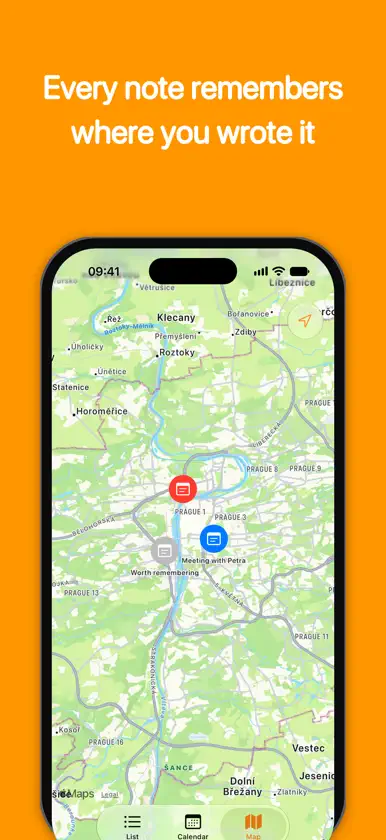
Notes that stay on your iPhone. Write them, sketch them, lock them behind Face ID, and put them on your Home Screen. No account, no cloud, no ads, no in-app purchases and nothing to subscribe to. WRITE IT, OR DRAW IT Type a note, or sketch one with pen, marker and pencil — Apple Pencil or your finger, with adjustable width and color. Start a drawing over a photo from your library or straight from the camera. Undo and redo sit just above the keyboard while you write. Check items off inside the text: a checklist line is part of the note rather than a separate list, and the box responds wherever you tap it. EVERYTHING WHERE YOU LEFT IT • Pin the notes that matter to the top • Color-code them, tag them, and filter by a tag in one tap • Search titles, bodies and tags at once • Compact, standard or detailed rows, remembered between launches • Deleted notes wait 30 days in the trash, and can be opened before you decide • On iPad and an opened iPhone Duo the list and the note sit side by side, through rotation and Split View alike REMINDERS THAT ARRIVE Set a date and time on any note and it comes back as a notification — as a banner even when the app is already open, and tapping it opens that note rather than the list. If iOS will not schedule it, the app says so instead of losing it quietly. Notes with reminders also line up in a calendar view, by the day they are due. NOTES THAT REMEMBER WHERE THEY WERE A note keeps the place it was written, and the map shows them all — notes made in the same spot share a pin. Useful for a trip, a viewing, a walk around a site, or anywhere the location is half of what you wrote down. LOCKED IS LOCKED • Lock any note behind Face ID or Touch ID • The notes file is unreadable while the device is locked • An unlocked note is covered before iOS takes its app-switcher snapshot • A locked note's reminder reaches the Lock Screen without its title or its text • Search does not look inside a locked note ON YOUR HOME SCREEN AND LOCK SCREEN Small, medium and large Home Screen widgets show your most recent notes, pinned first — and tapping one opens that note, not the list. All three Lock Screen shapes are there too: your top note — pinned first, otherwise the newest — as a line, as a title with a line of text, or just how many notes there are. A locked note shows its padlock and nothing else, in every size. Ask Siri to create a note, or put it in a Shortcut. BUILT FOR EVERYONE Every icon-only control is labeled for VoiceOver, and a note's row is announced as one thing rather than piece by piece. A checklist line says whether it is checked. Text follows your Dynamic Type size, including the checkbox and the area you tap to check it. The unlock button shows the method your device actually offers. YOURS, AND ONLY YOURS • No ads • No in-app purchases, no subscription • No account, no sign-in, no cloud, no data collected • Works offline — only the map needs a connection, for Apple's map tiles • Back up and restore everything as a single file • English and Czech • iPhone, iPhone Duo and iPad Just your notes. Nothing else.
What's new
Version 1.1.3 · Nov 10, 2026
Support for iPhone Duo. Every locked note now locks on its own, and a note you are writing no longer gets lost. • iPhone Duo: open it like a book and the list fills the left page and the note the right, so the text never runs over the crease • Open or close the phone in the middle of writing and the note comes with you: text, tags, color, reminder, lock and drawing — the same when you resize the app on iPad • On an opened iPhone Duo the calendar shows the month on one page and that day's notes on the other • The Back button and the swipe from the edge no longer throw away a note you are writing: with unsaved changes in it, the app asks first. The same goes for picking another note on iPad, and a new note there has a Cancel button • A note you are writing comes back even if iOS closes the app in the background before you save it • Saving an edit no longer undoes what changed in the note elsewhere in the meantime, such as a box ticked from the calendar • Editing a note whose reminder has already arrived leaves the reminder in Notification Center, and switching a reminder off and on again keeps the time you picked • Typing in a long note no longer lags • A locked note's share sheet is covered in the app switcher and closes when you leave the app • Tap a reminder or a widget while you are writing and that note opens on top of yours; Back returns you to it • Every locked note asks for Face ID or Touch ID by itself: unlocking one no longer opens the next one you pick in the iPad sidebar or reach from a reminder • A locked note you are editing is covered in the app switcher and locks again when you come back to the app — what you typed stays • When Face ID or Touch ID fails, your device passcode opens a locked note, even after biometrics have locked themselves out • Asked from the Lock Screen, Siri asks you to unlock first instead of failing, and a note Siri reported as not saved no longer turns up later as a duplicate • When a reminder cannot be set, the app says why: the time has passed, notifications are off, or the reminder limit is reached • A reminder arrives at the time the app shows, even after you change time zones • A drawing made on a wider screen fits on a phone held upright instead of losing its right-hand side • Before a backup that includes locked notes, the app tells you they will be in it as readable text • A backup file is named after your own date, not the date in UTC • A restore tells you when some of its reminders could not be set • Tapping a checked box in the editor unchecks it instead of removing it, and the tap can be undone • The editor grows with your note instead of scrolling inside a small box, and Return after the title moves on to the text instead of saving the note • A new reminder starts on the minute, so it arrives exactly at the time shown • Checkboxes in a note in the trash can no longer be checked • Deleting the note that is open on iPad clears it from the screen, and its reminder stays off • The app badge no longer counts reminders you have already seen • Opening a note from a reminder or a widget works every time, even when that note is already open • A locked note in the one-line Lock Screen widget shows its padlock • Fixed crashes on iPad
More from Robert Libsansky


You might also like
 StarNote: Handwritten NotesOnyx International Inc.
 Notewise - AI Notes, PDF, DocsZIIKR
 SuperNotes Note Taking AppRocket Apps GmbH
 ZoomNotes LiteDeliverance Software Ltd
 Notes Writer: PDF, Quiz, DocsKairoos Solutions SL
 Study Notes & Lecture PlannerGiant Brains
 Element NoteSoysauce Lab
 Noteful: Notes & PDF MarkupNoteful Technologies Ltd
 Notes: Note taking & writingLutech-DN
 Notes for iPad - Pencil NotesBrite Technologies