
LocalClock
Bin Hua
No ratings yetProductivityAges 4+
Screenshots




About this app
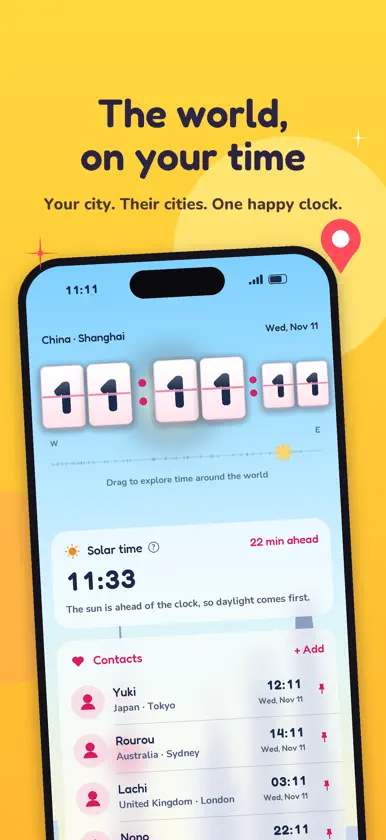
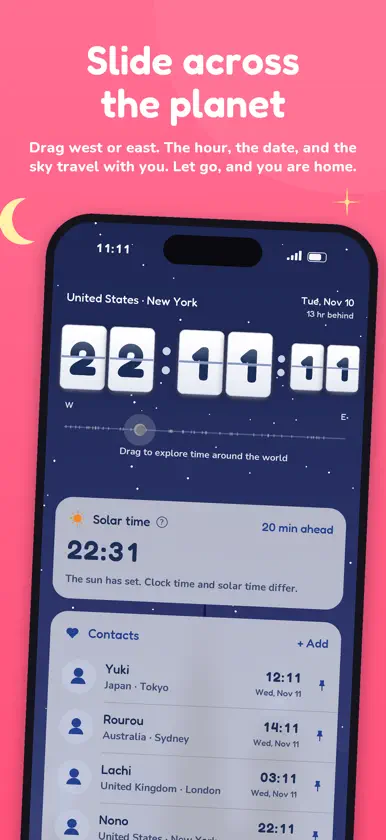
LocalClock is a world clock for the place you are standing, and for the people you keep in touch with. Your city stays at the top. The clock, the date, and the sky all follow that place. Drag the line from west to east and the hour moves with you, city by city. Let go, and it springs back to where you are. When the place on screen is not home, the date shows how far ahead or behind that hour is. Solar time sits under the clock. It follows longitude, not the time zone, so you can see when the clock and the sun disagree. After sunset the dial on the line is a small moon. In daylight it is the sun. Contacts keeps a short list of people. Each row shows the country and the city, the local time, and a note if you wrote one. On Saturday and Sunday in their city, a small Weekend label appears. Weekdays stay quiet. Tap a person to edit the name, the city, the note, or a photo. Pin someone with Show in widget. The small widget shows one person and the full time, including seconds. The medium widget shows three. The large widget shows six, in the order of your list. A weekend label appears on the medium and large widgets, not on the smallest one. The app can follow the system language, or you can choose Simplified Chinese, Traditional Chinese, English, Japanese, Korean, French, German, or Spanish. The change is immediate, including on the widgets. Time can follow the system, or you can lock it to 24-hour or 12-hour. Location is used only to name the city you are in. If you decline, LocalClock uses the city that represents your time zone. Photos you add for a contact stay on the device. There is no account, no feed, and nothing to sign in to.
What's new
Version 1.5 · Nov 6, 2026
bugfixed
More from Bin Hua


You might also like
 CtzoneAli An Nuur
 Timey - World Clock Time ZoneIsaias Teweldebrhan
 TableTimer: Design Your TimeHalil Ozler
 Time Zone Slider: World ClockVolodymyr Strashkov
 JW Reminder HubBrandon Gillins
 Tiler AppJerome Biotidara
 PlanBridge: Measure PDF PlansGravity Hero LLC
 Life and Ministry ChairmanJustin Lettau
 House-to-HouseMaurice Brown
 Narraloud: Read PDFs AloudArgmax