
Lock Learn: Passive Learning!
MaxQ Consulting Services LLC
No ratings yetEducationAges 4+
Screenshots

About this app
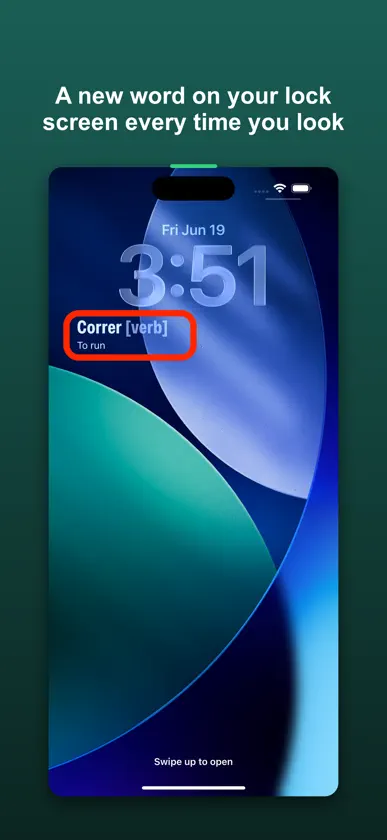
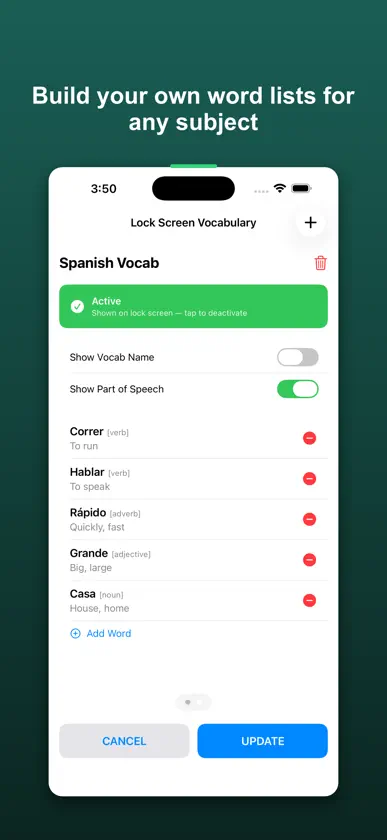
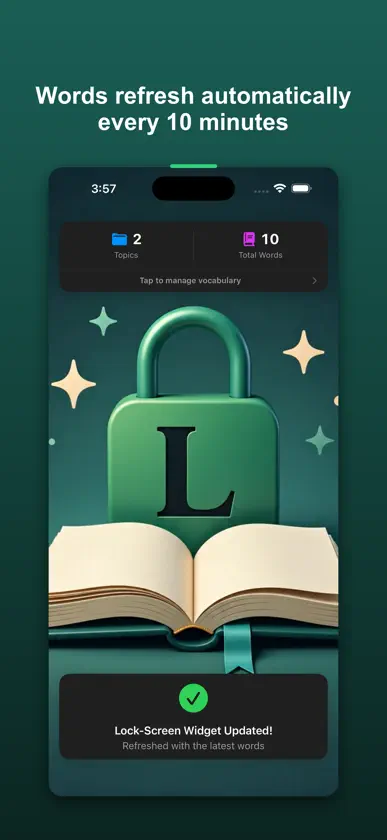
Lock Learn puts a vocabulary word on your lock screen and swaps it out every 10 minutes, all day. You're checking your phone constantly anyway, so you might as well pick something up in the meantime. There are no study sessions, no streaks to maintain, and no extra time required. How it works: Add the Lock Learn widget to your lock screen. From that point on, every time you glance at your phone you'll see a different word from your list along with its definition and grammar type. The widget refreshes in the background every 10 minutes without you doing anything. Build your own word lists: Lock Learn isn't tied to a preset word bank. You create topics for whatever you're working on: a language you're studying, industry terminology, SAT prep words, culinary terms, anything you want. Every entry includes a definition and a grammar label so you understand how to actually use the word, not just what it means. Tap to go deeper: Spot a word you want to explore? Tap the widget and Lock Learn opens directly to that word's topic so you can review, edit, or add related words. Free to start: You get up to 20 vocabulary words completely free, with no trial period and no expiration date. If you want more, a small one-time purchase unlocks unlimited words and there's no subscription. Features: - Lock screen widget that rotates vocabulary every 10 minutes - Organize words into topics and categories - Grammar labels included with every entry - Tap-to-open deep link goes directly to the word currently on your lock screen - Free up to 20 words, one-time purchase for unlimited
What's new
Version 1.0.6 · Jun 25, 2026
Tidied up the App Store listing. No changes to the app itself this time.
In-app purchases
The most popular purchases on the App Store.
- LockLearnConsumable$1.99
More from MaxQ Consulting Services LLC


You might also like
All apps like Lock Learn: Passive Learning! → Vocab Vault ProOmer Cavuslu
 LexWidget: VocabularyBottled Lightning, LLC
 Daily English: WidgetWyatt Lansford
 Glance Widget: Easy VocabularySam Hills
 Vocab Builder: Lock ScreenKamil Demirtas
 Vocabword: Word of the DayAnshul Jain
 Bloo: Daily Language WidgetAPPIKO LTD
 DailyLingo - Word of the DayNick Dareshori
 Hapax: Word of the Day WidgetQUIETSPIRE LLC
 A New Word Every DayLUKE FRANCIS WALTON