
LockScreenNotes
Takumi Banjoya
No ratings yetProductivityAges 4+
Screenshots



About this app
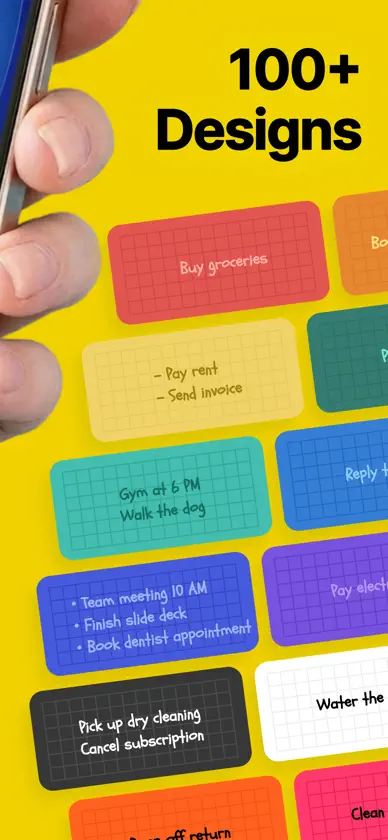
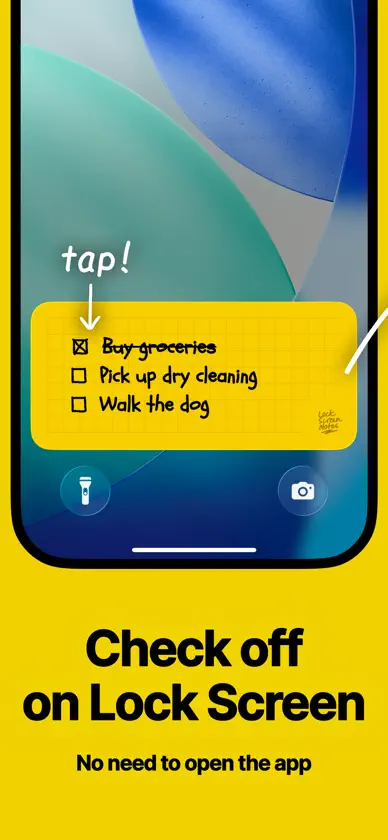
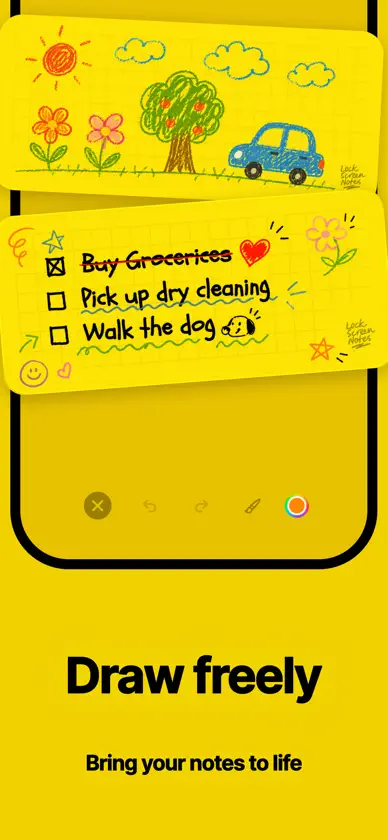
An app that lets you display notes right on your lock screen. You'll always see them when you pick up your phone, so you'll never forget what matters. "I wrote it down, but..." You made a note, but never looked at it again — and forgot anyway. Sound familiar? This app is for you. LockScreenNotes solves this by displaying your notes right on your lock screen where you can't miss them. ■ Easy to Use Just tap the note on your lock screen to open the app and jot down what's important. Everything auto-saves, so you can close the app straightaway without worry. Just focus on writing. ■ Manage Todos Without Opening the App Check off your to-do items right from the lock screen — no need to open the app. Whether it's a shopping list or today's tasks, just check things off as you get them done. ■ Over 100 Designs Choose from over 100 designs, all completely free. Pick one that matches your lock screen wallpaper. You can also customise everything yourself — paper colour, text colour, line styles, and more. ■ Doodle Away It's not just typing — you can handwrite notes too. Scribble freely like you would on a real sticky note. A quick underline might just help you remember better. ■ Add Images You can paste images from your photo library too. Stick a photo of something you want to buy so you don't get the wrong one, or add a picture of your favourite character to make it cute. ■ Fonts to Match Your Mood Choose from lovely fonts for free — handwritten styles that feel like real notes, or clean and simple ones. With multilingual support, you can even pick fonts for languages you're studying, like English or Korean, and make learning fun. ■ Note History That Shows Your Effort Past notes are saved as history, so you can look back and edit anytime. Use as many pages as you like. The history screen also shows your total character count, number of pages, and how many days you've been using the app. It's proof of your effort to never forget what matters. ■ Privacy Protected No one can see your notes. All data is stored locally on your device and is never sent to any server without your permission. Write down important things with peace of mind. ■ No Account Required LockScreenNotes doesn't require any account registration or sign-in. You can start using it right after installation without entering any personal information. ■ Contact & Social Email: lockscreennotes@gmail.com TikTok: https://tiktok.com/@lockscreennotes Instagram: https://instagram.com/@lockscreennote X: https://x.com/lockscreennotes Threads: https://threads.com/@lockscreennote --- LockScreenNotes is for people like you and me — who write things down but still forget. Starting today, make this your place for notes.
What's new
Version 1.23.0 · Oct 29, 2026
Thank you for always using LockScreenNotes. This update includes the following: ・Fixed an issue on some iPad models where the note did not appear on the Lock Screen We're cheering you on from your lock screen as you do your best today.
You might also like
 ねこ勤怠 Track Time with Catsrikuto nishioka
 Yondo Todo List on Lock ScreenRyunosuke Nagase
 Sticky Notes: Notepad WidgetShota Yamashita
 Seclog - Private Feed JournalMasashi Inoue
 AnyPlanner: ADHD Daily PlanNatsumi Kobayashi
 ToDo List - Daily Task PlannerKomorebi Inc.
 CharaMemo: Character ScriptsKentaro Tsurumoto
 Futureland – Habit TrackerFutureland Computer Entertainment, Inc.
 Caho Notes: Cute Notes WidgetLAN CHEN
 Simple Notes - Notepad & MemoKomorebi Inc.