
Screenshots
About this app
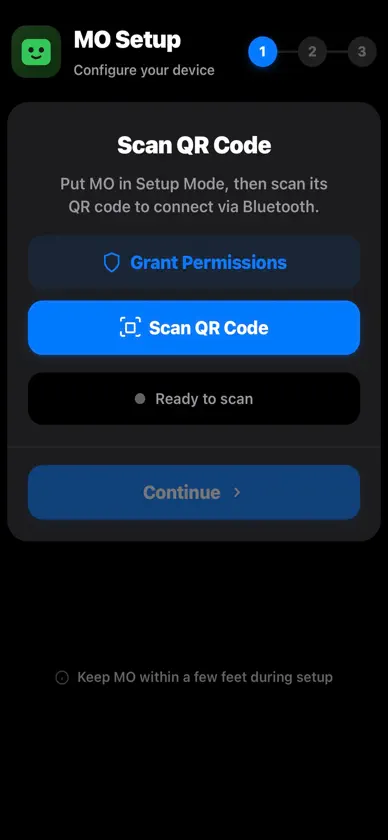
MO Pair makes setting up your new MO device quick and effortless. This companion app guides you through the entire out-of-box experience, from initial Bluetooth pairing to WiFi configuration and device personalization. Getting started is simple. Open the app, scan the QR code on your MO device, and follow the step-by-step instructions. The app establishes a secure Bluetooth Low Energy connection to your MO, then walks you through connecting it to your home WiFi network. Once connected, you can give your MO a custom name and complete the setup process. Key features include QR code scanning for instant device pairing, secure BLE communication for reliable setup even without an existing network connection, intuitive WiFi configuration with password visibility toggle, and device naming so you can personalize your MO. The streamlined interface keeps setup focused and straightforward, typically completing in under two minutes. MO Pair is designed specifically for the initial device setup experience. After your MO is configured and connected to your network, the device operates independently. Should you ever need to reconfigure your MO or set up additional devices, the app is ready whenever you need it. Requires Bluetooth and location permissions for device discovery and pairing.
More from Cory Green


You might also like
 Aurora - Device AssistantNetComm Wireless Pty Ltd
 MachXDroneShenzhen Yilushi Technology Co.,ltd
 Canny Cam辉 陈
 iAnyTo - Location change tool莉萍 丁
 ServiceTitan FieldServiceTitan Inc.
 Color Picker - Pixel ColorHue Hoang Thi
 Router Admin ControlPhawk Infotech LLP
 iAny - Change location德蔚 胡
 Desktop BrowserSpicy Apps
 Flash Maker浙江闪铸三维科技有限公司