
PearList
Timothy Hudgins
No ratings yetProductivityAges 4+
Screenshots



About this app
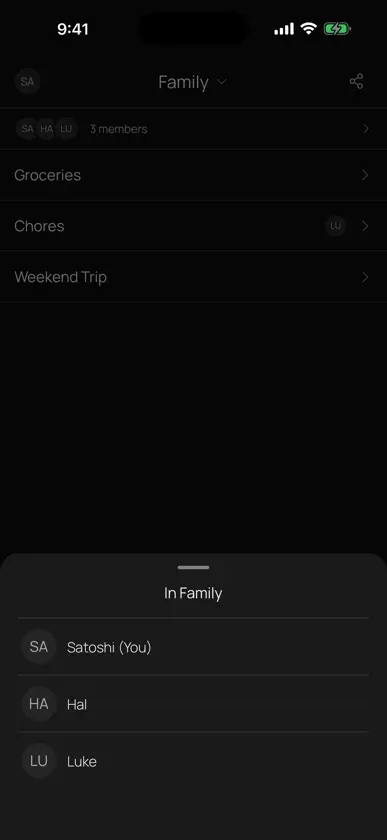
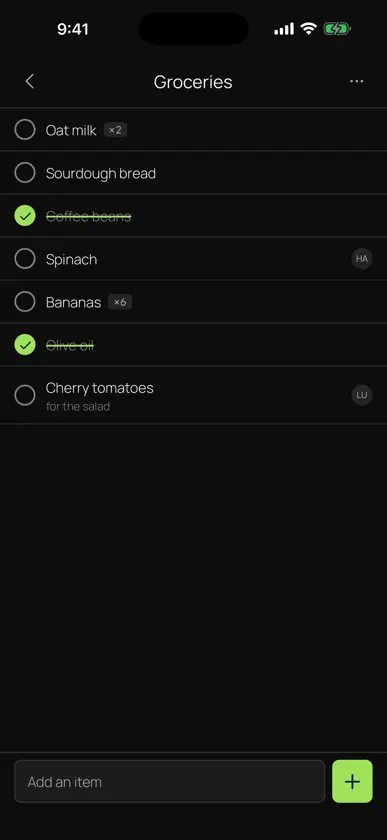
PearList keeps your household's shared lists in sync across everyone's phones, with no account, no server and no company in the middle. Make a grocery list, a to-do list or a chore board. Anyone in your household can add items, check them off, rename them, assign them and delete them, and every change syncs directly between your phones. Assign an item to a person and any list doubles as a shared chore board. There is no sign-up and no login. You join a household by scanning a QR code or tapping an invite link. From then on everyone sees and edits the same lists. Because PearList is peer-to-peer, your lists live only on your devices. They are never uploaded to a server, so no company can read them, sell them or lose them in a breach. Everything syncs encrypted, directly device to device. Features - Multiple shared lists per household: groceries, to-dos, chores - Add, check, rename, assign and delete items, synced to everyone - Assign items to a person to use any list as a chore board - Join by QR code or invite link, no account needed - Works offline, syncs when your devices are online together - Open source and private by design: no account, no ads, no tracking PearList is fully open source: https://github.com/peerloomllc/pearlist
What's new
Version 1.1.20 · Nov 1, 2026
## What's Changed ### New Features - More ways to repeat a chore: every few days, weeks or months (for example, bins every other week), or on certain days of the week (for example, Monday, Wednesday and Friday). - Reminders for repeating items follow the new schedules, ringing only on the days you picked. ### Improvements - A tidier Settings page: the options you change most are at the top, and related settings are grouped together. - Opening a section in Settings now closes the one you had open, so the page stays short. - Choosing a theme is now one simple Phone, Light or Dark choice. - Shorter, clearer explanations throughout Settings. - Waiting to connect to a new space now shows a calm loading spinner instead of an orange warning.


