
PictureTimer
Zinc White Limited
No ratings yetGraphics & DesignAges 4+
Screenshots




About this app
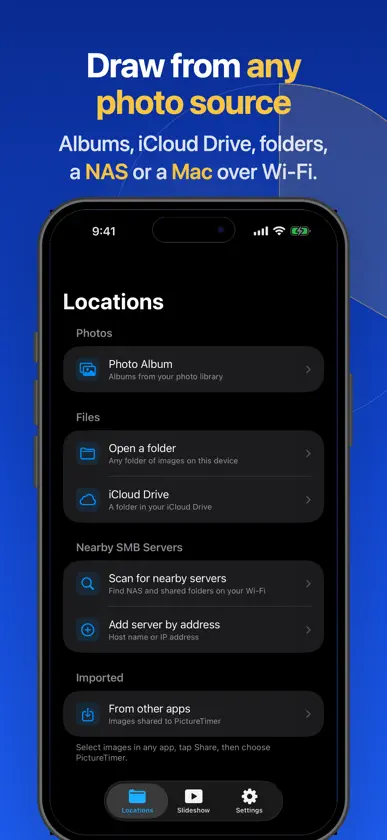
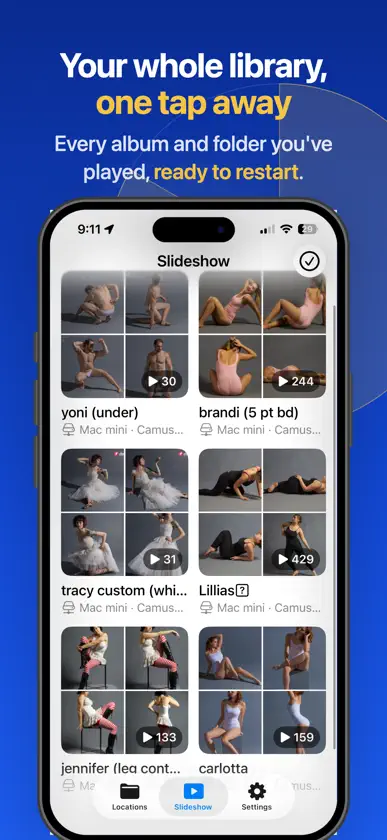
Build a regular drawing habit with your own reference photos. PictureTimer turns images into timed slideshows with an on-screen countdown for gesture drawing, figure studies, croquis and sketching practice. PRACTICE WITH YOUR OWN REFERENCES Choose photos from device albums, iCloud or folders. Connect to Mac shared drives and compatible NAS devices using SMB to work with your existing image library. KEEP YOUR SESSION MOVING View each reference alongside a countdown so you can focus on drawing. Use timed slideshows for personal practice, art classes, lesson pacing or presentations. MORE CONTROL WITH PICTURETIMER PLUS Choose a Plus subscription or the one-time Plus Lifetime purchase to unlock custom time intervals, images from subfolders, shuffle, a time-up sound and forward-only mode to keep your practice moving to the next reference. Bring the photos you want to study, choose your slideshow settings and start drawing. Privacy Policy: https://zincwhite.art/privacy.html Terms of Use: https://www.apple.com/legal/internet-services/itunes/dev/stdeula/
What's new
Version 26.6.1 · Sep 20, 2026
Sound and style for the timer: • A chime at the end of each pose — nine to choose from, and they sound even when the ring switch is silenced. • A time warning part-way through a pose, so you can start finishing instead of being cut off. • Set the timer's size, color, position and background, or drag it aside mid-session. • Save your own intervals and tap them next time. Plus bug fixes.
In-app purchases
The most popular purchases on the App Store.
- Plus LifetimeConsumable$14.99
- Plus (All Features Monthly)Subscription$1.99 / month
- Plus (All Features Yearly)Subscription · 7 days free trial$4.99 / year
More from Zinc White Limited


You might also like
 PoseTimeMatthew Porreca
 Seshr: Build Drawing SessionsMIGUEL A CANO
 refs.Kuan-Cheng Lung
 Gesture Drawing TimerINDRA PANDIT
 Quick Poses: Gesture DrawingFrederic Ruaudel
 PixSprite: Pixel Art Studio俊辰 江
 ReFoardSinHyeok Kim
 PixelPad: Sprite StudioDAEHONG MIN
 5min Sketch ProKazuaki Matsuda
 3D AR Model ViewerThomas Gorisse