
PixelCute
TOKEN POCKET INC.
No ratings yetPhoto & VideoAges 9+
Screenshots


About this app
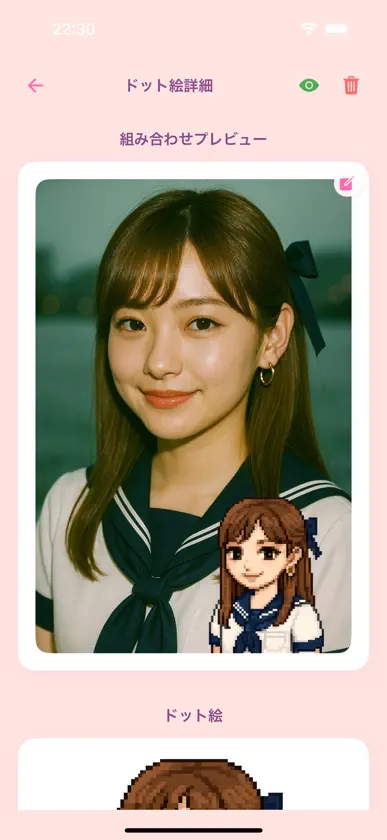
Your photo transformed into retro game-style pixel art! PixelCute uses AI technology to instantly convert uploaded portraits into beautiful pixel art. With simple operations, even beginners can easily create their own original pixel art. Key Features • AI Auto-Conversion: Analyzes your photo and recreates outlines and colors in pixel style • Multiple Styles: Retro / Fantasy / Monochrome and many pixel filters • Real-Time Preview: Instantly preview results after selecting a style • High-Resolution Export: Save in sizes optimized for social media and profile pictures • One-Tap Sharing: Seamlessly share to Twitter, Instagram, LINE • Gallery Feature: Browse, like, and comment on your own and others’ works How to Use 1. Launch the app → Upload a photo 2. Choose your preferred pixel art style 3. Tap “Generate” to let AI convert automatically 4. Preview and select “Save” or “Share” With PixelCute, turn your memories into unique pixel art!
What's new
Version 1.0.3 · Sep 4, 2025
I understood a little bit of the truth of the universe. Also, the performance improved.
More from TOKEN POCKET INC.


You might also like
 PixelArtCam: Pixel Art MakerYuki Okawa
 Ejecto: AI Sticker MakerOUTBLOCK PTY LTD
 Loopro: AI Loop Video MakerLaqen LLC
 Relif - Restore Old PhotosDaniel de la Lastra
 WiperBG: AI Background RemoverCAN EMRE
 Fast Pixel Art ConverterBYNET
 BeDot Turn Your World into DotInfinity Inc. (Apps)
 SoftFillLightQI YAN
 写真相机&变脸-乐拍换脸极速换脸变脸写真软件&写真秀秀杨杨 邱
 GrungetasticJixiPix Software