
plainday
Rıza Kerem SAHIN
No ratings yetProductivityAges 4+
Screenshots
About this app
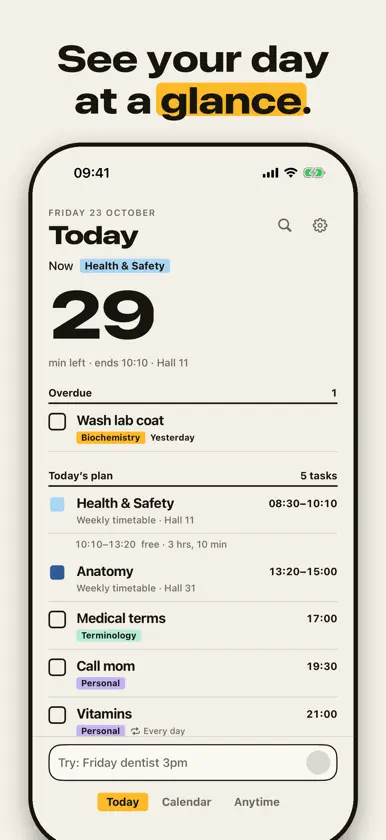
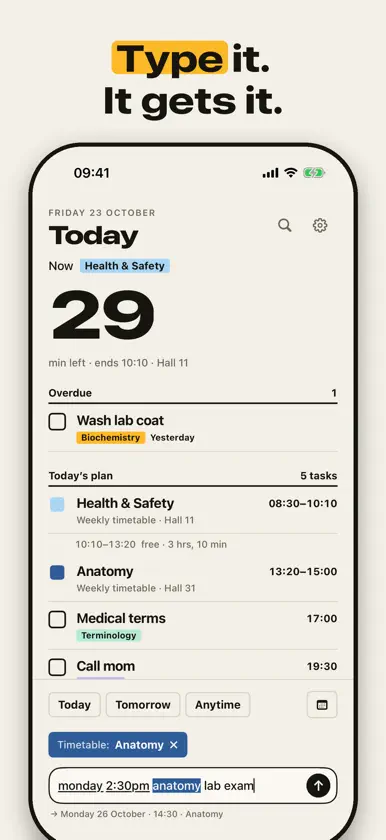
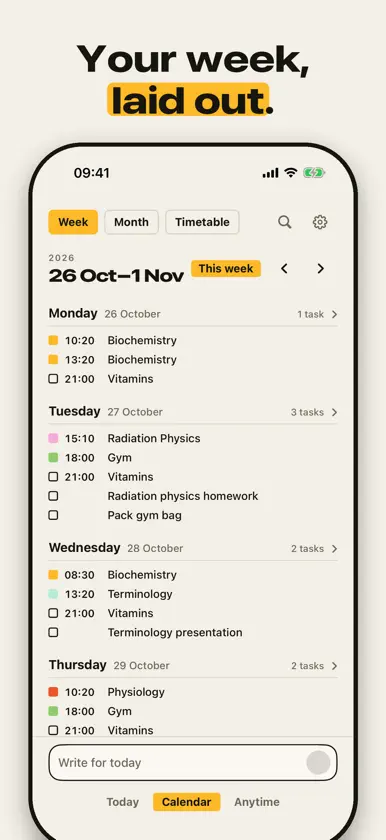
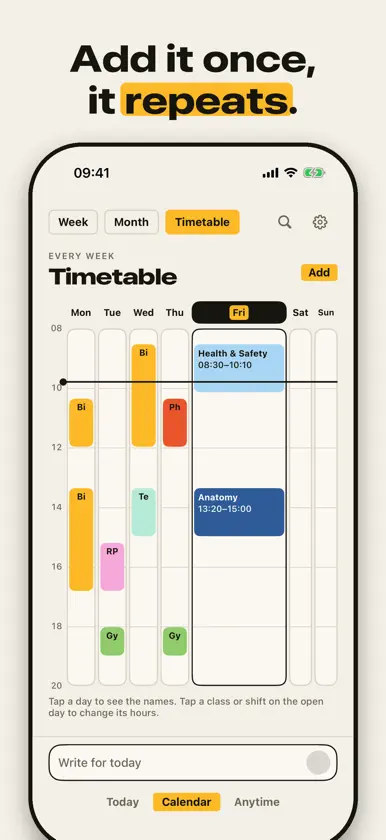
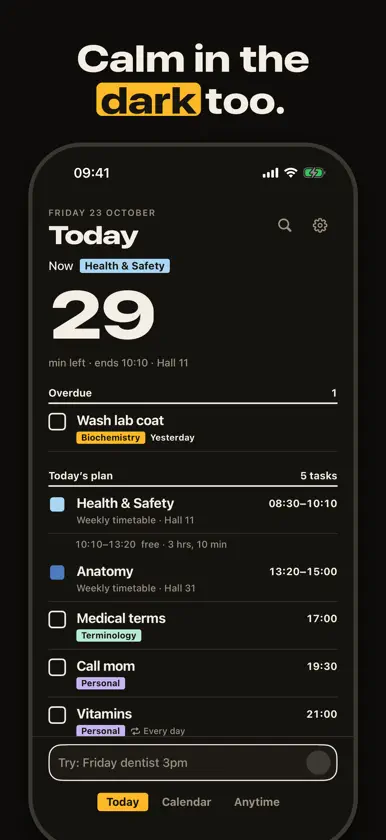
plainday is a calm planner that keeps your day clear. Your day is one list in time order: tasks, classes and calendar events together. The biggest number tells you how long until what's next. JUST TYPE IT • Write a plain sentence in the bar below: “Friday 2:30pm anatomy lab exam”. It finds the day, the time, the repeat and which list it belongs to. • It understands repeats like “every morning at 8”, “weekdays” or “every Monday”. • It also takes a start and an end: “2pm to 4pm meeting”. The free time in your day follows it. • After you add something it shows where it went, and you can undo with one tap. WEEKLY TIMETABLE • Enter things that happen at the same time every week, such as classes, shifts or workouts, on one screen: name, days, time, place. • It shows up in each day's plan on its own, with the free time in between. • A holiday or a cancelled class? Mark it “not on this day only”; the weekly timetable stays the same. ANYTIME • A plain checklist for things with no day that you don't want to forget. Write it, do it, tick it; move any of them to today with one tap. YOUR DAY, WEEK AND MONTH • Today: a countdown to what's next, the day's plan and anything overdue. • Week: seven short day plans, one under the other. Month: how many tasks each day holds. • In the evening, move what's left to tomorrow with one tap. STEPS AND REPEATS • Break a big task into small steps; it moves along as you tick them off. • A repeating task is completed day by day, and you can skip a single day. ALARMS • Set an important task to ring as an alarm: it sounds even in silent mode and can be snoozed. Just say “alarm” as you type: “tomorrow 7am alarm”. (iOS 26) NOTIFICATIONS • A morning summary and an optional evening summary that shows tomorrow a day ahead. Empty days send nothing. • Reminders for tasks with a time; complete or snooze right from the notification. ALONGSIDE YOUR CALENDAR • If you like, events from your iPhone calendar appear in your day, read-only. plainday never writes to your calendar. WIDGETS AND SIRI • Home Screen and Lock Screen widgets: what's next and today's tasks. • Add tasks without opening the app, with Siri, Shortcuts or the Action button. YOUR DATA STAYS YOURS • No account needed. No ads, no tracking. • Your data lives only in your own iCloud account and syncs between your iPhone and iPad (it runs as an iPhone app on iPad). • Dark mode and larger text sizes are supported. Available in English and Turkish. Privacy Policy: https://plainday-app.github.io/privacy.html
What's new
Version 1.2 · Nov 8, 2026
• End times: type "2pm to 4pm meeting" and the task keeps both times. In the editor, turn on "Ends" under the time. Free time in your day counts it too. • Repeating tasks say where they land: type "every Monday gym" on a Friday and you see when it starts; it also shows under Upcoming. • Upcoming tasks show their time. • Clearer weekday buttons, and a tick on the chosen list. • Many small fixes.
More from Rıza Kerem SAHIN

You might also like
 Plando: Daily PlannerJIACHENG YAO
 Fobble NotesFEHMI BULDUK
 SteadyMemo: Calendar NotesYeongsang Kim
 Daily & Weekly Planner: To-DoRANA RESIDOGLU
 Week PlanMing Hei Tsui
 Weekly Planner - WeekieRecep Demirel
 Timbo: AI Calendar & RemindersDmitriy Biserov
 Weeklo: Weekly Planner & ToDoHomam Spartali
 Pocket Diary, Schedule, PlanDigital Legal Tech
 Diary: Daily, Weekly PlannerDigital Legal Tech