
Protecht.ERM
Protecht
No ratings yetBusinessAges 4+
Screenshots




About this app
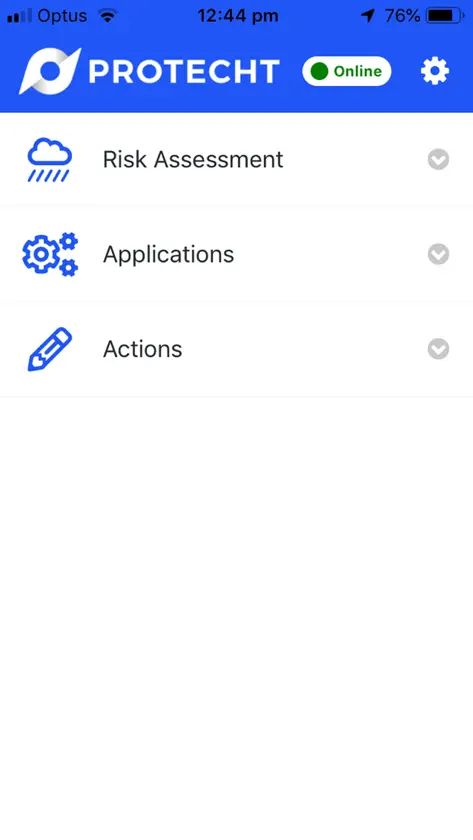
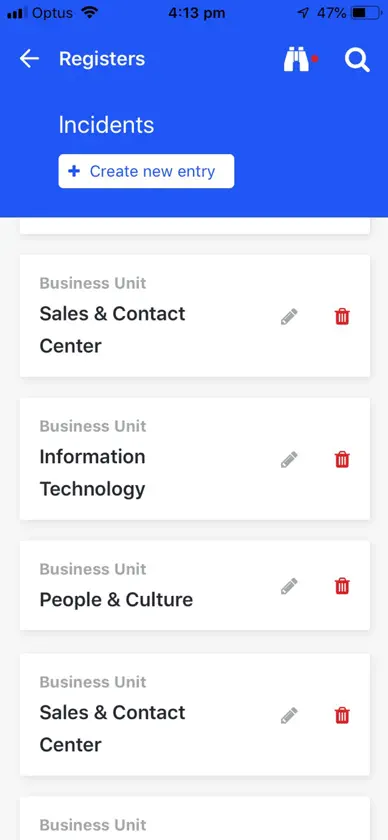
The Protecht Mobile App enables your frontline staff to carry out critical risk management activities - quickly, easily, and securely - directly from their mobile device. Whether managing incidents, completing assessments, or updating tasks, the app ensures your risk processes stay moving - no matter where your team is. It is a companion to Protecht ERM, built for capturing and continuing everyday work in the field, even when connectivity is limited. • Start quickly and sign in with ease: enter your organisation's short company code, then sign in with single sign-on or your Protecht ERM username and password. • Get to your work in a tap: pin up to five favorite registers to your Home screen, tap New to start an entry straight away, and jump back into your recent activity. • Work smarter in the field: access and complete tasks, KRIs and compliance attestations on the go. • Capture risk data instantly: create and update records such as actions, risk assessments and incidents in real time. • Attach visual evidence with ease: use your device's photo library or camera to add images to incident reports, hazard logs and inspection forms. • Pick up where you left off: changes are saved on your device as you go, so you can restore an unfinished entry if the app closes or you are interrupted. • Find what you need: a bottom menu bar for Home, My Tasks, Apps and Settings, a simple Apps menu and full-screen search. • Complete forms faster: only the tab you are on loads, so larger forms open more quickly. • Stay connected, even when offline: complete onsite inspection checklists in remote areas, see clearly what is available offline, and sync when you reconnect. If a record has also been changed by someone else, you choose which version to keep. Your administrator sets up which registers are available offline. • Safe, secure mobile access: staff can securely access Protecht anytime from their phone or tablet, with single sign-on, two-factor authentication where required, and a PIN or biometrics, with no need to return to a desk. A Protecht ERM account is required. Ask your Protecht ERM administrator for your company code, or find it on the User Account page in Protecht ERM under Interoperability Settings.
What's new
Version 2.0.0 · Oct 31, 2026
A refreshed mobile experience designed to help you work faster, wherever you are. • Simpler sign-in and authentication • New Home screen with favourites and recent activity • Streamlined navigation with a new menu bar • Improved performance • Enhanced draft recovery and offline access
You might also like
 ChemAlertRisk Management Technologies Pty Ltd
 OpenText Content ManagerOpenText
 WebEOCEMSystems LLC
 UpviseUnyverse Ltd
 InEight ProgressInEight Inc
 IBM Maximo Mobile for EAMIBM
 Pegasus Care - AnkooraiNet Allocations Pty Ltd
 evokeAG 2026ExpoPlatform LTD
 ETU VictoriaElectrical Trades Union – Victorian Branch
 Chemwatch Mobile SmartSuiteCHEMWATCH