
Remote Shutter
Agzamov Daniyar
No ratings yetPhoto & VideoAges 4+
Screenshots




About this app
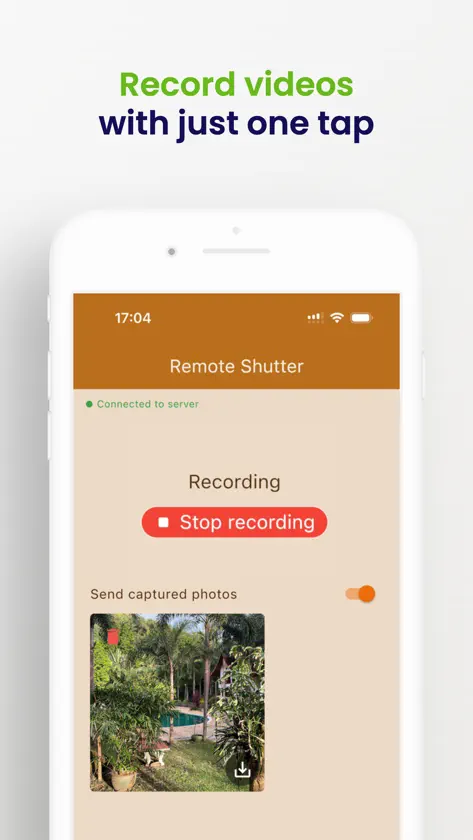
Get in the shot. Keep control of both angles. Turn one phone into a wireless camera remote for up to two phones running Remote Camera. Frame a self-portrait with the rear camera, bring everyone into a group photo, or record an interview, tutorial or performance from two angles. See the shot before you take it. TWO CAMERAS, ONE REMOTE Watch two live previews in one view. Connect both cameras, take a photo on both, or start and stop their recordings with shared controls. Open either camera for individual adjustments. Pair iPhone and Android devices in the same setup. Use two devices for one camera, or three for two cameras. YOUR VIEWFINDER, WHERE YOU ARE Check framing even while video is recording. Pinch to zoom, set focus and exposure, switch cameras, and use flash or a video torch where supported. Set a 3- or 10-second photo timer. Portrait and landscape layouts keep your controls close to hand. MORE CONTROL OVER THE IMAGE Choose supported video modes up to 4K and adjust photo size. Set manual ISO and shutter speed on compatible cameras, then return to Auto. HEIF photos and H.264/HEVC video choices are available with compatible iOS cameras and receiving devices. Available controls, resolutions and frame rates depend on the camera, lens and mode. WI-FI, HOTSPOT OR INTERNET Pair by QR code or connection link. Find nearby cameras and reconnect to saved pairs. Nearby, use the same Wi-Fi network or a phone hotspot: local communication works without internet, and a hotspot needs no router. For cameras on different networks, use internet mode. A network connection may be needed to activate or verify Premium. ORIGINALS ON THE CAMERA. COPIES ON YOUR REMOTE. Keep original photos and videos on the camera phone, with permission to save. Enable copies on the remote to review your shots. Browse by camera and take, save received media to Photos, and export a take's file list. Interrupted transfers can resume after reconnection. You can leave the controller while the camera keeps recording, then reconnect to check or stop it. Keep Remote Camera open on every camera phone. GET STARTED Install the free Remote Camera companion on each camera phone and Remote Shutter on your controller. No app account is required. This app controls the Remote Camera companion, not a DSLR or action camera. PREMIUM Remote Shutter requires a weekly or yearly Premium subscription. The yearly plan offers a 3-day free trial to eligible new subscribers. Local prices, availability and trial eligibility are shown before purchase. Subscriptions renew automatically unless cancelled at least 24 hours before the period ends. Manage or cancel in your Apple account settings; restore purchases from the paywall. Support: support@skillsfor.ai Privacy: https://babymonitor.watchwms.com/privacy Terms: https://www.apple.com/legal/internet-services/itunes/dev/stdeula/
What's new
Version 1.9.1 · Oct 24, 2026
Tautan pemasangan aplikasi kamera dan petunjuk koneksi ditingkatkan. Diagnostik crash ditambahkan untuk menyelidiki masalah dan meningkatkan keandalan.
In-app purchases
The most popular purchases on the App Store.
- Remote shutter Yearly subscription Subscription · 3 days free trial$9.99 / year
- Remote shutter weekly subscriptionSubscription$1.99 / 7 days
More from Agzamov Daniyar


You might also like
 Camera Remote ControlWei Lu
 Phone Camera Remote ControllerKushal Patel
 CameraBuddy: Remote ShutterDaniil Bondarenko
 Camira Go知珩 徐
 Remote Shutter: camera connectSecurity Union LLC
 totte - Watch & Shoot CameraLatech (Japan)
 MyTwinLens: Remote CameraLeonardo Ferhati
 PeerCam Live MonitorMEET SOFTWARE COMPANY LIMITED
 SayCheese - Camera RemoteYoav Franko
 Rika - Remote Shutter CameraYong-il Kim