
RfidAPP
Artem Wilhelmi
No ratings yetUtilitiesAges 4+
Screenshots

About this app
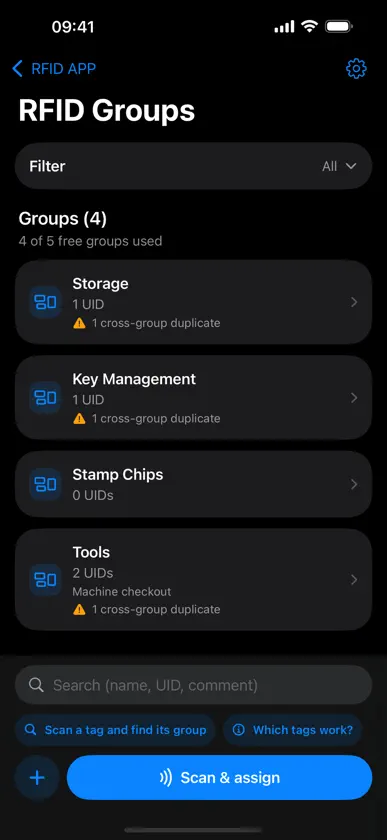
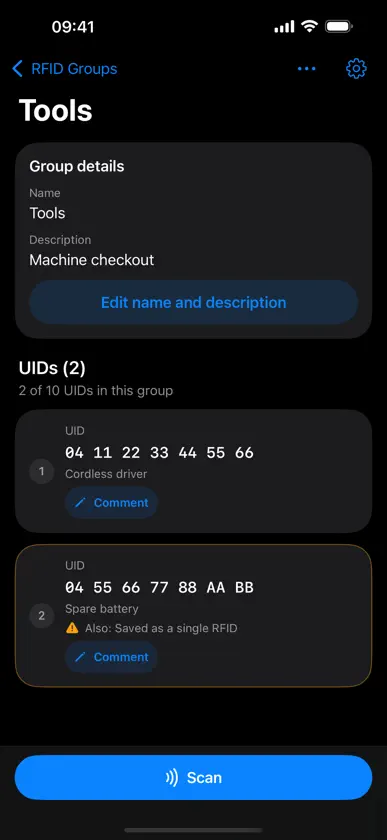
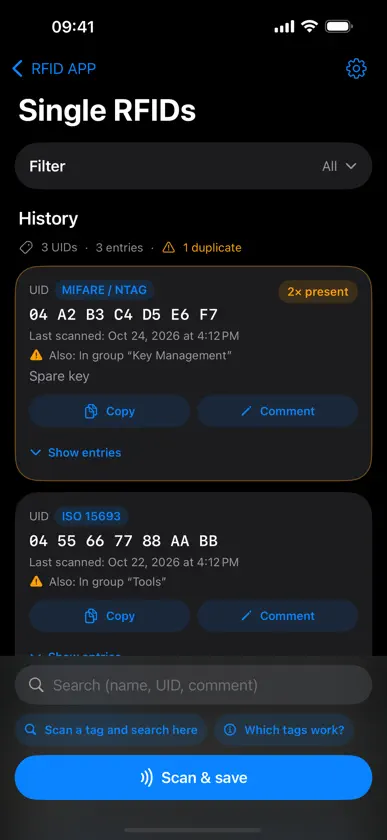
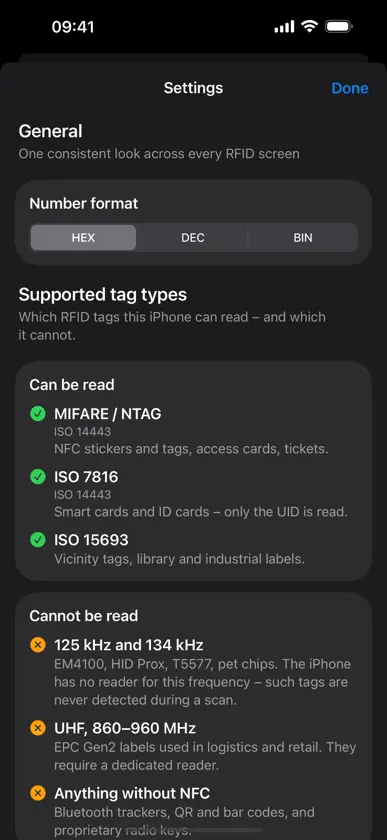
RFID Tester Hold a tag against your iPhone and see at once what is on it: the UID and the detected tag type. Scans land in the history, where you can comment, group and search them. WHAT YOUR IPHONE CAN READ • MIFARE / NTAG (ISO 14443) – NFC stickers and tags, access cards, tickets • ISO 7816 (ISO 14443) – smart cards and ID cards; only the UID is read • ISO 15693 – vicinity tags, library and industrial labels WHAT DOES NOT WORK • 125 kHz and 134 kHz (EM4100, HID Prox, T5577, pet chips) – the iPhone has no reader for this frequency; such tags are never detected during a scan • UHF, 860–960 MHz – EPC Gen2 labels from logistics and retail need a dedicated reader • Anything without NFC: Bluetooth trackers, QR and bar codes, proprietary radio keys The iPhone only reads NFC at 13.56 MHz. The app tells you up front instead of leaving you guessing – a built-in overview always shows which tag types work and which do not. SCANNING AND READING • UID as hexadecimal, decimal or binary – switchable, no conversion by hand • After every scan you see which tag family was detected • Every scan is logged with date and time ORDER IN THE HISTORY • A comment on every tag – "facility manager", "left shelf", whatever you need • Filter by duplicates and by whether a comment is set • Reset single entries or the whole history GROUPS • Collect UIDs in groups – per building, vehicle or tool checkout • Every group with a name and a description • A separate comment for each UID inside the group • Duplicate detection across all groups and the single history: you see at once when a tag is already filed elsewhere • Search across group name, description, UID and comment • Scan a tag and jump straight to its group SCOPE Single RFIDs without a limit, plus up to 5 groups with 10 UIDs each. WHO IT IS FOR Electricians, service technicians, facility management, workshops and warehouses – anywhere access cards, tool or inventory tags have to be told apart. REQUIREMENTS iPhone with NFC reading, iOS 18.0 or later. All data stays on the device.
What's new
Version 2.4 · Nov 8, 2026
New: a short intro shows where to hold the tag – the NFC antenna sits in the top edge of the back, not in the middle. It also shows which tag types this iPhone can read and which it cannot. With this update it runs once for everyone, not just for new installs: anyone who does not know that 125 kHz tags are never detected will otherwise look for the fault in themselves. You can view it again any time in Settings. New: if a scan is cancelled without a tag ever being detected, the app now explains what that can mean and leads straight to the overview of supported tag types. Nothing happened there before. Fixed: 10-byte UIDs were rejected with "The UID is too long for this number format" even though the tag had long been read. Those tags now save normally. The binary view also silently showed UIDs from 9 bytes on as "0". New: the anonymous usage statistics now run only with explicit consent. The question is asked once in the intro, and the answer can be changed any time in Settings. Only tag types, failure reasons and counts are sent – never UIDs, comments or group names.
You might also like
 NFC TagKitCoreWillSoft GmbH
 Sarotis-NFC Tools / ReaderTobias Hauss
 NFC Tools & RFID ReaderADAPPS SOFTWARE
 NFC-RFID ReaderJongMin Lee
 RFID Tools深圳市成为信息技术有限公司
 evcc.ioMichael Geers
 KEBA eMobility AppKEBA Energy Automation GmbH
 Tasmotrol: Tasmota & ShellyBlueTrigger - Software
 WLAN Optimizer & HeatmapSTApp Professional GmbH