
Speech It
ColorBoxStudio
No ratings yetProductivityAges 4+
Screenshots


About this app
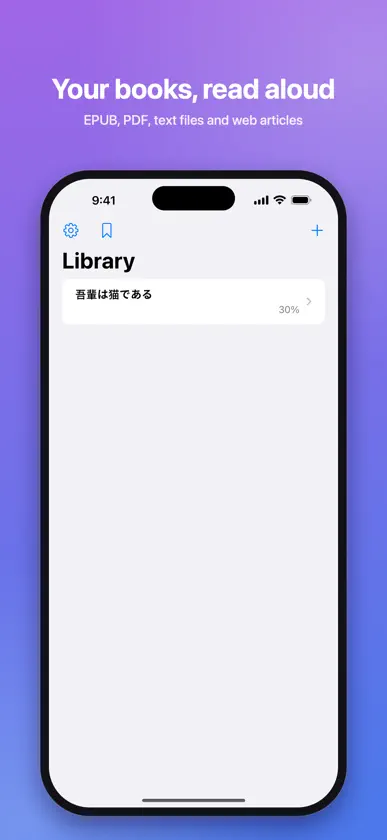
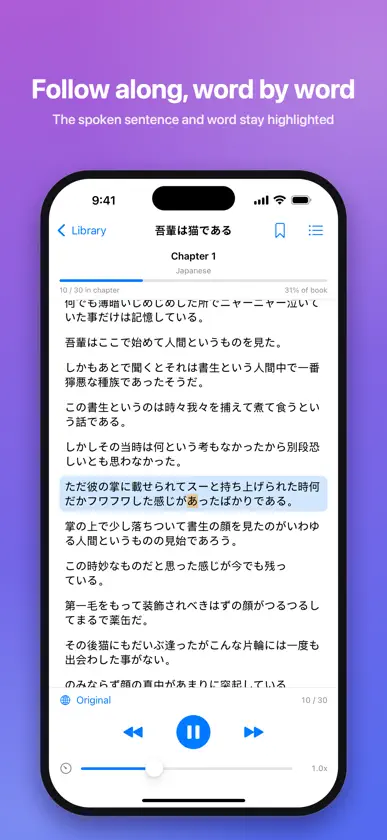
Speech It turns the books and documents piling up on your device into audio you can enjoy anywhere. Import DRM-free EPUBs, PDFs, text files, and web articles, and listen to them read aloud in a natural voice. Clear your reading backlog during your commute, chores, or walks. ◆ Key Features - Flexible importing EPUB / PDF / plain text / web pages by URL / clipboard text. Files can also be opened from the Files app and the share sheet. - On-device translated listening Listen to an English book in Japanese and more: translation happens while reading aloud (iOS 18 or later, supported language pairs), with the translation and original shown side by side. - Background playback Keeps playing while your screen is locked, with full control from the Lock Screen and Control Centre. Playback resumes automatically after interruptions such as phone calls. - Follow along visually The current sentence and word are highlighted and kept in view. Tap any sentence to start playback from there. - Table of contents & bookmarks Jump between chapters, bookmark individual sentences, and browse bookmarks across your whole library. - Organised library Sort books into folders. Your reading position is saved automatically, so you always pick up where you left off. - Voice customisation Adjust speed (0.5x-2.0x), pick from your device's voices, tune the pitch, and preview voices before choosing. - Privacy first Parsing, translation, and speech synthesis all happen on your device. The contents of your books are never sent to a server. ◆ Notes - DRM-protected e-books are not supported. - Image-only (scanned) PDFs cannot be read aloud. - Translation requires iOS 18 or later. The app shows ads; an optional subscription removes them. Terms of Use (EULA): https://www.apple.com/legal/internet-services/itunes/dev/stdeula/
What's new
Version 1.0.3 · Nov 5, 2026
- Choose the audio output (speaker, Bluetooth, AirPlay) right from the playback bar. - The skip buttons on the Lock Screen, in Control Center and in CarPlay now move to the previous or next sentence. - The library shows where each book came from. Open the original web page or copy its link from the book's menu. - Fixed playback staying silent after a call, a notification or switching headphones. Tapping Play now always reads from the current sentence, and playback no longer starts on its own.
In-app purchases
The most popular purchases on the App Store.
- Remove Ads (Monthly)Subscription$0.99 / month
- Remove AdsSubscription$9.99 / year
More from ColorBoxStudio


You might also like
 Neatlet: House CleaningEdijs Petersons
 Audella - ReaderEugert Jani
 Text to Speech, Voice ReaderEclixTech UK LTD
 Slurp: Text to Speech ReaderKempu OU
 Read Aloud: Text to SpeechAPPSURGE
 Yomer Text to Speech TranslateVoila Tech K.K
 TextVoice: Text to Speech培 李
 Timber - Text to Speech, VoiceTruth in the Machine LLC
 AI Voice Reader: Narrate BooksOGUZ OZDEMIR
 PDF to Audiobook - ListenPDFYasir Gasim Hamid Hassan