
StepShare
Naoki Miura
No ratings yetHealth & FitnessAges 4+
Screenshots


About this app
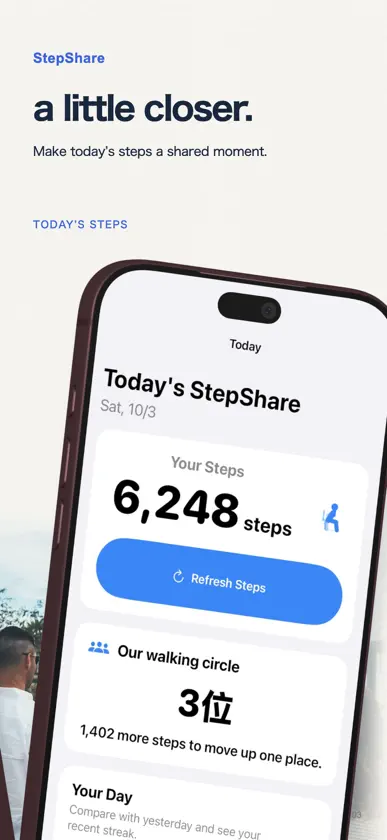
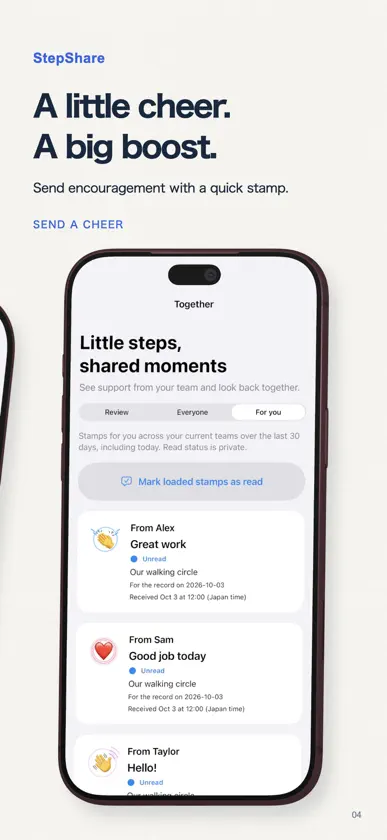
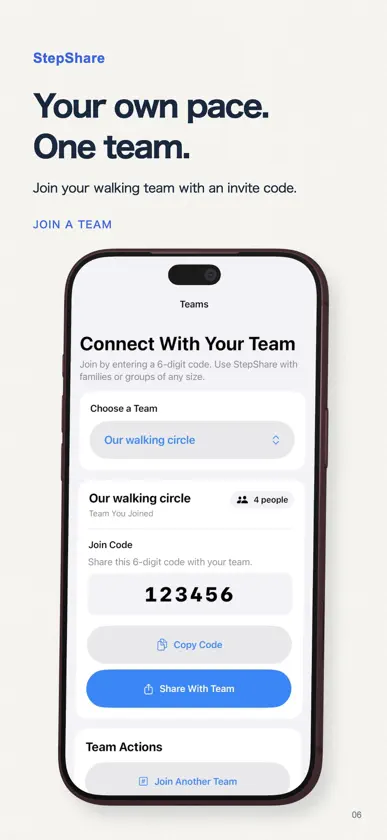
StepShare helps family and friends share daily step totals and enjoy walking together at their own pace. Bring your team closer on Today. Read past conversations, send messages and cheer with 15 stamps. Use @name or @all to send mention notifications to your teammates. Track daily steps, explore personal charts and view goals without an account. Your personal step goal adapts to recent activity and can also be set manually. Sign in with Apple only when you choose to share steps by creating or joining a private team with a 6-digit invitation code. Compare today's steps and rankings, and encourage your team with 15 fixed reaction stamps. In Walking Journeys, add your team's steps to reach checkpoints and take on weekly goals based on your recent pace. Review step history, sync steps from Apple Watch, and check your team's ranking from your wrist. Privacy StepShare reads only daily step totals from HealthKit. It does not access location, heart rate, or workout details. After you join a team, members can see your display name and daily step totals. You can stop sharing or delete your saved step history and account in the app. Health data is not used for advertising or user tracking. When you send a team message, StepShare stores its text, sender, team, send time and message identifier in Supabase. Each message is limited to 1,000 Unicode characters. Only current team members can read it. Messages are hidden between users if either blocks the other. Your read position is stored to show unread counts; it is not shown to senders. Message text is not included in usage analytics or sent to external AI. Mentions notify current members selected with @name or @all on opted-in devices. Message text is excluded from notifications. Notifications are delivered between 08:00 and 21:00 Japan time; those outside this window wait until the next delivery window. The sender and team owner can delete a message’s text. Leaving a team ends your access, but your earlier posts remain visible to current members. Deleting the sender’s account or the team deletes the related messages. Reporting a message saves a copy for StepShare operators to review. This restricted safety record may remain after the message itself is deleted; its message-text copy is deleted when the related sender account or team is deleted. Downloaded messages are kept on this iPhone without a time or message-count limit. Server copies are available for one UTC calendar month from sending, then hidden and automatically deleted by a scheduled cleanup. Server expiration does not erase previously downloaded local history. Signing out, deleting your account or leaving a team removes the relevant local history; blocking a sender removes their downloaded messages. Reinstalling the app cannot recover history that has already expired on the server. React to individual messages with stamps. The selected stamp and action time are stored with the message and team member. Message text is excluded from usage analytics.
What's new
Version 1.2.19 · Nov 11, 2026
Choose whether to receive notifications for every team message. Message bubbles are easier to distinguish in Dark Mode.
More from Naoki Miura


You might also like
All apps like StepShare → PokoFit: Small Steps, TogetherJuhee Chung
 Run League - Walk and competeMartin Terrassa
 Galbi: Health SharingZakaria Kerkeb
 Total Steps: Step CounterDevan Koshal
 Impulso.Samuel Serour
 Walk Analytics: Step CounterArnoHealth SL
 Steps Share PedometerOMAR ALTAMIMI
 StepDeckMarcel Brueck
 StepRightRoland Fernandez
 StepOff: Step CompetitionsDaniel Errante