
TouchRoute
EPage, Inc.
No ratings yetUtilitiesAges 4+
Screenshots



About this app
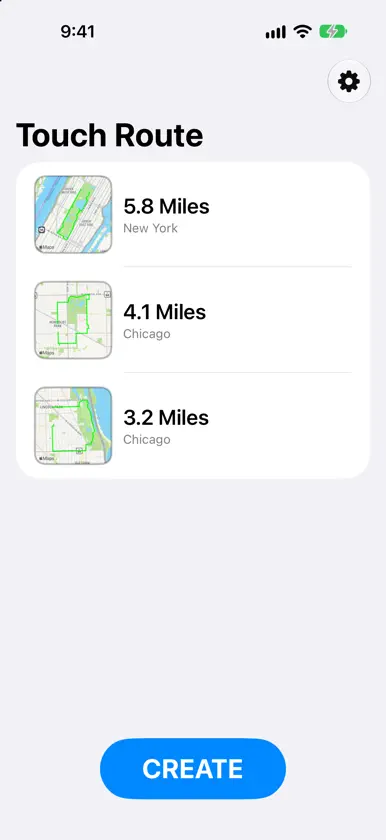
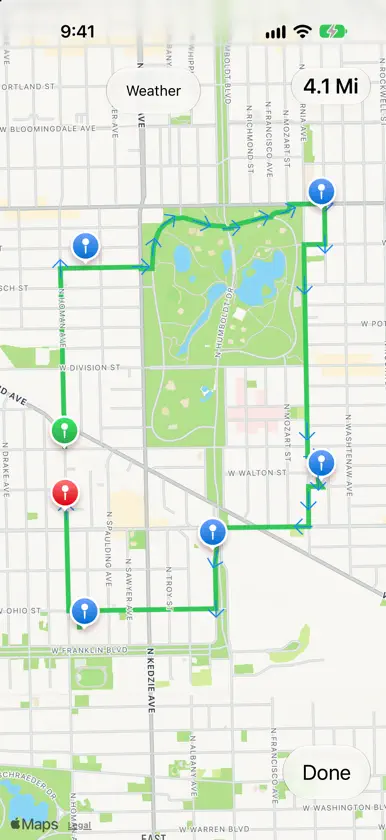
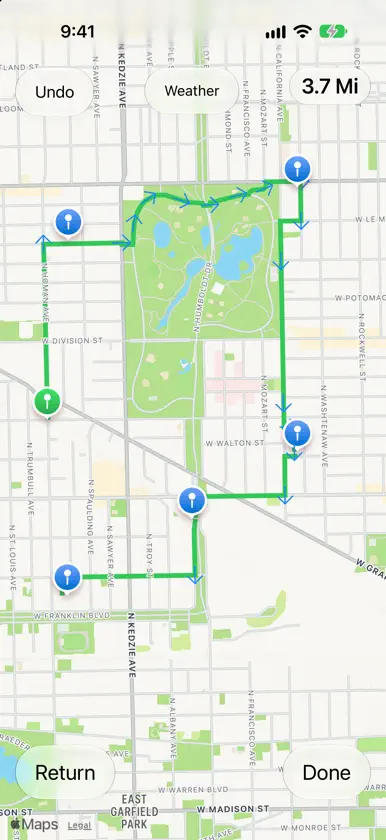
Plan your perfect run, walk or drive, in seconds. Touch Route turns your finger into a route planner. Press and hold on the map to drop a pin, and Touch Route instantly draws a route along real streets and paths, with direction arrows showing the way. Keep adding pins to build a route of any length, and watch your total distance update as you go. Built for runners, walkers and drivers • Choose On Foot or Driving, and see distances in miles or kilometers. • Start from your current location, or look up any address and begin there. • Made a loop in mind? Tap Return to route straight back to your starting point. • Made a mistake? Undo removes your last pin. • Check the current weather on the map with one tap before you head out. Take your routes anywhere Send any route to your favorite apps. Share as a GPX file to Garmin Connect, Strava, MapMyRun and many more. Or send a Touch Route file by AirDrop to a friend, who can add it straight to their own collection. Simple to manage Your saved routes appear in a clean list with a map preview and distance. Swipe right to share, and swipe left to delete. Sort by distance or by date. Made for every screen Touch Route works on iPhone and iPad, and it's designed for foldable iPhone too. On a wide screen, your route list and map sit side by side. Free to try Save up to 3 routes for free. A one-time in-app purchase unlocks unlimited saved routes. Tap the gear icon for settings, a quick how-to guide, and a way to send feedback. TouchRoute does not collect any user data. Privacy Policy: https://epage.app/touchroute/touchroute-privacy-policy
What's new
Version 2.0 · Nov 4, 2026
Rebuilt for iPhone and iPad, including iPhone Duo TouchRoute has been rebuilt from the ground up, with a layout that adapts to any screen size. • Works on iPhone, iPad and iPhone Duo. On wide screens, your route list and the map sit side by side. On narrow screens, it's a simple list that opens into the map. • A fresh look. The map screen has new controls that stay clear of the camera and the screen edges. • Easier setup. Settings has a new layout. Activity now says "On Foot", which covers walking, running and hiking, or "Driving". A clear how-to guide is built in. • Smoother route sharing. Share a route as GPX or as a TouchRoute file, with the share sheet appearing right next to the route you chose. • Improved route building. Long-press the map to add a pin the moment you hold, and direction arrows follow the route. • Better place names. City names for saved and imported routes are more reliable. Importing a GPX file now always finishes filling in its places. • Updated purchases. The unlimited-routes purchase uses Apple's latest purchase system. Your existing purchase carries over, and Restore Purchases works as before. Your saved routes and settings stay as they are.
In-app purchases
The most popular purchases on the App Store.
- Unlimited RoutesConsumable$4.99
More from EPage, Inc.


You might also like
 Funnel - SMS and Call FilterBhagya Silva
 Route Tracking lightMarton Varga
 Land Area Measure - TerraPlotYUNFEI XU
 GoToMyCarTMSoftware
 HelixNotesYuri Karamian
 Revvy: Car IdentifierAndrew Phillips
 Metadata Remover Photo & VideoAmandeep Singh
 Photo Countdown WidgetShahriar Ahmed
 GPS Distance Measure - TrailsLogiSian Technology Solutions
 Ai Shortcuts - Smart ActionsSnap Web Studios