
Vertical Mirroring
Campus Friends
No ratings yetUtilitiesAges 4+
Screenshots
About this app
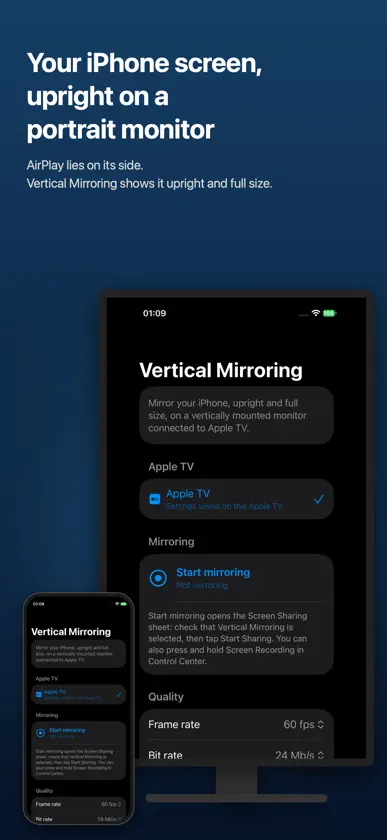
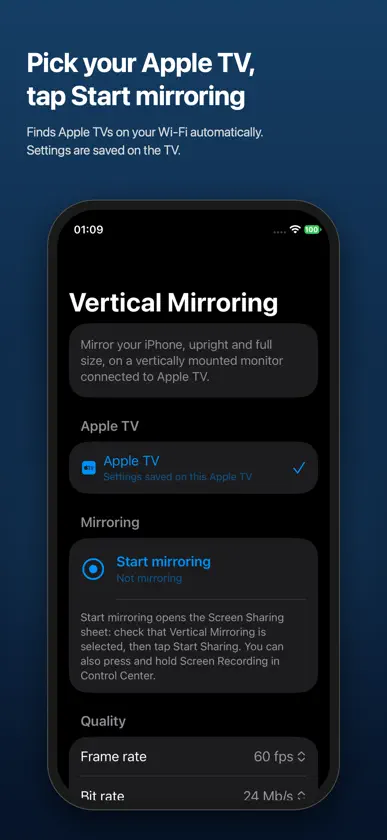
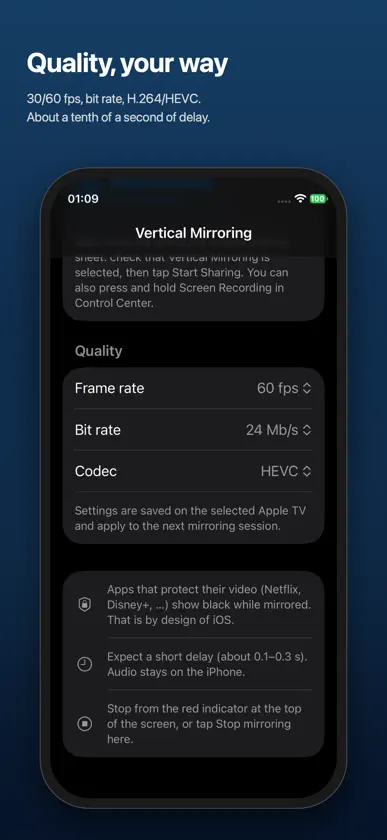
Have an Apple TV on a monitor turned on its side, or on a rotating TV? AirPlay screen mirroring assumes a landscape screen, so on a portrait monitor your iPhone appears sideways and small. Vertical Mirroring shows your iPhone screen upright, filling the height of the monitor. ■ What you get • iPhone app: pick your Apple TV and tap Start mirroring. In the Screen Sharing sheet, tap Start Sharing. • Apple TV app: waits for an iPhone on the same Wi‑Fi and shows its screen in portrait. • One purchase includes both the iPhone app and the Apple TV app. ■ Features • Upright, full-size iPhone screen on portrait monitors and rotating TVs (The Sero, StanbyME and others) • Clockwise or counter-clockwise rotation; works on a normal landscape TV too • iPhone and Apple TV talk directly over your Wi‑Fi — no server, no account, no data collection • Quality settings: 30/60 fps, bit rate, H.264/HEVC • Click the remote to see the stream status (resolution, fps, latency) ■ Good to know • Mirroring uses the iPhone’s screen sharing (Screen Recording in Control Center) and is started from the iPhone. • Apps that protect their video, such as Netflix, show black, as required by iOS. • Audio plays on the iPhone. Expect a small delay, around a tenth of a second. • iPhone and Apple TV must be on the same Wi‑Fi network.
What's new
Version 1.0.1 · Nov 3, 2026
• New Auto bit rate (now the default): quality adapts to your Wi‑Fi in real time, so video stutters less. • Each bit rate, codec and frame rate setting now explains what it changes. • Fixed full-screen landscape video (YouTube and others) appearing upside down. • Fixed a false “Network error” on the Apple TV app after reopening it.


