
Vibify
Sviatoslav Rodionov
No ratings yetProductivityAges 4+
Screenshots




About this app
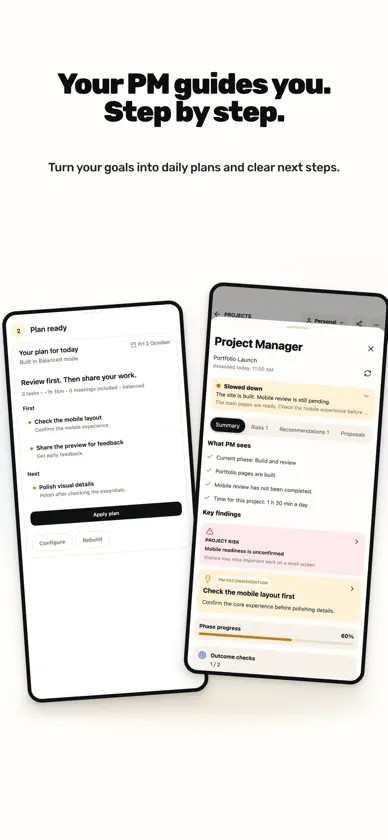
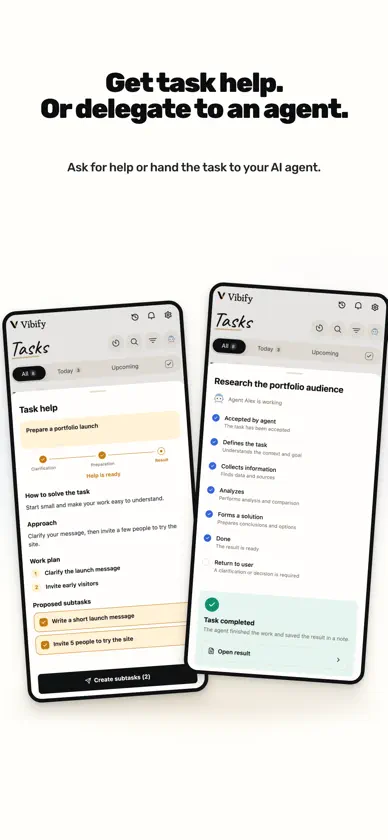
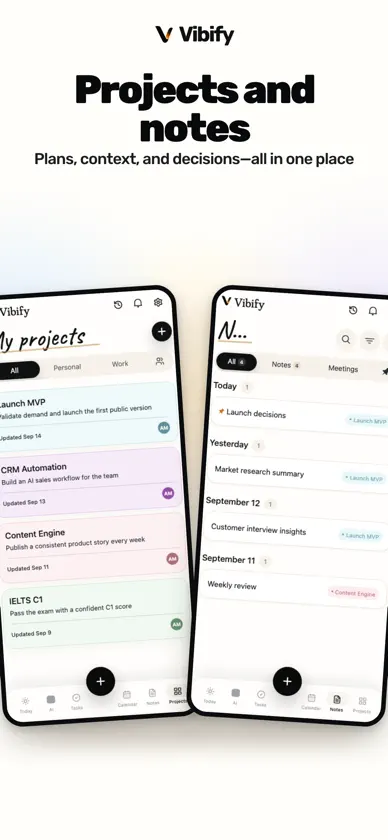
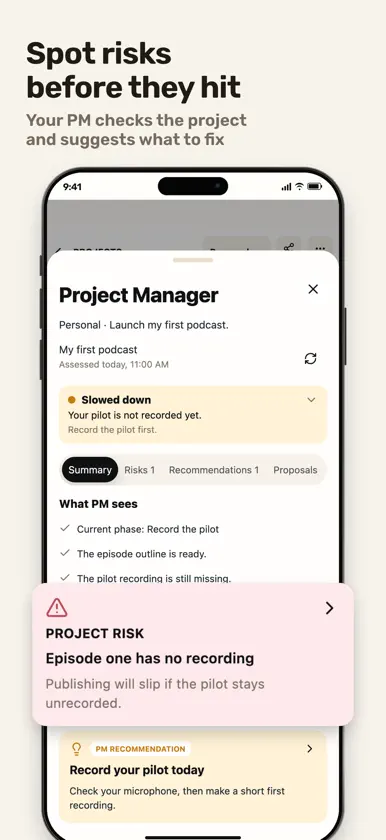
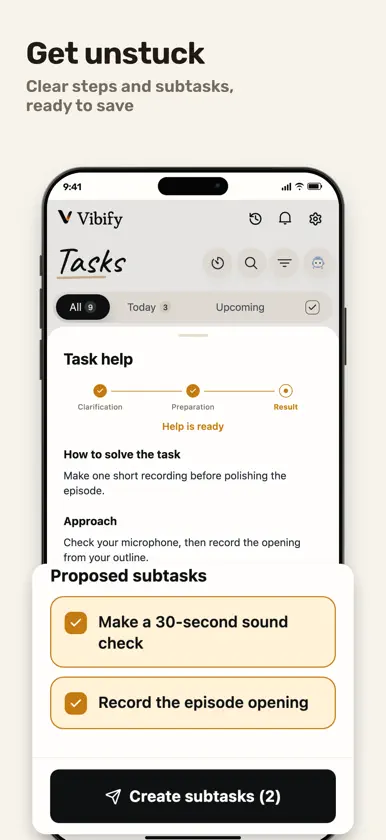
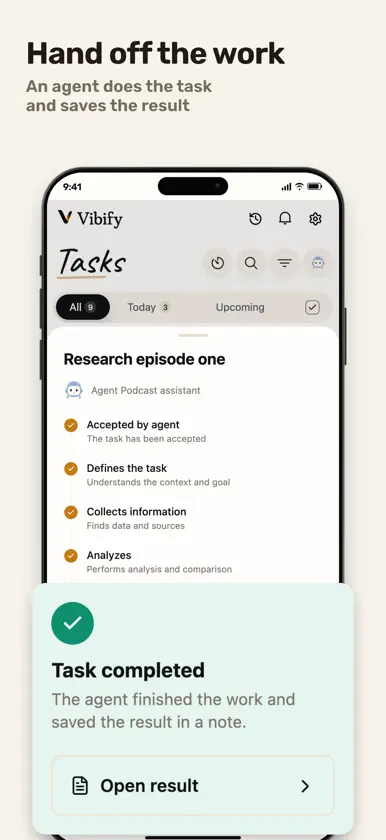
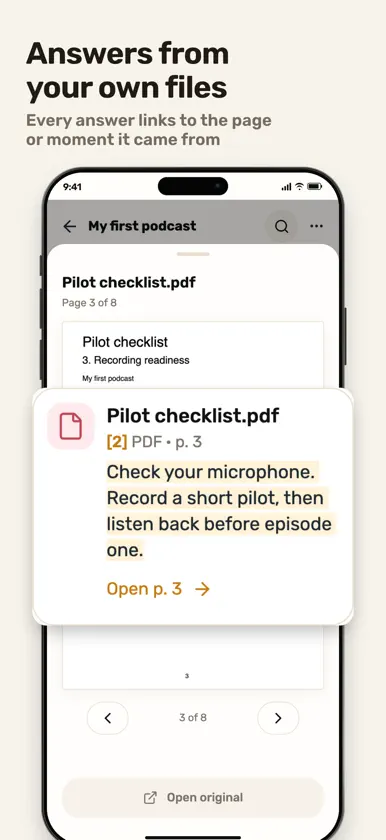
Your project deserves a manager. At big companies, every project has a manager. Now yours does too. Describe your goal, and Vibify's AI Project Manager shapes it into a plan, keeps an eye on it, spots what is stalling and helps you choose what to do next. Projects, tasks, notes, your calendar and knowledge live in one workspace. YOUR AI PROJECT MANAGER Describe what you want to achieve: launching an MVP, a renovation, a thesis, a move. Work with the AI Project Manager to turn it into a project plan, review the proposed tasks and adjust them. When time is short or a project has stalled, Next steps helps you pick what to do now. You review every change and decide. GET HELP OR DELEGATE Ask for help with a task and get concrete steps to start. Create agents with your own instructions, assign them tasks, follow their progress and step in when they need your input. MAKE ROOM FOR WHAT MATTERS TODAY See meetings, tasks and overdue work in Today. Build a daily plan around your schedule, then adjust it in plain words. KEEP THE CONTEXT CLOSE TO THE WORK Collect notes, documents, images, audio, video and links in knowledge bases. Attach a base to a project or an AI agent, so useful context stays at hand. Search your materials and follow PDF page and audio time references to see where information came from. CAPTURE IDEAS BEFORE THEY DISAPPEAR Use voice or text to capture tasks, events and notes. Smart Capture can prepare several items from one thought; review and edit the drafts before saving them. Record a meeting to get a transcript and a short summary, and choose the project it belongs to. KEEP EVERYDAY WORK CONNECTED - Organise tasks with priorities, dates, subtasks and repeats. - Write rich notes with headings, checklists and images. - Manage events and reminders, with Google Calendar integration. - Share a note or project with editors and viewers. - Send booking links so guests can choose an available time. CONNECT THROUGH MCP Use a compatible AI client to work with your Vibify workspace through supported MCP tools. CHOOSE HOW YOU USE AI AI is optional. You are asked for permission before data is sent to AI, and you can manage your preferences in Settings. Use projects, tasks, notes and your calendar without AI if you prefer. Vibify supports English, Russian and Spanish. SUBSCRIPTIONS Vibify is free to start. Optional Starter, Pro and Max subscriptions expand usage limits. Payment is charged to your Apple Account. Subscriptions renew automatically unless cancelled at least 24 hours before the end of the current period. Manage or cancel subscriptions in your Apple Account settings. Terms of Use: https://vibify.io/terms Privacy Policy: https://vibify.io/privacy
What's new
Version 1.0.4 · Nov 1, 2026
This update makes project documents easier to find and everyday task management more reliable. • Projects now have a Documents tab, with connected knowledge bases and notes in one place. Open a base directly or manage which bases are linked. • Easier project, Personal/Work and phase selection in the task editor. • Fixed an issue that could reset unsaved edits when task data refreshed. • Improved language switching, with your selected language remembered after restarting the app. • Fixed a sync issue that could make deleted repeating tasks reappear.
In-app purchases
The most popular purchases on the App Store.
- Vibify WorkSubscription$7.49 / month
- Vibify Pro YearlySubscription · 7 days free trial$139.00 / year
- Vibify ProSubscription · 7 days free trial$13.99 / month
- Vibify MaxSubscription · 7 days free trial$20.99 / month
You might also like
 Ask AI Anything - Chat & TalkPB Studios OU
 Spy Phone ® Pro Mobile TrackerSpy Phone Labs LLC
 Yandex CalendarDirect Cursus Computer Systems Trading
 Secure VPN Proxy - Fast ServerAnHui XiaoLai Talent Information Technology Co., Ltd
 Chatbot AI Assistant - GenieAPPNATION YAZILIM HIZMETLERI TICARET ANONIM SIRKETI
 VPN Russia: Best Russian VPNONLYAPPS