
Wevir
ZHUOYANG LI
No ratings yetDeveloper ToolsAges 4+
Screenshots



About this app
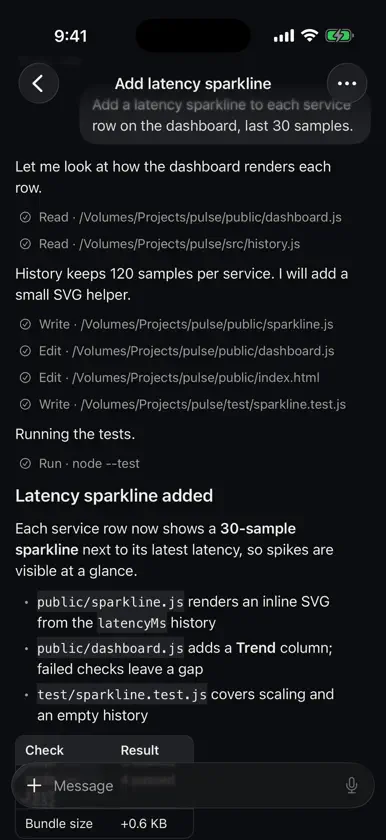
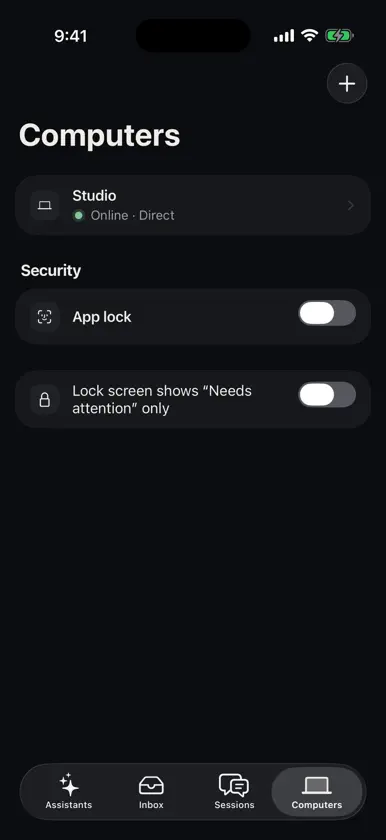
Wevir is the phone companion to Wevir, the open-source agent harness for your desktop. Your agents keep working on your own computer; Wevir on iPhone lets you follow them, answer them and steer them when you are away from the keyboard. PAIR WITH YOUR COMPUTER Scan the QR code shown in Wevir on your Mac, Windows or Linux computer. The phone and computer connect directly on your local network or over Tailscale, through a Noise-encrypted tunnel. There is no Wevir account and no Wevir cloud between them. FOLLOW EVERY SESSION See every session across your computers, live: messages, tool calls, files read and written, test runs and results. DECIDE FROM ANYWHERE The inbox collects what needs you: approvals for commands and edits, questions from agents, finished and failed runs. Approve or decline in a tap; high-risk approvals can require Face ID. REVIEW CHANGES Open the diff of what an agent changed, file by file, before you let it continue. START NEW WORK Start a new session on any paired computer, pick the project and model, and type or dictate the task. Attach photos from your camera or library. ASSISTANTS Check on your long-running assistants, read their summaries and reply to them. NOTIFICATIONS THAT STAY PRIVATE Turn on push notifications to hear when a session needs approval or finishes. Notification contents are encrypted on your computer and decrypted on your phone; the push gateway only forwards ciphertext. PRIVATE BY DESIGN - All work runs on your computer, with your own model keys and subscriptions. - The app's local cache is encrypted, and device keys live in the Keychain. - App lock with Face ID. - No ads, no analytics, no tracking. REQUIREMENTS Wevir on iPhone needs the Wevir desktop app (free, open source, from wevir.si) running on a computer you own, with remote access turned on in Settings → Devices.
What's new
Version 1.0.2 · Nov 13, 2026
• Archived sessions: each computer now has an Archived list with search. Open archived sessions, or unarchive them with undo. • Retry and recovery: failed turns show the error type and a hint, with Retry or Continue. Errored or read-only sessions can be resumed or continued in a new session. • Tool details: tap a tool call to see its parameters and output, or a per-file preview of edits. Failed and rejected tools show the first line of the result. • More of the desktop transcript: to-do lists, subagent and task markers, chapter and compaction dividers, shared files, generated images, review findings, handoffs and more, folded like on the desktop. • Finished turns are folded to keep long sessions easy to scan. • Approvals now show the working directory and the full command, and show how each approval was resolved. • Sessions are sorted and marked unread by their last visible activity. • Faster reconnects: sessions resume from the last cached event instead of reloading the whole history. • Fixed a crash at launch when several computers are paired. • Fixed messages whose first send failed, stale run status, and other differences from the desktop.


