
WrittenWord
Andrew Bales
No ratings yetReferenceAges 4+
Screenshots

About this app
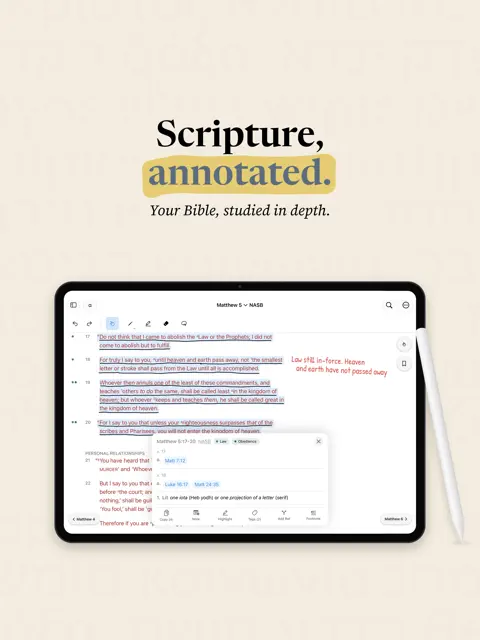
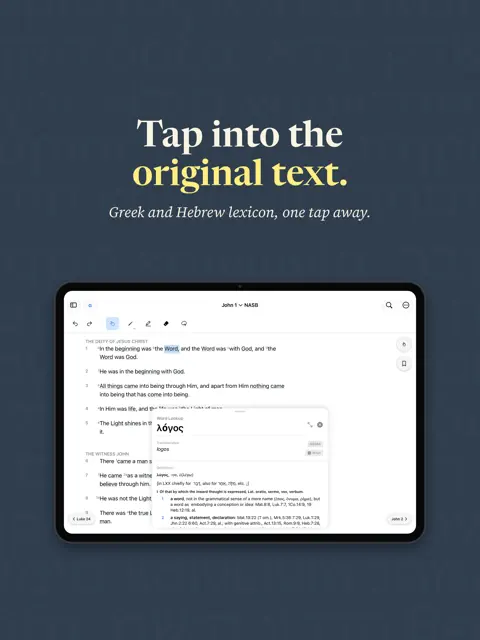
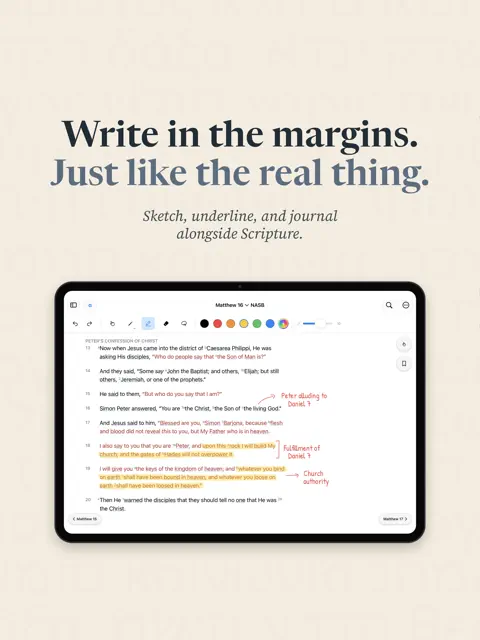
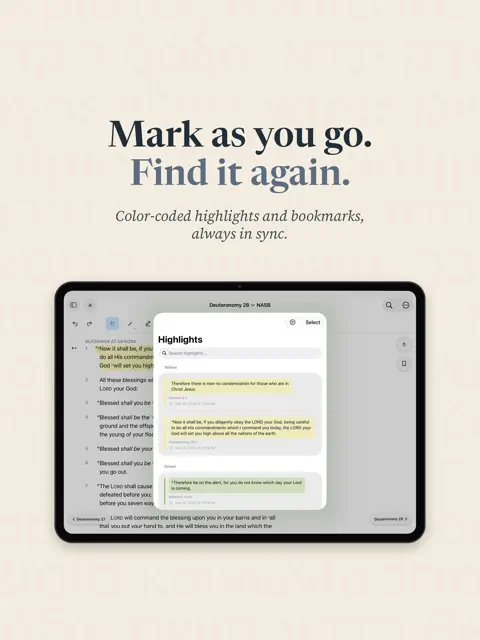
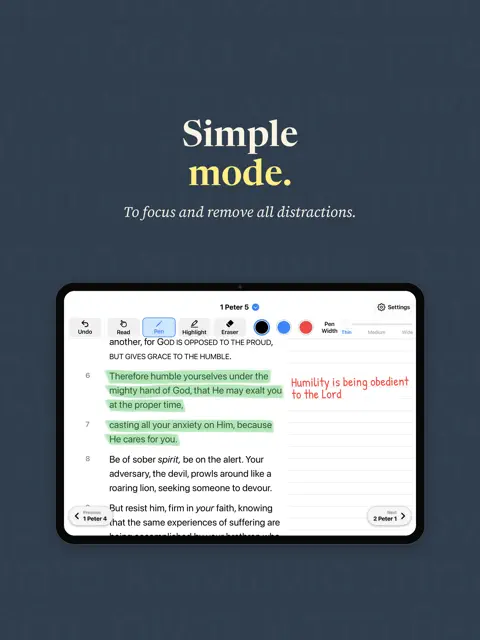
WrittenWord is a free Bible study app built for iPad, featuring the complete NASB 1995 text with original-language and annotation study tools — no subscriptions, no ads, no account required. It works completely offline, and your study notes sync across your devices with iCloud. Annotate directly on the page with Apple Pencil — underline phrases, circle words, draw connections, and write notes in the margin beside the text. Open a full-page drawing view, with an optional journaling template, for detailed study notes on any chapter, and add ruled lines to give your notes structure. Type anywhere with text boxes, on the chapter page or in your notes. Move, resize and color each box, and choose any font size. With Apple Pencil, write inside a box and Scribble turns your handwriting into typed text (Scribble must be turned on in iPad Settings). Tap any word in Original Language mode to see its Greek, Hebrew or Aramaic source, transliteration, definitions, and where it occurs across Scripture. Tag verses by theme, and add your own cross-references and footnotes alongside the NASB's built-in cross-references to build a personal study system. New: put a verse on your Home Screen. The WrittenWord widget shows a verse you've pinned, or a new verse each day from one of your tags, in your reading theme and font. Tap it to open the passage. Simple Mode strips WrittenWord back to the essentials — large, clear text, a simple pen and highlighter, and easy navigation — for anyone who wants a straightforward Bible on their iPad. Study & Annotation - Freeform handwritten annotations with Apple Pencil or a stylus - Typed text boxes on the page and in notes, with Scribble support - Full-page chapter drawing view with a journaling template and ruled lines - Text highlighting in multiple colors - Verse tags in 20 colors that match every reading theme - Custom cross-references and footnotes - Verse notes with margin indicators - Up to 8 bookmarks to keep your place in different readings - Interlinear and lexicons for Greek, Hebrew and Aramaic Reading & Navigation - Home Screen widget: a pinned verse, or a daily verse from a tag - Simple Mode: large text, a simple toolbar and easy navigation - Place marker that holds your exact spot while you look elsewhere - Pick up where you left off, at the same spot on the page - Global search across all verses - NASB cross-references and footnotes from The Lockman Foundation - Red-letter text for the words of Jesus - Reading themes (System, Light, Dark, Sepia, Sand) and font choices - Export and back up your study data - Works completely offline — no internet connection needed Scripture quotations, cross-references and footnotes taken from the (NASB®) New American Standard Bible®, Copyright © 1960, 1971, 1977, 1995 by The Lockman Foundation. Used by permission. All rights reserved. www.lockman.org
What's new
Version 1.3.3 · Nov 8, 2026
This update is all about keeping the user's study safe. • Handwritten annotations are better protected when using WrittenWord on more than one iPad: switching apps no longer risks replacing notes that just synced from another device • If WrittenWord ever has trouble opening data, it now keeps everything in place and allows another attempt, instead of starting over • Backups are more reliable, and restoring a pinned backup works again • If a change can't be saved, usually because the iPad is full, WrittenWord now alerts the user • Search is faster and steadier when pressing Return on a very short search • Other fixes to keep the app from closing unexpectedly
You might also like
 Christ Covenant ColoradoChrist Covenant Church of Colorado
 The Scripture ScribeDerrick Uchenna Iwuamadi
 BibleScribeJames Sumners
 ScriptInk: Scripture JournalArturo Olivas
 Hours: Roman BreviaryMatthew McCarty
 Anthems - National AnthemsExploreMetro
 Course to Learn Excel FormulasPDF SCANNER LLC
 Amogh PipingEbrahim Rahban
 Exegesis: Bible StudyCV Concierge A.I., LLC
 The Bible UnpackedPaul Mallison