
gitbay
Christian Cleberg
No ratings yetDeveloper ToolsAges 4+
Screenshots




About this app
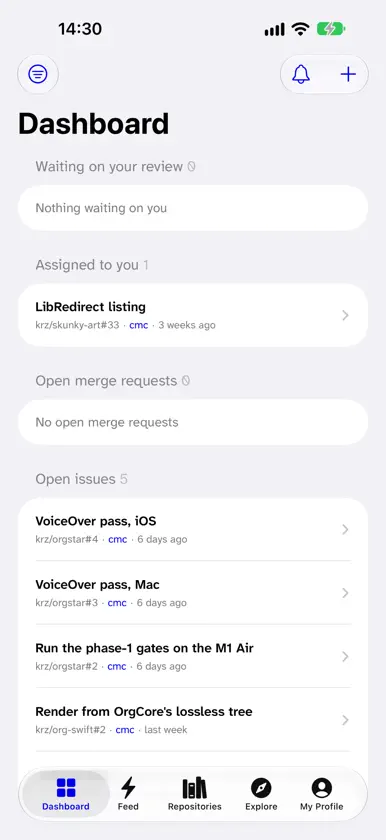
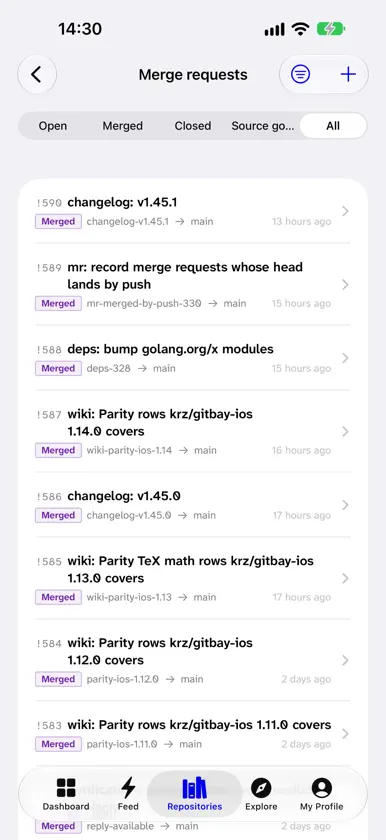
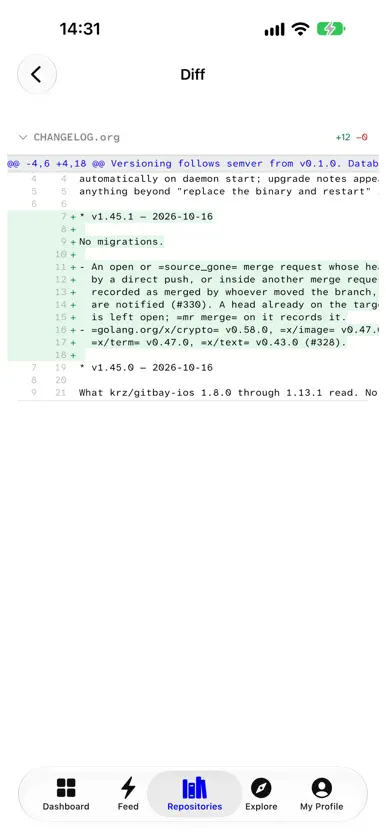
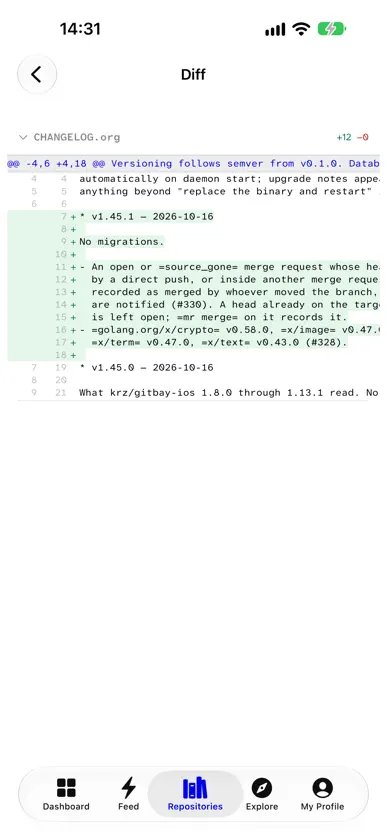
gitbay is a CLI-first git forge. This is its iOS client: somewhere to read, review and respond when you are away from a keyboard. Sign in with a token you mint over SSH. There is no password, no browser flow, and no account with us — the app talks only to the instance you name, and the token stays in the device Keychain. BROWSE - Files, directory trees, and syntax-highlighted source - Commit history, a single commit with its patch, and blame - Branches, tags, and full-text search across a repository - READMEs and wikis, rendered as Markdown or Org REVIEW - Merge requests with the diff, file by file and hunk by hunk - Review threads anchored to diff lines, with replies and resolution - Approve, request changes, and merge with the strategies the server allows TRIAGE - Issues with labels, assignees, and milestones - Open, edit, comment, and close from the phone - Signature verdicts shown on every commit WATCH - A dashboard of what waits on your review, what is assigned to you, and what is still open - CI builds with their logs, and a trigger for any job the config names - Releases, organisations, teams, and profiles Every screen is backed by a command the server already exposes, so the app cannot drift from what the CLI and the web can do. Requires your own gitbay instance. gitbay is free software; the forge and this client are developed in the open at gitbay.org.
What's new
Version 1.14.1 · Oct 17, 2026
Code review - React to issues, merge requests and comments. - Comment on individual diff lines and suggest changes that can be applied in one tap. - Merge when ready, and cancel a queued merge. Code - Find a definition with the symbol index and jump to it from any file. - Math: TeX in Markdown and Org files, issues and comments. Builds and releases - Show just the last lines of a long build log. - Summarize changes while drafting a release. Repository settings - Required status checks. - Build secrets and deploy keys. - Mirrors and custom domains. - Transfer or delete a repository. Organizations - Delete an organization. - Prune a merge request's source branch after merging. Dashboard - Save search queries and pin them to your dashboard. Account - API tokens: create, list and revoke. - SSH keys show their expiry and when they were last used. - See and sign out browser sessions. - Turn reply-by-mail on or off. - Delete your account. Administrators - Manage accounts, invites and limits. - Instance statistics, audit log, runners and the inbound mail check. - Repository administration and symbol reindexing. Plus fixes throughout, including clearing secure fields when the webhook and import sheets close.
More from Christian Cleberg




You might also like
 Mailquorum: Email AuthRobert Corbin
 ASO Analytics: Rank TrackerPavel Nesterets
 MuxLink: SSH Terminal & tmuxJesse Ziegler
 HMD Studio AIHalf Moon Digital
 Digger DNS lookupCheng Yao
 port22Harsha Chaganti
 App Debug AssistantJunjie Li
 SSH TerminatorMonarc Systems, Inc
 SwiftPad: Swift Compiler & IDEDevashy Rangpariya
 D1V - AI Coding WorkspaceHASH CLOUD LIMITED