
LoadNode
LoadNode Inc.
No ratings yetUtilitiesAges 17+
Screenshots



About this app
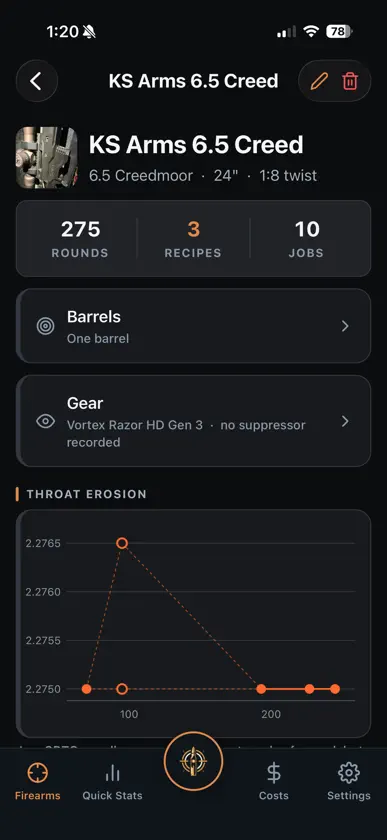
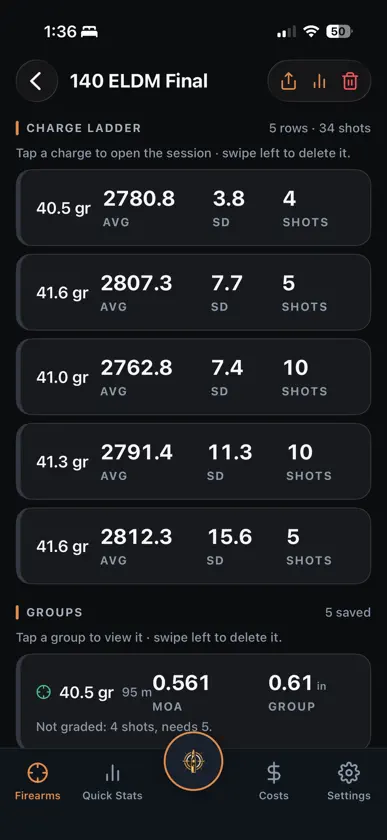
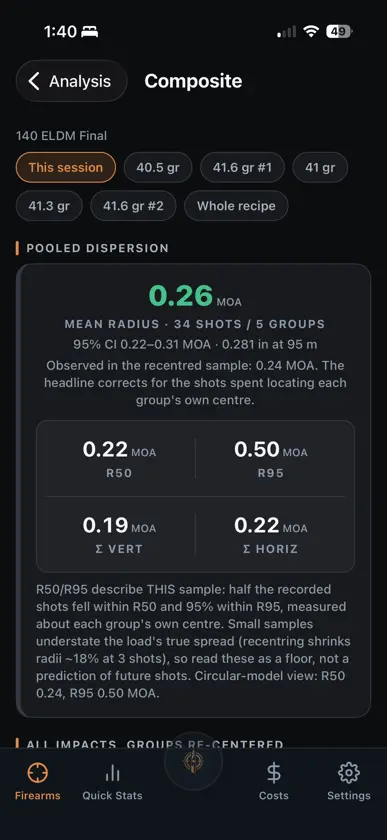
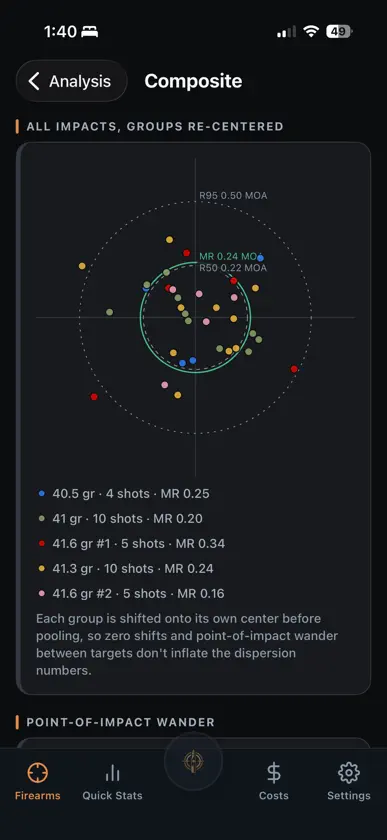
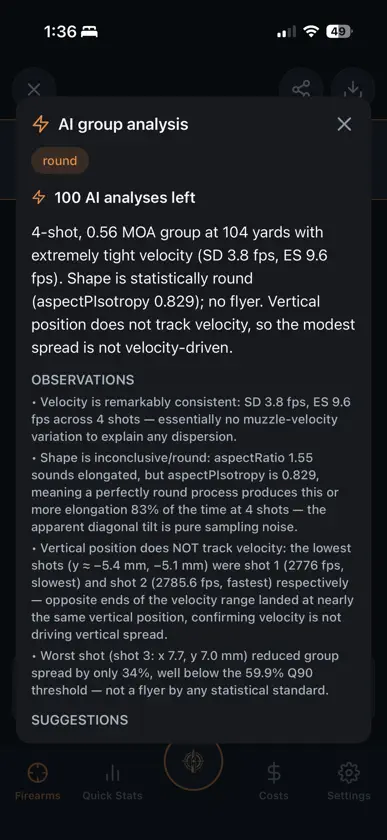
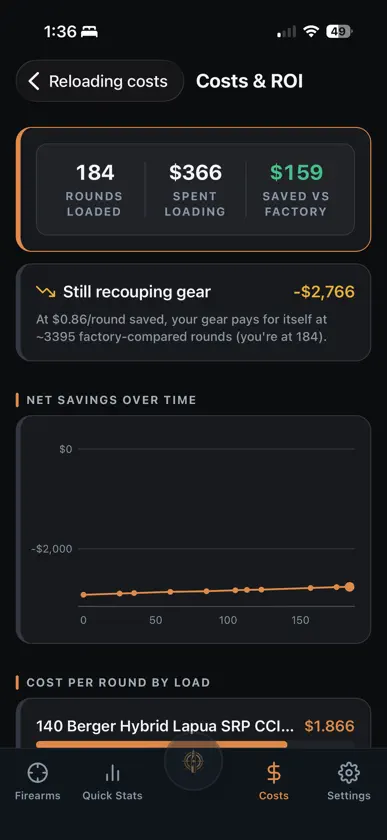
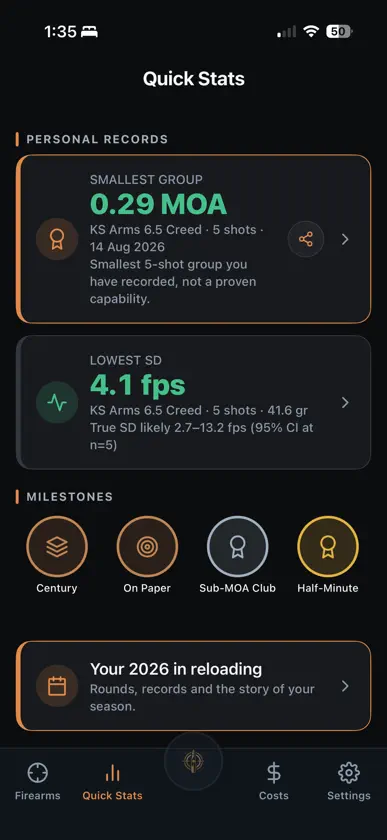
LoadNode is a precision reloading companion: bench to target. On your mobile phone and on the web! Bring your whole logbook on the big screen, at https://app.loadnode.app Track every load you develop, enter chronograph velocities with live SD/ES, measure your groups from a photo, and compare your charges with honest uncertainty. FREE • Log rifles, recipes, and load jobs • Charge weight, seating depth and tuner position tests, with live SD and extreme spread • Offline bullet / powder / primer / brass component search • Measure a group from a target photo (size and MOA) • Session conditions with density altitude, entered from your meter or computed • Password-encrypted backup and restore PRO: one-time, yours forever (no subscription) • Unlimited firearms and multi-barrel profiles • Garmin Xero chronograph sync • Velocity and group-vs-charge charts, plus charge comparison with honest uncertainty • Composite analysis: pool groups into 20 to 50-shot statistics • Full target-cam: firing order, on-photo data box, share cards • Neck-tension and shoulder-bump tracking • AI group analysis, with chronograph velocity correlation and observation-based suggestions (technique and environment only, never load advice) • Cost and ROI tracking: per-round cost and return vs factory ammo • Cloud sync and cloud photo backup across your devices • Personal records, medals and a season recap • Recipe versions, reports and the Load Book PDF • Throat-erosion tracking, saved groups, advanced metrics (mean radius, point of impact, scope clicks) and annotated image export An account is optional. Logging, the calculations, group measurement and component search all work offline. Weather autofill, sign-in, purchases, AI analysis and cloud sync need a connection. Handloading is an adult activity. LoadNode is a logbook, not load data: it never tells you what powder or charge to use. Always use current published data and work up safely.
What's new
Version 2.1.13 · Nov 15, 2026
LoadNode 2.1.13 Search, filter and sort Every recipe list and a rifle's sessions now have a search box, filters and a sort. Search finds a recipe by its name, components, lots and notes (a factory box by its maker and lot), and a session by its load, test type, range, goal and notes. Filter recipes by status and kind (and by rifle on the full recipe list), and sessions by type, status and load. Every list still opens in the order it always had. A cleaning log for each barrel Log a cleaning on any barrel: the date, what was done, the products and a note. The barrel's round count that day and the rounds fired since are worked out from your sessions by date, so they follow the date you give it. Set an optional "clean every N rounds" and the rifle shows Due when it is reached. With Pro, Quick Stats also lists it under Needs attention. A group test shows its load A group test fires the recipe as it is, so its session now shows the load it shoots: the charge with its powder, the seating and the bullet, or a factory box's maker and lot, with a link to the recipe. The shot log names the load too. A jam reading on a group test Creating a group test now offers the jam step, and Edit session takes a jam on a group test as well. The reading joins the throat erosion chart like any other. Date loaded and date fired A session now keeps the day its rounds were loaded as well as the day they were fired. Add the date loaded when you create the session or later in Edit session; it can't be after the date fired. The session shows how many days the rounds waited, the session report and the firearm history print the date loaded, and the CSV export includes it. The date fired can now be a day ahead too, so a session set up before a range day keeps that day. A note on each ladder rung Each rung of a ladder can carry its own note, on every ladder type. The note shows under its rung, prints under its rung in the session report and the firearm dossier, and goes out in the CSV export. Group height A group's height (its extreme vertical spread) now shows beside its size and mean radius, in your angular and linear units, on the group screen and its info box, in a session's list of groups, and in the session report and the firearm dossier. Groups measured from a photo already carry it. Enter a group takes a typed height too. If you also use an older version of LoadNode on another device, editing a typed group there clears its height. Saved targets keep their scope clicks Saving a target again, to add the info box for example, could wipe its scope clicks, because the click size was never saved with the group. It is saved now, and a target saved before this update gets its click size back from its own marks wherever one size fits. The offset from your aim point and the clicks to it now show under the figures and can go in the info box, and a long line in the info box now wraps inside it. Wildcats from the cartridge search When the cartridge search finds nothing, it now offers to use what you typed as the rifle's chambering, so a wildcat is one tap away. Load Book on iPhone On an iPhone, the Load Book now starts a load on a fresh page when it would not fit on the one it is on, so each load prints on one page. A load longer than a page still prints in full. The other PDFs follow the same rule. Under the hood The newest framework patch releases.
In-app purchases
The most popular purchases on the App Store.
- 50 AI analysesConsumable8,99 €
- 110 AI analysesConsumable17,99 €
- LoadNode ProConsumable34,99 €
You might also like
All apps like LoadNode → ReloadVault — Reloading LogTOBY M BERGER
 BenchLog — Reloading JournalOleg Nemna
 Reloader's BenchPeter Willsey
 PrecisionLoad SuiteChoice Tactical LLC
 Vitals: Hunt Packing List37 South, LLC
 Shooting DiarySean Maguire
 dBm ConvertOpen Technologies
 ChronverterArthur Christopher Belmonte
 Vandalia UtilitiesDaffron & Associates, Inc.
 Machinist Calc Pro 2Calculated Industries