
Screenshots


About this app
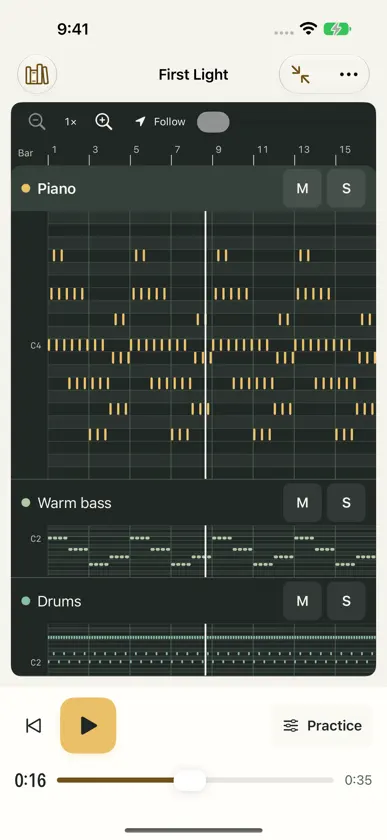
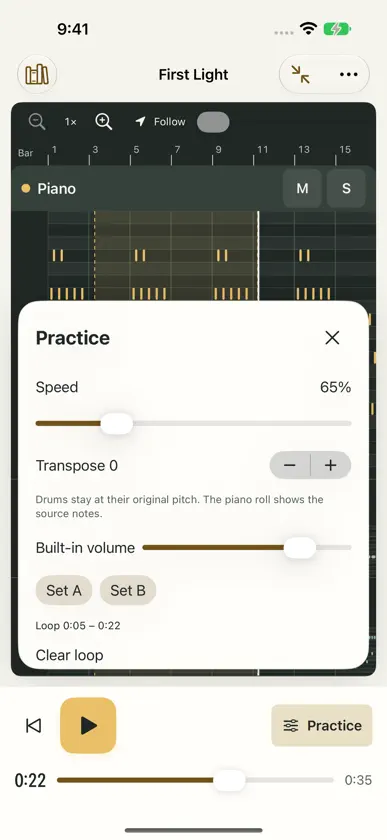
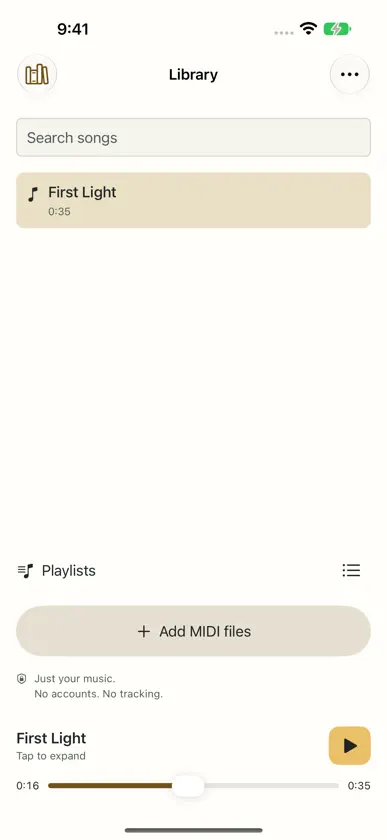
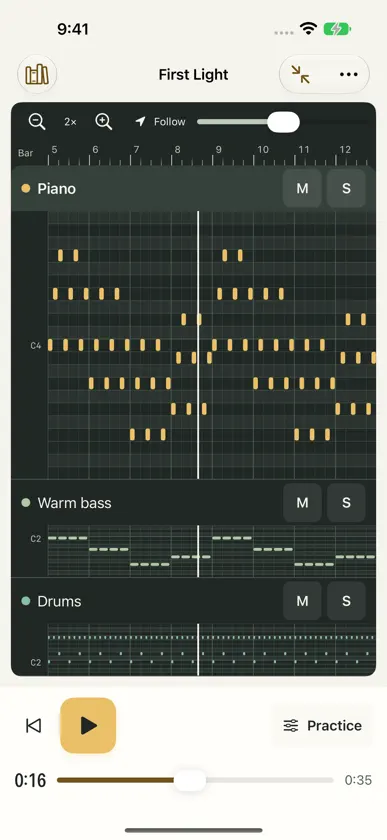
Open a MIDI file and make it your own practice session. MIDI Me is a free MIDI player for listening, exploring parts, and practicing at your own pace. No ads, subscriptions, paid unlocks, accounts, or tracking. LISTEN OFFLINE Start playing with the included General MIDI soundbank. Import your own SF2 or DLS soundbank, or choose an available CoreMIDI destination to send notes to another instrument. A built-in demo lets you try the player immediately. PRACTICE YOUR PART Slow playback down or speed it up, or let the speed step up a little after each pass through an A-B loop. Mute or solo individual tracks, repeat a passage, and transpose melodic parts by up to two octaves in either direction. Turn on the metronome or a count-in that follows the file's bars. Standard drum channel 10 keeps its percussion pitches. Adjust instruments and levels by MIDI channel, and return to the settings supplied by the file whenever you like. Your practice settings are remembered for each song. Save named sections and setups to recall a passage, speed, transpose, and mix. PLAY ALONG Connect a MIDI keyboard and play a part yourself. Wait mode holds the song at each chord until you play it, and every loop pass shows how many notes you hit, missed, or added, and how early or late you were. Nothing you play is recorded. SEE THE MUSIC Explore a piano roll with zoom, pan, pitch labels, follow mode, and a bar and beat ruler. View lyrics, markers, and cue points when the file contains them, and jump to their positions. Insights show estimated key, chords, part roles, difficulty, and busier bars to loop, always labelled as estimates and easy to hide. The piano roll shows the original notes. KEEP YOUR LIBRARY LOCAL Search and rename songs, arrange playlists, and build a playback queue. Removed songs can be restored. Your imported originals stay unchanged, and your library and settings stay on your device. Switch between light, dark, and system appearance, or use the mini player while listening. On supported iPhone Duo displays, keep notes beside Practice, Library, Lyrics & markers, or Queue, with two-page and desk layouts. SAVE OR SHARE Export the unchanged original MIDI or a separate edited MIDI copy with speed, transpose, selected note parts, instruments, and channel levels. Edited copies retain channel setup from all tracks, which can sound different from full-track playback mute. Render the full song or one A-B pass to WAV or smaller AAC (.m4a) with your selected soundbank and mix. Estimates, metronome clicks, count-in, and practice progression are excluded from exports. FILE SUPPORT AND PRACTICE NOTES Supports Standard MIDI File formats 0 and 1 with beat-based timing, including compatible .mid, .midi, and .kar files. Format 2 and SMPTE-timed MIDI are not supported. Files are limited to 64 MB, 1,000,000 events, and 250,000 notes. A-B loops use 50 ms polling and are not sample-accurate. Files without a time signature use 4/4 for bars. Muting or soloing a track also filters its SysEx messages, which can affect global sound setup in some files. Transposed notes outside MIDI's pitch range are omitted. Tracks sharing a MIDI channel share its instrument and level. WAV and AAC rendering are limited to two hours including the release tail. MIDI Me plays musical instructions; it does not convert recorded audio to MIDI or provide sheet-music notation. Lyrics appear only when included in the file. External MIDI destinations need their own sound source.
What's new
Version 1.2 · Nov 3, 2026
Take your changes with you in MIDI Me 1.2. All features remain free. - Export an edited MIDI copy with speed, transpose, selected parts, instruments, and channel levels. Your original stays unchanged. - Export WAV or smaller AAC audio for the whole song or one A–B pass. - Save named sections and setups to return to a passage and its mix. - Use the iPhone Duo workspace with notes beside Practice, Library, Lyrics & markers, or Queue, plus a desk layout for loop controls. - A forest, ivory, and gold theme matches the app icon in light and dark appearances. - Reduce memory use when loading and analyzing MIDI files. - Find clearer soundbank controls and explanations for common silent playback settings. MIDI copies contain performance instructions; audio exports capture your selected soundbank. Metronome clicks and practice progression are excluded from exports.
More from Zak Keown

You might also like
 MIDIHuman DrumsBRADLEY WAYNE MYERS
 MIDI ScribeJames Ranson
 PX1 FM SynthPeter Sjogren
 Retales SamplerLuis Diaz-Faes
 sonotoi: beat makerSamuel Mann
 NSM Groove MetronomeJason Zachariah
 Audio+MIDI PlayerAlbos Inc.
 DrumClock - Drums to MIDICREEDYSOLUTIONS, LLC
 CalcophonyValtone Oy
 Super Simple DrumBizzon Company Limited