
PaperPaste
Adam Tomczyk
No ratings yetProductivityAges 4+
Screenshots

About this app
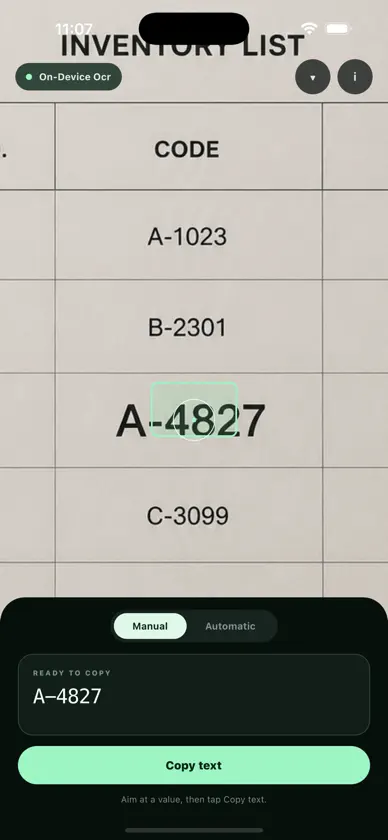
PaperPaste turns your iPhone into a private paper-to-clipboard scanner. Point the camera at a printed number, code, or label, then copy exactly the text you choose—without retyping. Use the movable crosshair for precise selection. Choose Manual mode when you want to review each value before sending, or Automatic mode for hands-free sending after a stable read. Text recognition happens on your iPhone. Camera images are not saved or uploaded. Use PaperPaste by itself, or connect a computer by scanning the one-time QR code on the PaperPaste website. Selected text is encrypted on the iPhone, relayed live, and decrypted only in the paired browser. No account. No cloud history. No document upload. No retyping.
What's new
Version 1.1.0 · Sep 9, 2026
Connect PaperPaste to any computer through the public website—no local server and no shared Wi-Fi required. Scan a one-time QR code, then send selected text with end-to-end encryption. Camera images remain on your iPhone, and the relay stores no clipboard history.


