
ThruFlow
EDUARD SHCHIGOLEV
No ratings yetProductivityAges 4+
Screenshots


About this app
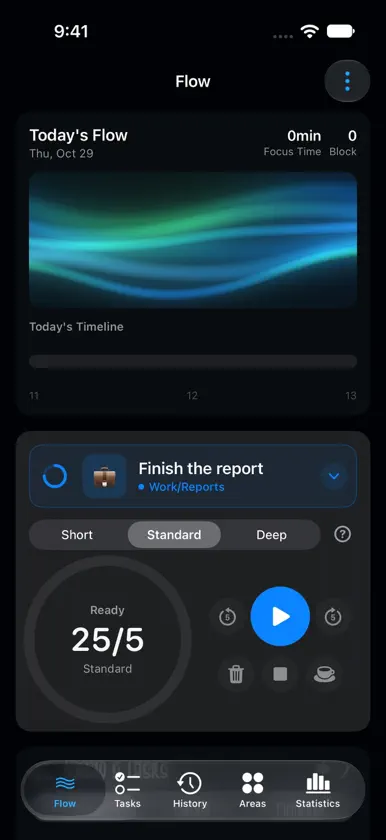
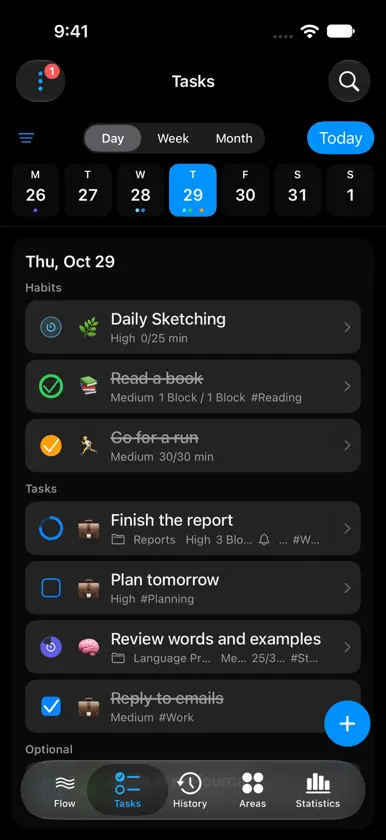
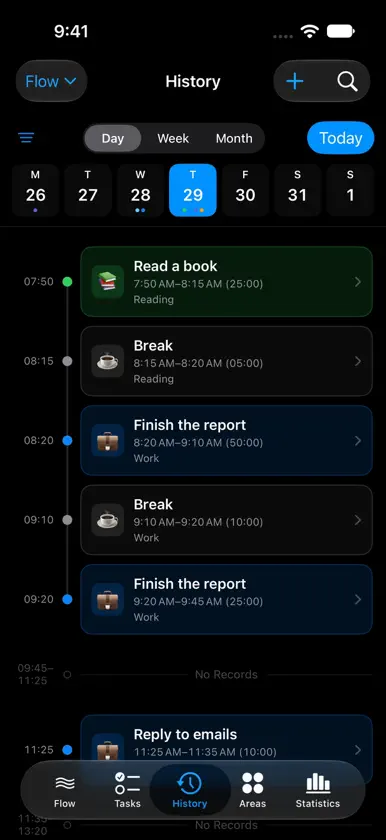
ThruFlow brings task management, a focus timer, history, and statistics together in one place. Choose what you want to do today and start the timer. Your focused time is recorded automatically, so you can review your day on a timeline and see how your time changes across weeks, months, and years. Key features • Organize work, study, health, and other long-term priorities into Areas • Scheduled habits automatically appear in your list on the right days. • Keep today’s tasks and habits in one place • A flexible focus timer — choose the work mode that suits you • Review and edit focus and break records on a timeline • See trends and time distribution by week, month, or year • Follow your consistency with the Focus Calendar • Use ThruFlow on iPhone, iPad, Mac, and Apple Watch • Sync records across devices with iCloud Core features—including Tasks, the focus timer, History, and Statistics—are free. There are no ads, and no account is required. Your data is stored on your devices. When iCloud is enabled, records sync across supported devices through your private iCloud database.
What's new
Version 1.4.0 · Oct 29, 2026
ThruFlow 1.4.0 makes it easier to plan tasks and track your progress. • Create projects within Areas to organize tasks and set up a habit for each project. • Add task times and reminders. Enter a time such as 9:00 directly in quick input. • View statistics by project and habit completion percentages that include partial progress. • Add a task title, project and a note about your work when finishing or switching tasks. The timer keeps running while you switch. • The timer ring preserves the colors of the Areas you worked on. Break recommendations account for consecutive focus blocks and breaks already taken. • Improved layouts for iPad and iPhone Duo. • Added Simplified and Traditional Chinese. We also fixed habit progress carrying over to the next day, restoring archived Areas, month labels and quick-input windows on Mac. Setting up time exports to Toggl is now clearer.
You might also like
 Thalam - Plan & TrackAnish Varghese
 DayBox: Time Blocking PlannerRene Fandida
 FlowCue AppAmiel Kennedy
 Visual Routine Timer: NextStepMubarak Almahmeed
 Routine Tracker - Daily FlowBULPARA TEKNOLOJI LIMITED SIRKETI
 DayTimer - Time BlockingRajai Baboun
 Ready Freddy RoutinesGriffin Davis
 Hey OnTime: Meeting ReminderWherk
 Tethers - Friendship RemindersJORGE AGUIRRE
 HelpDo: Goals, Todos & HelpAli Rizvi