
mDNSShark
ShapeHaven Innovations LLC
No ratings yetUtilitiesAges 4+
Screenshots

About this app
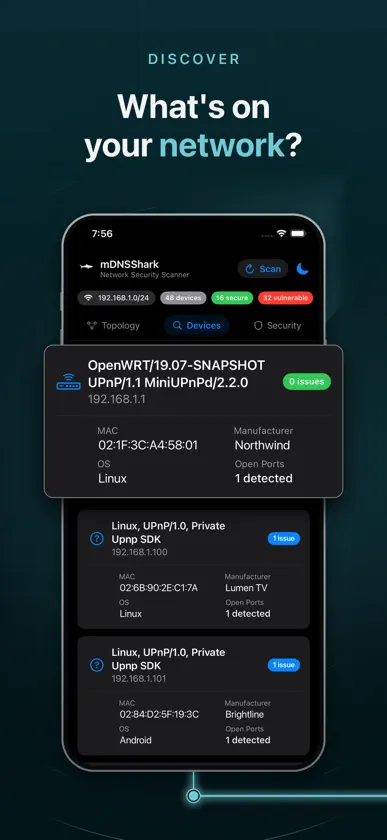
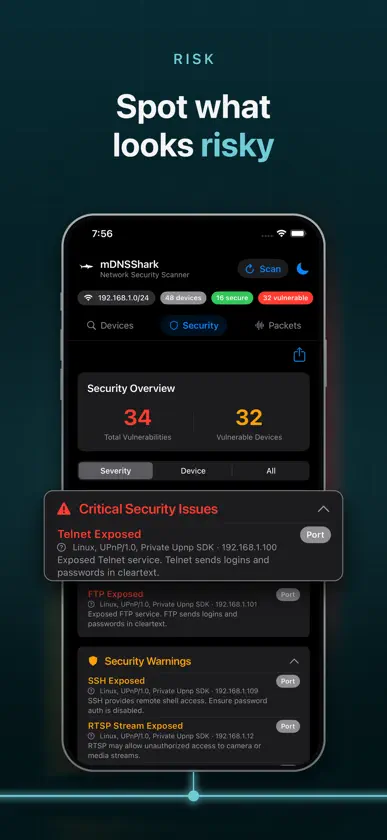
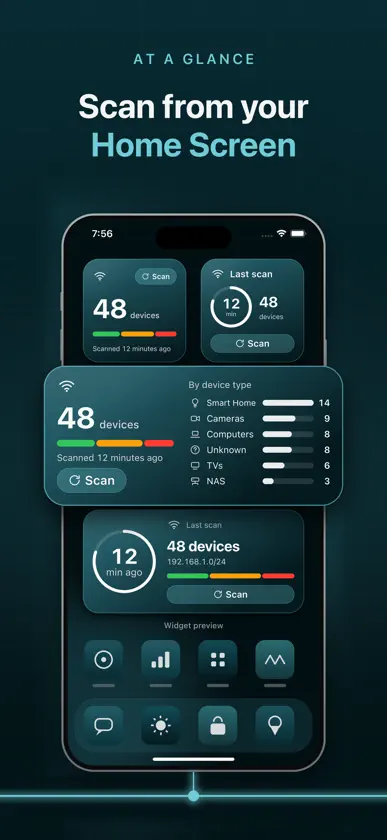
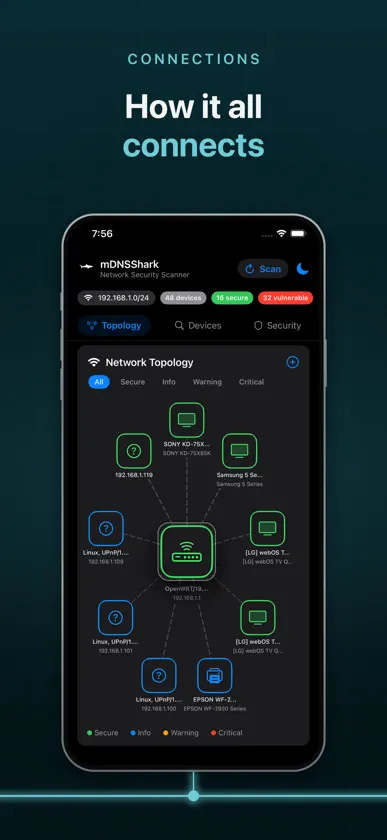
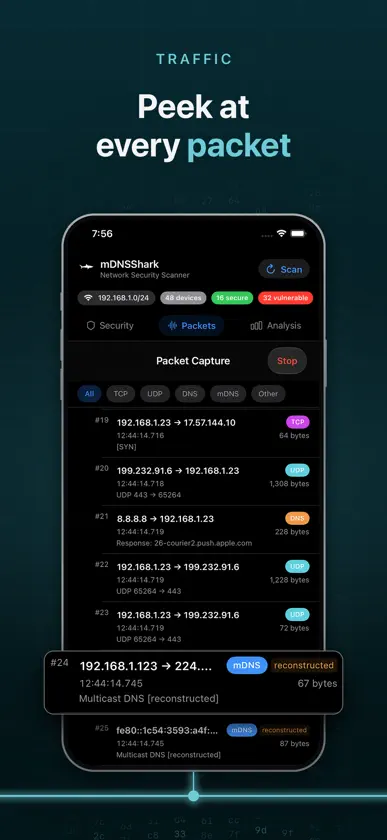
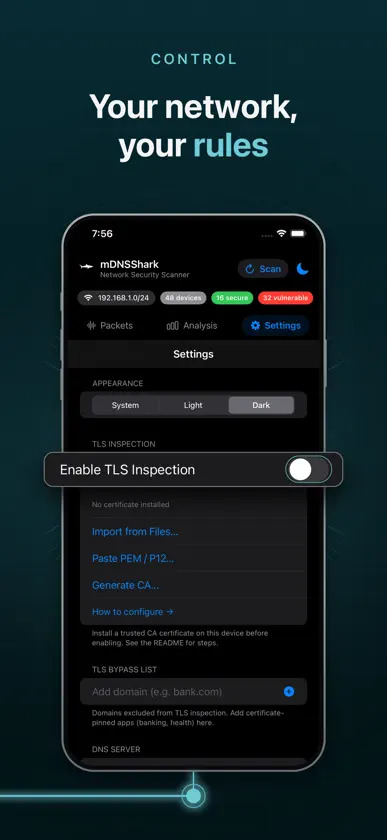
mDNSShark is an open-source network scanner for iPhone, built for privacy-minded engineers and anyone curious about what is on their Wi-Fi. It listens to Multicast DNS (mDNS), DNS-SD (Bonjour) and SSDP/UPnP to find printers, cameras, media servers, smart home gear and other services on your local network, with no setup and no account. FOR CURIOUS MINDS Ever wondered what your TV, thermostat or camera is saying on your network? mDNSShark shows you: what a device announces about itself, which ports answer, and what your phone talks to. Built by engineers for the curious minded and explorers, with literal values and nothing hidden. WHAT YOU GET - Device discovery: Bonjour/mDNS, SSDP/UPnP, an ARP table read and a light sweep of your own subnet, with MAC vendor lookup. A long list of Bonjour service types is browsed, including cameras, Matter, Thread, appliances and 3D printers. - See what a device says about itself: TXT records are listed exactly as received, and vendors come from the device's own claim or its MAC. - Topology: a map of how devices connect, centered on your gateway, with devices on other networks shown apart. A Networks sheet lists this phone's networks, gateways and off-network devices. - Security assessment: flags risky exposed services such as Telnet, FTP, SMB and RTSP, and checks device manufacturers against CISA's Known Exploited Vulnerabilities catalog and the NVD. Only ports confirmed by a real connection are listed as open. - Probe this device: on request, and behind a confirmation, send the standard probes to a single address on another network. Devices that were never probed say Not probed. - Home Screen and Lock Screen widgets: Devices Online, Scan Now and Security at a Glance. On iOS 26 and later, Scan Now starts a scan right from the widget. - Packet capture: see which servers your phone talks to (DNS lookups, IP addresses, ports), capture mDNS traffic, and export to pcap for Wireshark. - TLS Inspection (optional subscription): decrypt and read your own device's HTTPS traffic using a certificate you install and trust, with a bypass list for apps you want left alone. PRIVACY Scans and analysis run on your phone. Your device list and scan results are never uploaded; only vendor names are sent to the NVD when you tap Refresh CISA Data. Widgets read a snapshot stored on your device. There is no telemetry, no analytics, and no trackers. Two things leave your device, and both are visible to you: while Packet Capture is on, DNS lookups go to the resolver you choose (Google Public DNS by default), and the Refresh CISA Data button you tap yourself downloads CISA's public catalog and asks the NVD about device vendors seen on your network. Discovery needs only local network access; Packet Capture also asks you to allow a VPN configuration. SUPPORT ACTIVE DEVELOPMENT The optional TLS Inspection subscription helps fund active development of mDNSShark: new features, fixes and upkeep. SUBSCRIPTION TLS Inspection Monthly is an auto-renewing monthly subscription. The price and any free trial are shown in the app before you subscribe. Payment is charged to your Apple Account at confirmation of purchase, or when a free trial ends. The subscription renews automatically unless you cancel at least 24 hours before the end of the current period. Manage or cancel any time in Settings > Apple Account > Subscriptions. Discovery, scans, and the Security tab are free. OPEN SOURCE AND YOUR VOICE mDNSShark is built in the open and your ideas shape it. Found a bug or want a feature? Open an issue and tell us. Contributions are welcome too. Bugs and feature requests: https://github.com/Shapehaven-Innovations/mDNSShark/issues Source code: https://github.com/Shapehaven-Innovations/mDNSShark Terms of Use (EULA): https://www.apple.com/legal/internet-services/itunes/dev/stdeula/ Privacy Policy: https://shapehaveninnovations.com/privacy.html
What's new
Version 1.10 · Nov 3, 2026
Whats new in 1.10: WIDGETS • Devices Online and Scan Now widgets in small and medium sizes, with the number of devices, a bar chart by type and how old the scan is. On iOS 26, Scan Now runs a scan right from the widget. • Security at a Glance widget in small, medium and large, plus lock screen versions. DISCOVERY • Bonjour now finds sixty more service types, including cameras, Matter, Thread, appliances and 3D printers. • Better device names and types: speakers, smart home gear and NAS get their own chips, and a Mac stays a computer. • The default gateway now comes from the system, and the header shows your real subnet. • Devices on other networks get an Other network badge and a note explaining it. • UPnP device names are read from the device itself. TOPOLOGY • The gateway or an on-network device is the hub, with off-network devices shown apart. • New Networks sheet lists this phone's networks, gateways and off-network devices. PACKET CAPTURE • mDNS traffic is now captured and exported in the pcap. • New Decrypted only filter. BUG FIXES • A port 80 that only redirects to HTTPS is now described as a redirect, not as unencrypted HTTP. • Ports advertised over Bonjour or SSDP are no longer shown as open. Only ports confirmed by a connection count, and port 53 is now checked. • Device names and types now match between scans and tabs. • Denying Local Network permission now shows a banner with an Open Settings button instead of failing silently. • TLS captures: the packet count now matches the pcap, and decrypted requests are numbered separately so Wireshark frame numbers stay in step. • TLS bypass list matches now pass through to the real server untouched instead of being closed. • Devices stay on screen during a rescan, and Bonjour services on a second address no longer appear as separate devices. • Devices badges say findings, matching the Security tab. A note from the Developers: Widgets are still in development, so layouts, sizes and refresh behavior will keep changing. iOS limits how often a widget can redraw, so values can lag by a few minutes, and a widget says "Out of date" or "Last update" when it is behind. Tapping Scan on a widget runs a scan without opening the app on iOS 26 and later, and opens the app on earlier versions. We are also exploring a Live Activity on the Lock Screen and in the Dynamic Island to show packet capture in near real time. New Devices, Device Mix and Mini Topology widgets are planned for a later update.
In-app purchases
The most popular purchases on the App Store.
- TLS Inspection MonthlySubscription · 3 days free trialUSD 1.99 / month
More from ShapeHaven Innovations LLC
 KavaCrawl: Kava Bar FinderShapeHaven Innovations LLC
 SmirkOSShapeHaven Innovations LLC
 IntervalTimer(x)ShapeHaven Innovations LLC
 RhythmX: Period TrackerShapeHaven Innovations LLC
 Interval(x)ShapeHaven Innovations LLC
 Simple-TaskShapeHaven Innovations LLC
 WordFloraShapeHaven Innovations LLC
 Joke Assembly: Daily Dad JokesShapeHaven Innovations LLC
You might also like
 Network Scanner & IP,PORT,WİFİPDF SCANNER LLC
 Network Intrusion DetectionAdam Lowery
 KozBonKozinga
 Flame Services BrowserThomas Insam
 PocketAdmin – IT ToolkitGDW Entertainment, LLC
 EasyNet: Network Scanner ToolINHEE KIM18382145061
 mDNS-Browser海锋 蓝
 PingKit: Network ScannerPAUL SNYMAN
 Hammer ProxyGibrid AI, Corp.
 LocalSitesLukas Zeller